
Tabs that never meet
Visibility in one tool, Google traffic in another — and no one lines up the dates.
Impact & attribution · GA4 & Search Console
Connect Google Analytics 4 with read-only access and see traffic and Search Console clicks beside visibility score and share of voice — in one Analytics view.
In short
Sphen.ai reads your Google Analytics 4 traffic with read-only access and shows it next to your visibility score and share of voice in Analytics. Search Console clicks appear in the same view and per blog article. You connect GA4 under Settings → Integrations and choose the property yourself. GA4 is optional: the visibility metrics work without it.
Updated:
The problem
Visibility in one tool, Google traffic in another — and no one lines up the dates.
A rising share of voice means more when you can see search clicks move with it.
Handing a marketing tool write access to Google properties is a risk you do not need to take.
How it works
Open Settings → Integrations and press Connect GA4. Finish the Google sign-in; Sphen.ai only requests read access.
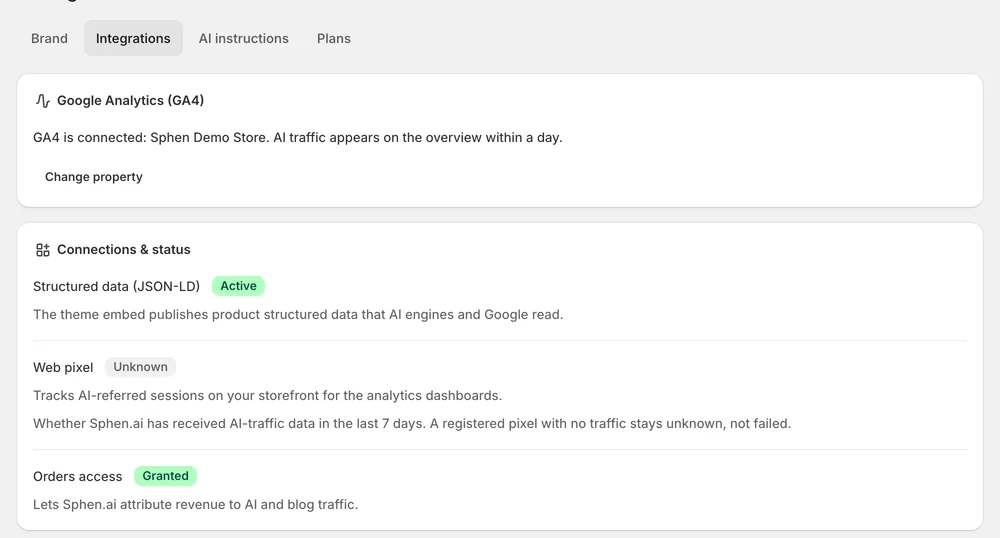
Choose the property that belongs to this store under GA4 property and press Save property. Traffic appears within a day.
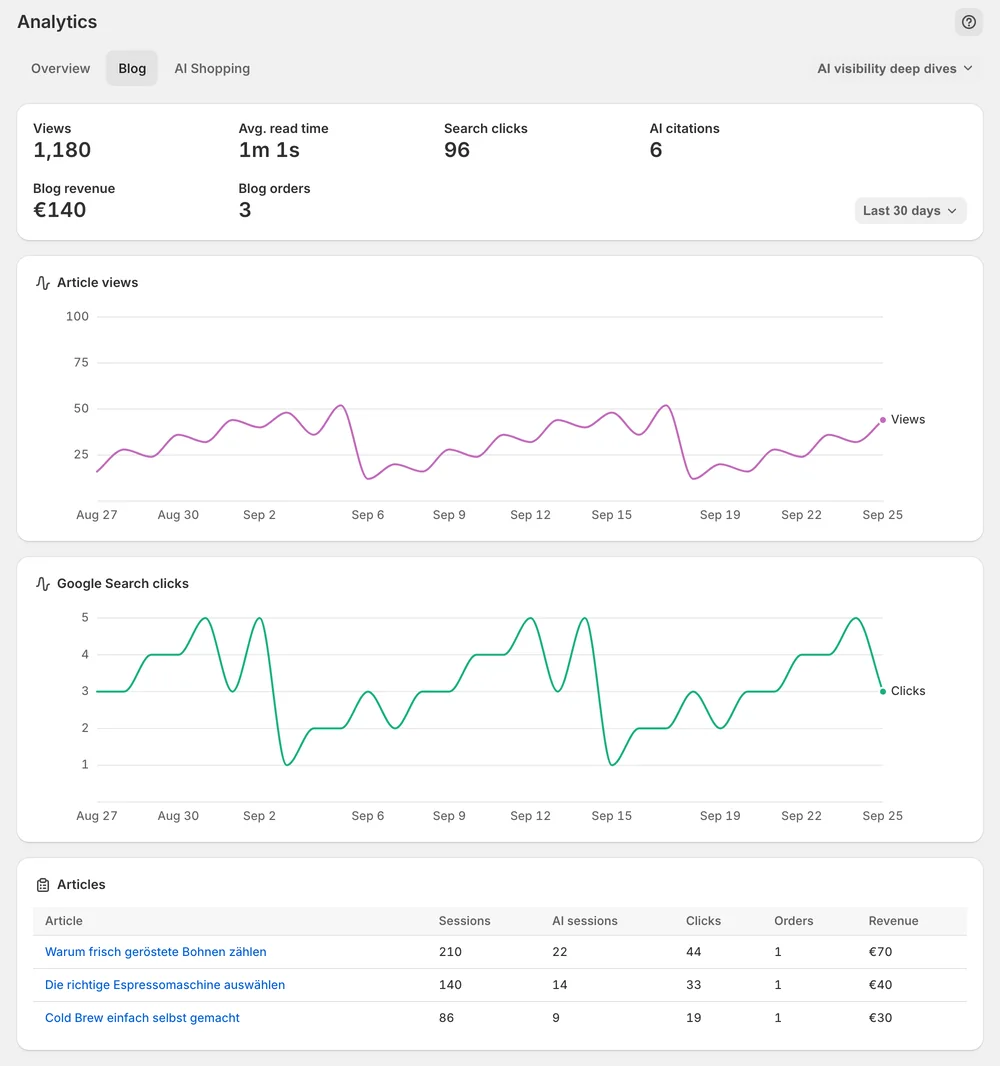
Blog analytics shows search clicks from Search Console next to views, reading time and AI citations for each article.
In the app
Open Settings → Integrations and press Connect GA4. The Google sign-in opens in a new tab, and Sphen.ai only requests read access. Back in the app, pick the property that belongs to this store under GA4 property and press Save property. Traffic appears on the overview within a day. Connections and status shows the state of GA4, structured data and orders access.
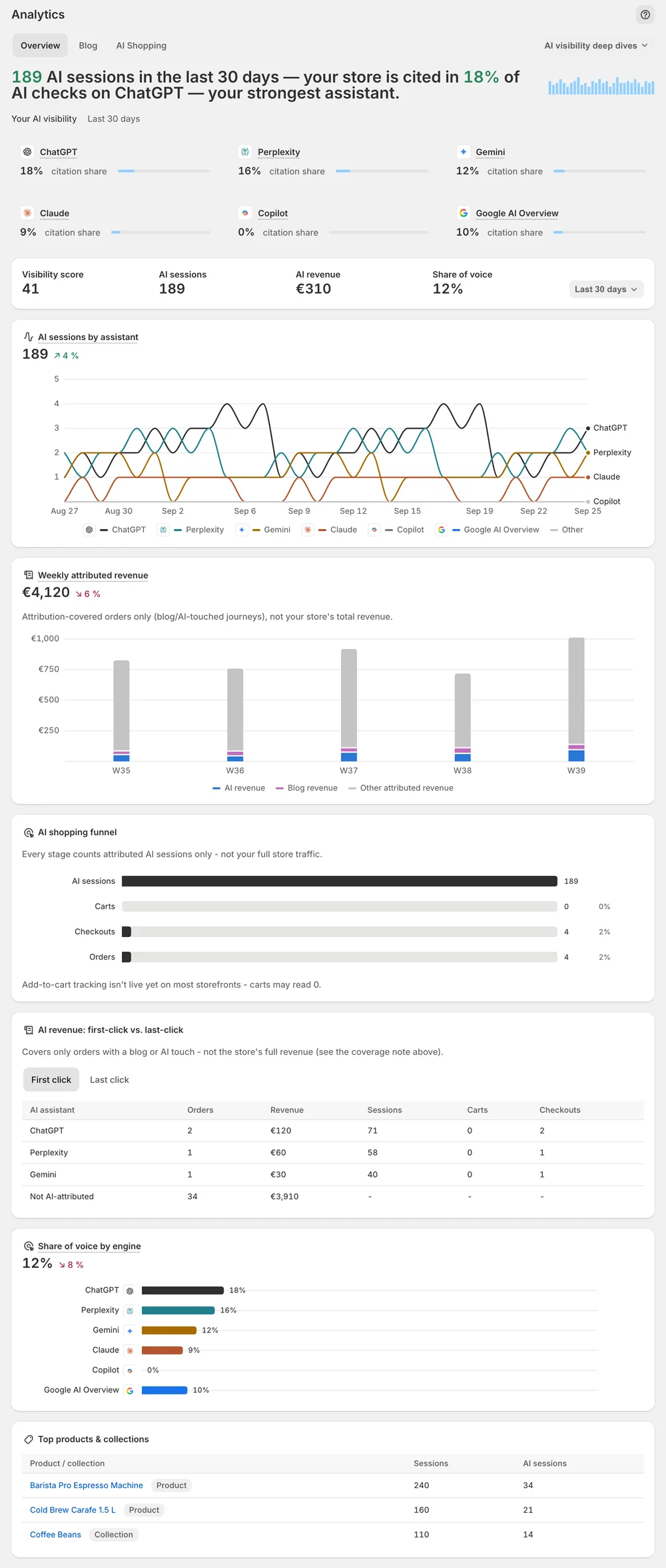
Open Analytics and set Range to the window you care about. The Overview tab shows the KPI strip with Visibility score and Share of voice. Both are sampled averages over prompt samples, so read the trend across scans, not a single number. Underneath you read Search Console clicks and, once connected, GA4 sessions. Citation data and Google traffic sit in one view.
The Blog tab in Analytics shows the numbers per article. Search clicks from Search Console stand next to views, reading time and AI citations for each article. You see which articles get found in Google Search and which ones AI assistants cite. If Google stops accepting the stored access, Analytics shows GA4 connection expired and the daily traffic sync stops until you reconnect.
You stay in control
Plans
Included in every plan, with no separate quota.
No. Visibility, share of voice, the deep dives and the real-browser prompt checks work without it. Without GA4 you just have no traffic-side view. You can connect it under Settings → Integrations whenever you want, and Sphen.ai only requests read access.
Within a day of saving the property. After that, traffic is synced daily. If nothing appears, check under Settings → Integrations that you picked the property that belongs to this store and pressed Save property. Then look in Activity for a failed job.
Clicks on your articles in Google Search, as reported by Search Console. On the Blog tab in Analytics the number stands next to views, reading time and AI citations for each article, so you can compare how an article does in search and in AI answers.
Analytics shows GA4 connection expired and the daily traffic sync stops. This usually happens after access was revoked or the Google account changed. Open Settings → Integrations and press Reconnect GA4. Visibility score and share of voice keep working, because they do not depend on GA4.
No. The connection is read-only: Sphen.ai only requests read access during the Google sign-in and never writes to your Google accounts. You choose which GA4 property it reads, and you can revoke the access in Google at any time.
They open from the AI visibility deep dives dropdown in the tab row on Analytics. Pick Prompts, Rankings or Sources. These pages come from your AI visibility scans and work without a GA4 connection. Re-checked prompts carry a Verified in real browser evidence badge.
Install Sphen.ai, let it read your store, and decide exactly what goes live.
