
Topics without backing
An article about something your catalog cannot support has nothing to link and nothing to prove.
Content · Blog planner
Sphen.ai builds an article plan from your own catalog, writes drafts in the background with real product cards, and scores each one before you publish or schedule it.
In short
The blog planner is the Blog tab under Content in Sphen.ai. It builds an article plan from your Shopify catalog, writes drafts in the background with product cards, and scores each draft for Quality, SEO and GEO. You review, edit and publish or schedule each article to a Shopify blog yourself.
Updated:
The problem
An article about something your catalog cannot support has nothing to link and nothing to prove.
Generic AI writing mentions no real product, so the reader has nowhere to go next.
Without a check before publishing, thin drafts go live and nobody quotes them.
How it works
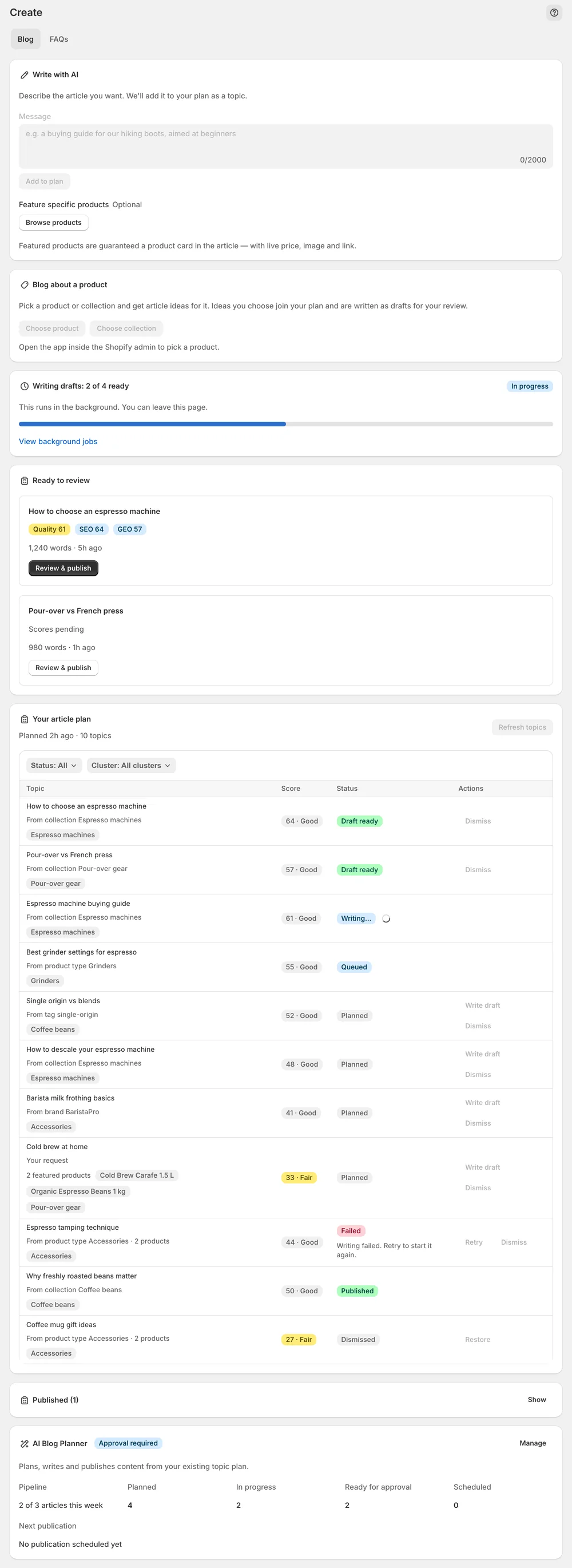
Your article plan comes from product types, collections, brands and coverage gaps. Each topic carries a Strong, Good or Fair band — write the strong ones first, or queue Write top 5 now. Drafts arrive in Ready to review with product cards and Quality, SEO and GEO scores.
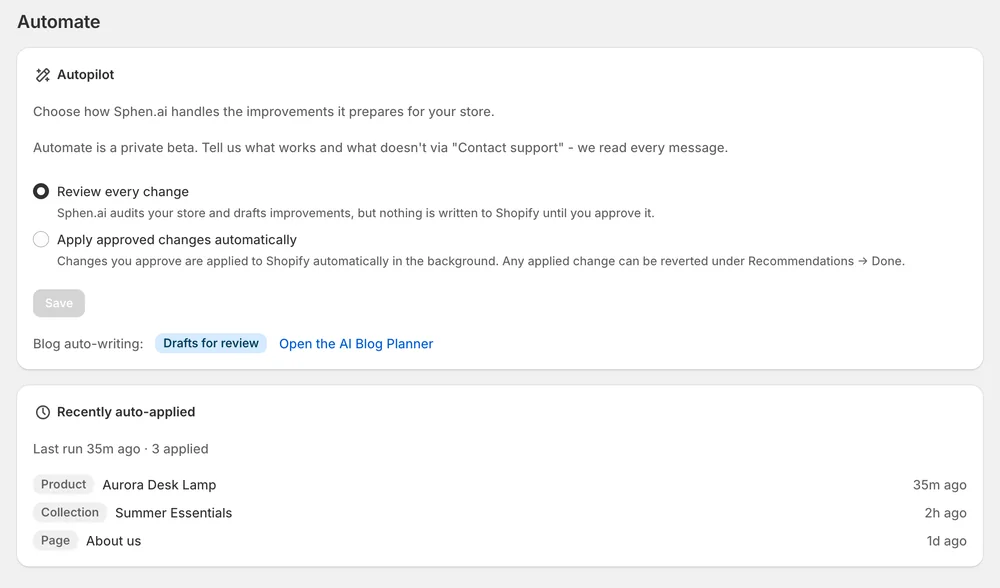
Edit the title, meta description and HTML, or rewrite with AI. Check in theme, then Publish now or Schedule. Prefer hands-off? Auto-publish is opt-in and keeps the same score thresholds.
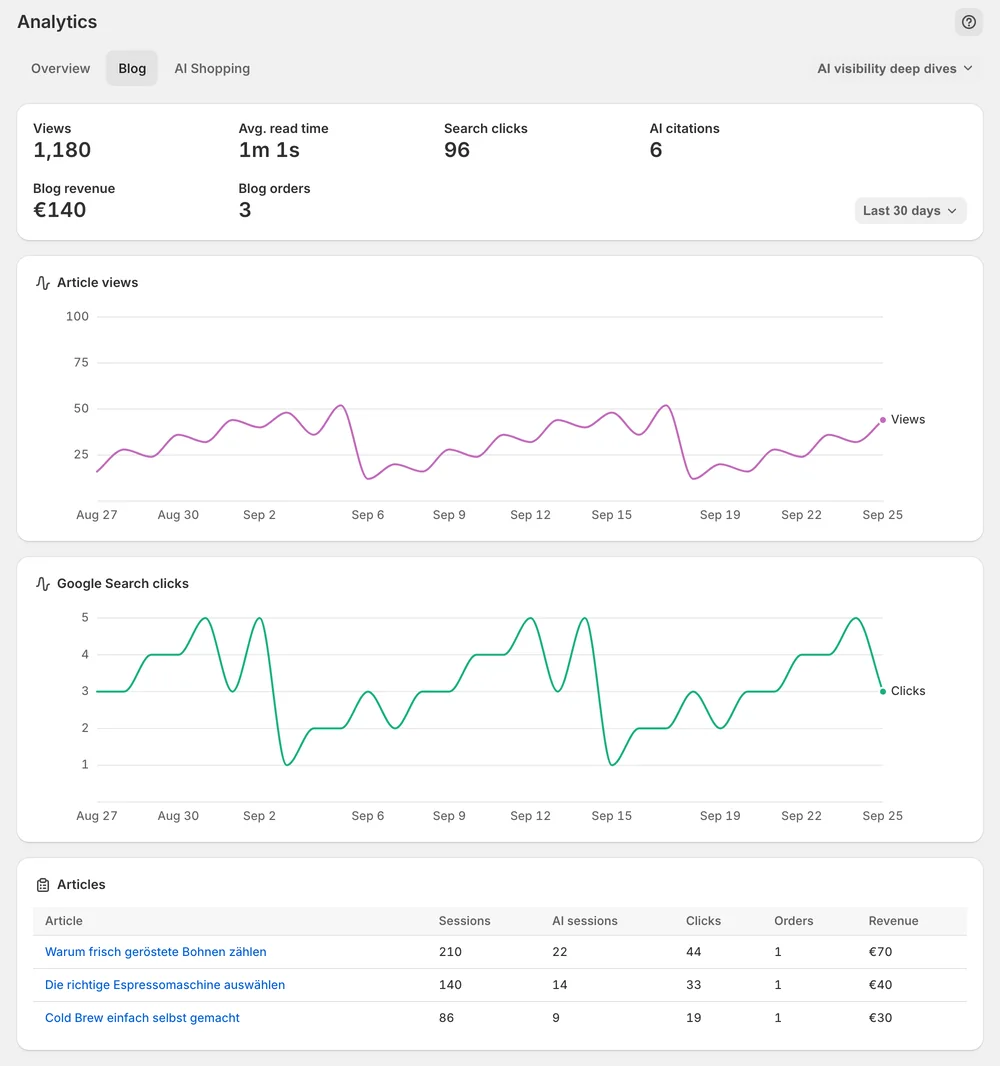
Blog analytics show views, reading time, search clicks and AI citations per article, so you know which topics to write next.
In the app
Content → Blog opens with Your article plan. Topics come from your product types, collections, brands and coverage gaps, and each one carries an opportunity score shown as a band: Strong, Good or Fair. Pick a topic and press Write draft, or press Write top 5 now to queue a batch. Drafts are written in the background, so you can leave the page. Refresh topics rebuilds the plan later.
Finished drafts appear under Ready to review with three numbers: Quality, SEO and GEO. Open one with Review & publish. Edit changes the title, meta description and article HTML. Edit with AI takes an instruction and rewrites the draft. Product cards show live price, image and link. A draft marked as not ready to publish failed the quality checks, so retry the topic or pick another one.
Choose the target under Publish to blog, then press Check in theme to see the article in your live theme before it goes public. Publish now puts it live, Schedule sets a date. If your theme has no blog or article template, the app warns you, names the failing URL and offers Check again. How many articles you can write per month depends on your plan.
You stay in control
Plans
blog posts per month
From your synced catalog: product types, collections, brands and store pages. Press Refresh topics to rebuild the plan after the catalog changes. If the plan reports too little catalog signal, check that the catalog sync has finished, add products or collections and refresh the plan later.
Yes. Use Write with AI, describe the article and press Add to plan. It is written like any other topic. Under Feature specific products you can pin up to three products, and each pinned product gets a product card with live price, image and link.
Quality is the overall editorial check. SEO measures how well the draft targets its keyword in titles, structure and meta description. GEO measures how citable the draft is for AI assistants, based on direct answers, FAQs and structure. A publishable draft sits at Quality 85 or above with GEO 70 or above.
Your theme has no blog or article template. The article is stored in Shopify, and Sphen.ai warns you in the app when the URL returns 404. Add both templates to your published theme and the existing URL renders. You do not need to publish the article again.
Only if you switch on auto-publish. It publishes drafts that reach Quality 85 and GEO 70 to a blog you nominate, with no review step. The editorial responsibility stays with you, and depending on the topic, EU rules may require the article to be labelled as AI-generated.
That depends on your plan. Each plan includes a monthly allowance of blog posts, which resets at the start of the next month. You see your current usage under Settings → Plans. When the allowance is used up, the app tells you, and your existing data stays untouched.
Install Sphen.ai, let it read your store, and decide exactly what goes live.
