
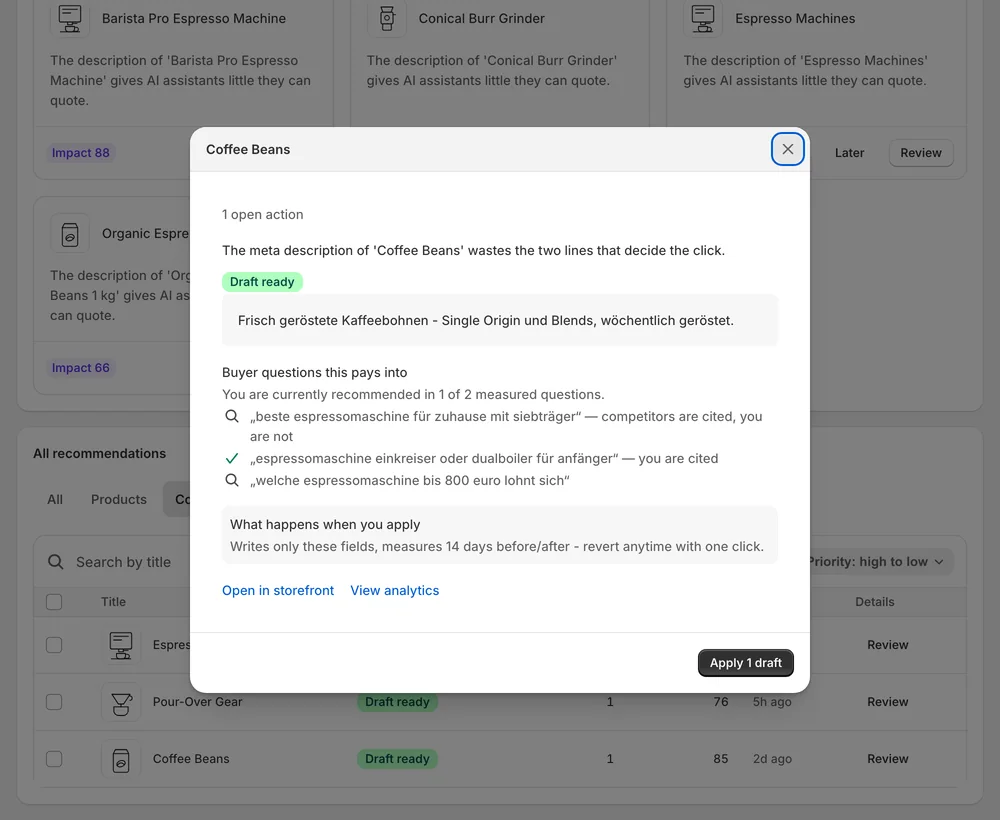
Defaults everywhere
When the SEO title and meta description are left blank, the listing shows whatever the page happens to start with.
Recommendations · SEO titles & meta
Sphen.ai reviews the SEO title and meta description of your products, collections, pages and articles, drafts better ones, and writes only the fields you approve.
In short
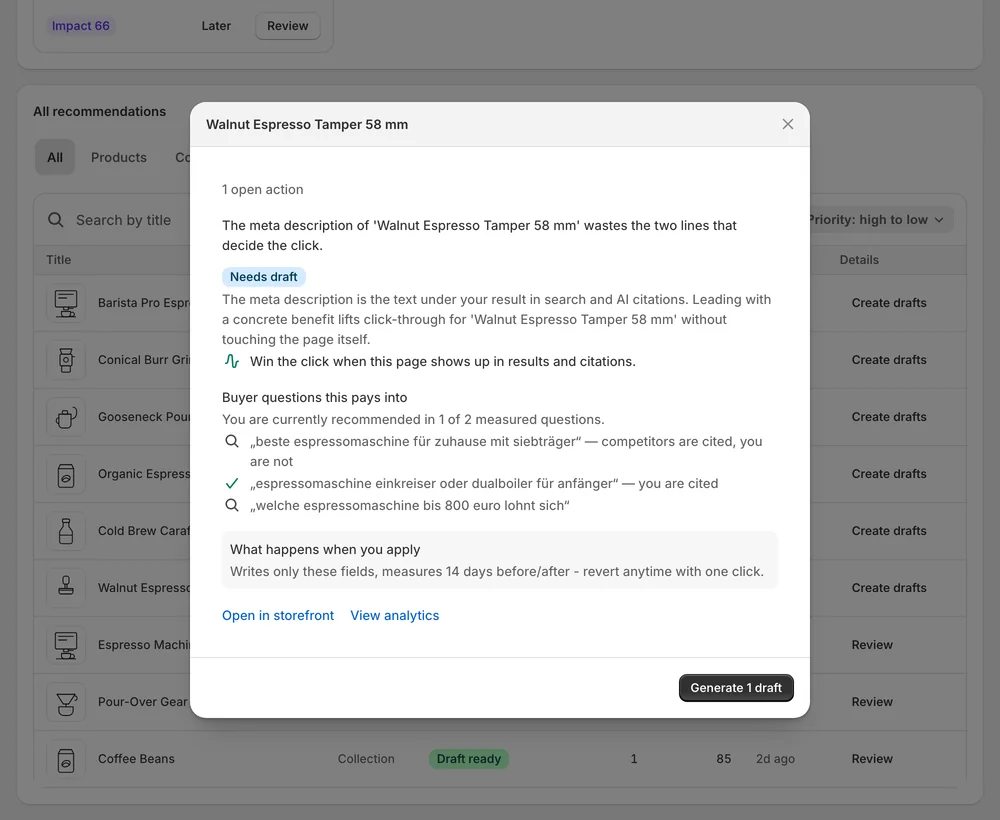
Sphen.ai reviews the SEO title and meta description of your products, collections, pages and blog articles and drafts replacements where they are missing or weak. Each draft is shown next to the current value. You edit, refine or dismiss it, and only the SEO field you approve is written to Shopify.
Updated:
The problem
When the SEO title and meta description are left blank, the listing shows whatever the page happens to start with.
Collections, pages and blog articles have the same fields and are rarely checked at all.
A store translated into other languages often keeps its SEO fields in the original language.
How it works
Review SEO title and Improve meta description recommendations show up across the Products, Collections, Pages and Blog posts tabs.
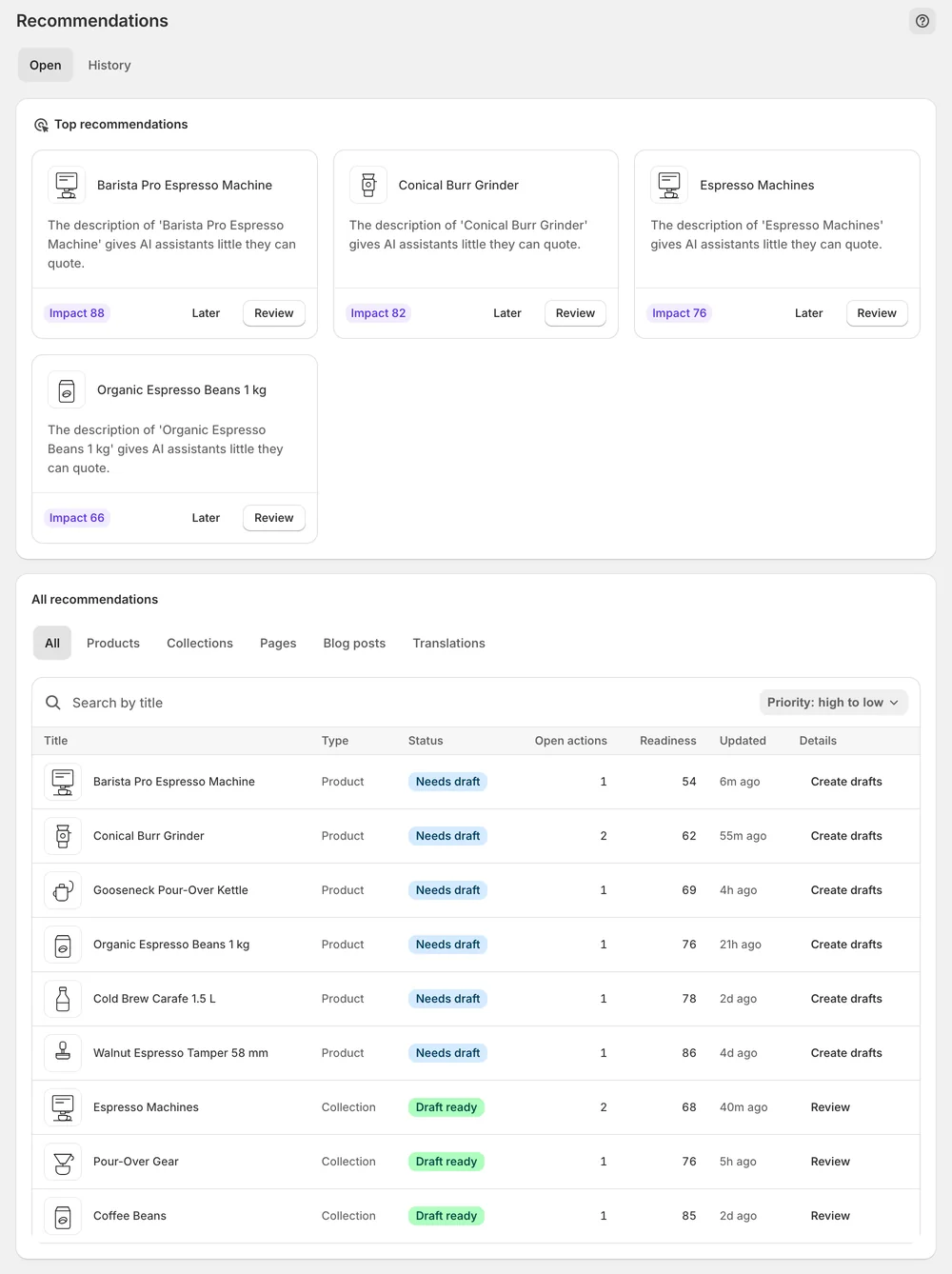
Each recommendation shows the current value, the draft and what applying changes. Edit or Refine with AI, then Apply.
Translation proposals cover SEO title and SEO description on products and collections, pushed only when you approve them.
In the app
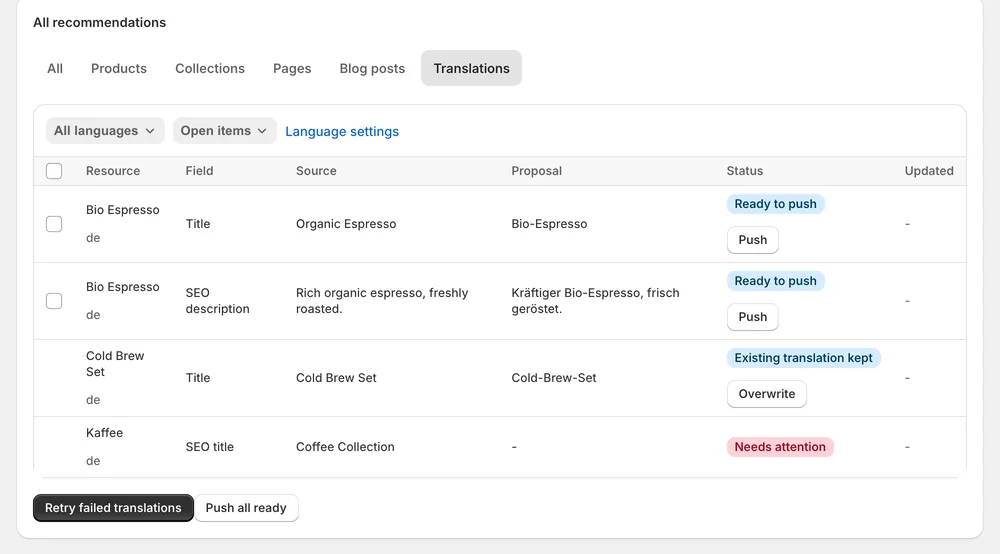
SEO recommendations appear in the All recommendations table on the Open tab. Its tabs narrow the list by object type: Products, Collections, Pages and Blog posts. You can search by title and sort by priority. On a type tab, the Proposal state filter narrows to Needs generation, Ready to apply or Manual review, so you see at a glance which fields already have a draft.
Review or Details opens the recommendation. Before / after puts the current SEO field next to the drafted one, and the Evidence block lists Current, Target and Signal. Use Edit to rewrite the text yourself or Refine with AI to give an instruction. Apply writes only the SEO field in the recommendation. Dismiss removes a draft that does not fit.
For products and collections, translation proposals cover SEO title and SEO description together with title and description. You review them in the Translations tab by comparing the Proposal column against Source, then push one row with Push or all reviewed rows with Push all ready. A translation that already existed is marked Existing translation kept and stays unless you choose Overwrite.
You stay in control
Plans
Included in every plan, with no separate quota.
Products, collections, pages and blog articles. The All recommendations table has a tab for each of these object types, so you can work through one type at a time. Translation proposals for SEO fields cover products and collections.
The title and meta description are a short, structured summary of the page. Clear ones make it easier for search engines and assistants to understand what the page offers. When the fields are left blank, the listing shows whatever the page happens to start with.
Yes. SEO title and SEO description on products and collections are part of the translation proposals. Sphen.ai only prepares translations for languages that already exist in your Shopify store. Every translation is a proposal you review before it reaches Shopify.
No. Applying writes only the SEO field named in the recommendation. The rest of the page stays as it is. Before you apply, Before / after shows the current value next to the draft, so you know exactly what will change.
Yes. Select rows in the All recommendations table, press Bulk AI generate content to draft, then Apply changes to write the approved drafts. A confirmation dialog names how many changes go live across how many items. You can open any draft before that to edit it.
Yes. Every applied SEO field is listed in the History tab with a Revert button that restores the previous value. If the field was edited in Shopify after Sphen.ai applied it, the change shows Differs on store and you are warned before reverting.
Install Sphen.ai, let it read your store, and decide exactly what goes live.
