Black-box automation
Clients ask what changed and why. Tools that cannot answer that do not survive the first review.
For agencies & partners
For agencies and technical partners evaluating whether Sphen.ai is credible, reviewable and compatible with an existing Shopify stack. Every change carries evidence, every write is logged, every applied change can be reverted.
In short
Agencies work in the Sphen.ai app of a client's Shopify store: they audit the catalog, review drafted changes with their evidence and apply only what has been approved. Every background job is listed in the Activity log. Every applied change can be reverted and is measured before and after. Stores that prefer not to operate it can choose Managed.
Updated:
What gets in the way
Clients ask what changed and why. Tools that cannot answer that do not survive the first review.
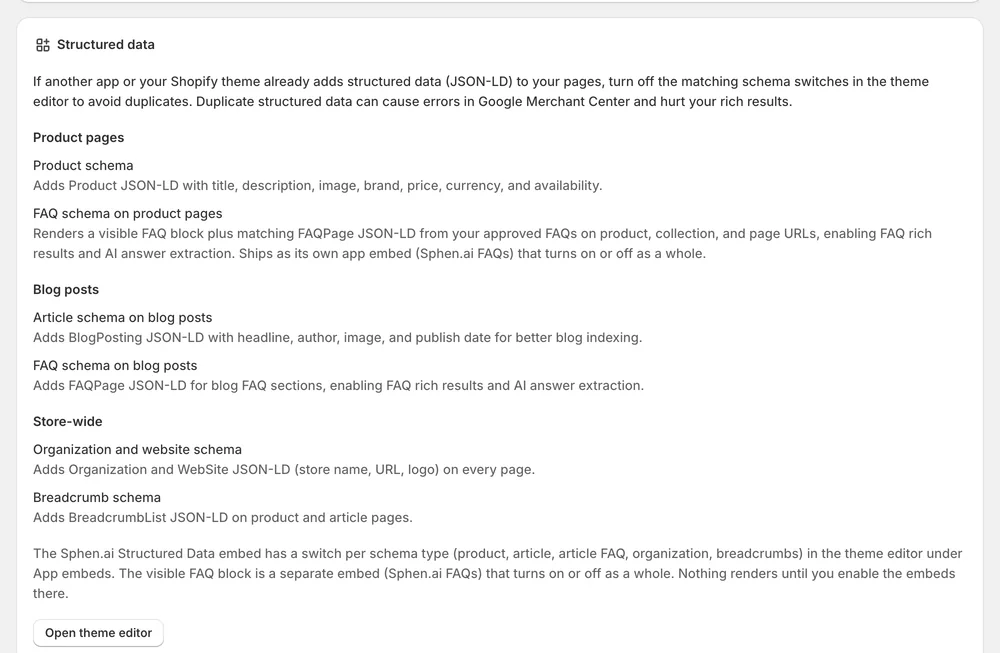
Apps that inject code or duplicate schema create work in the theme and in Merchant Center.
Without a baseline per change, every monthly report is a story instead of a measurement.
Features
In the app
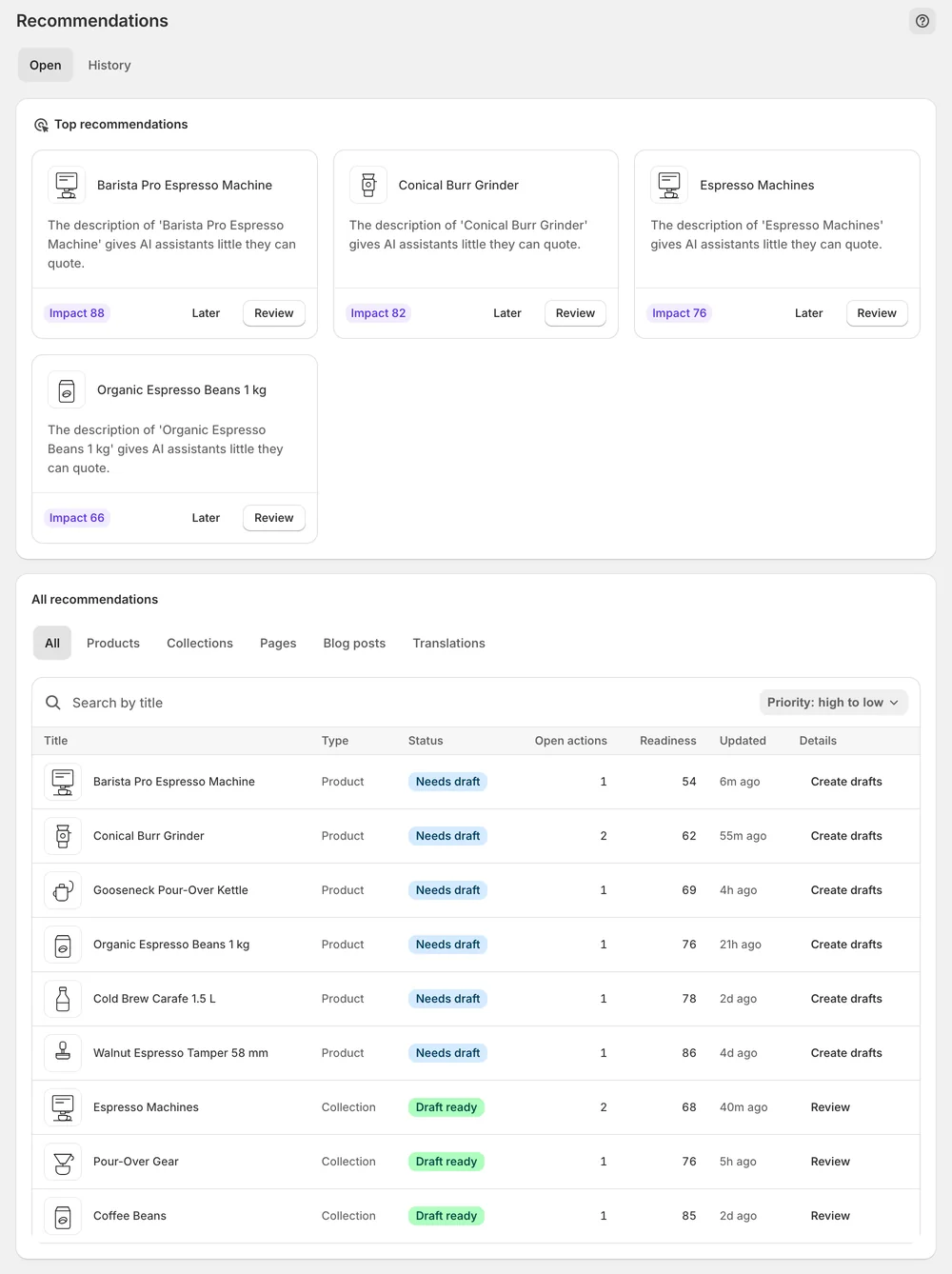
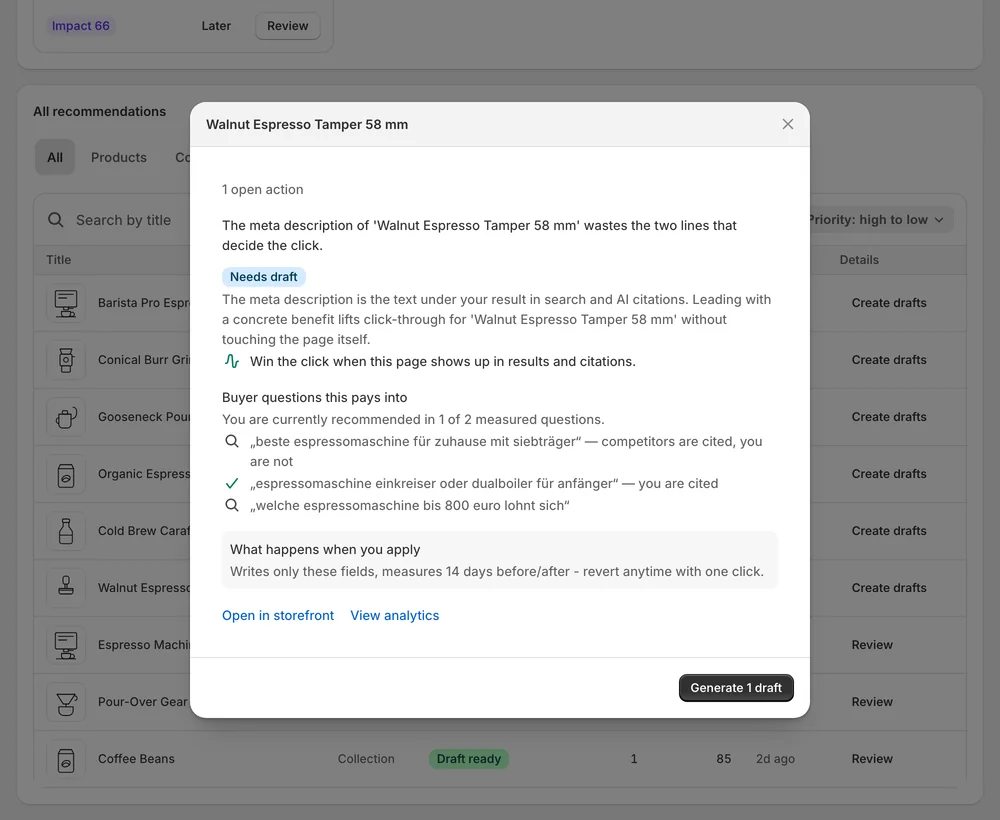
Open Recommendations in the store's Sphen.ai app. Each draft shows the current value, the proposed replacement and an Evidence block with Current, Target and Signal. You can edit the wording or refine it with an instruction. Nothing reaches the storefront until someone presses Apply, so you or the client can make the final call. Editing a change that was already approved reopens it for approval.
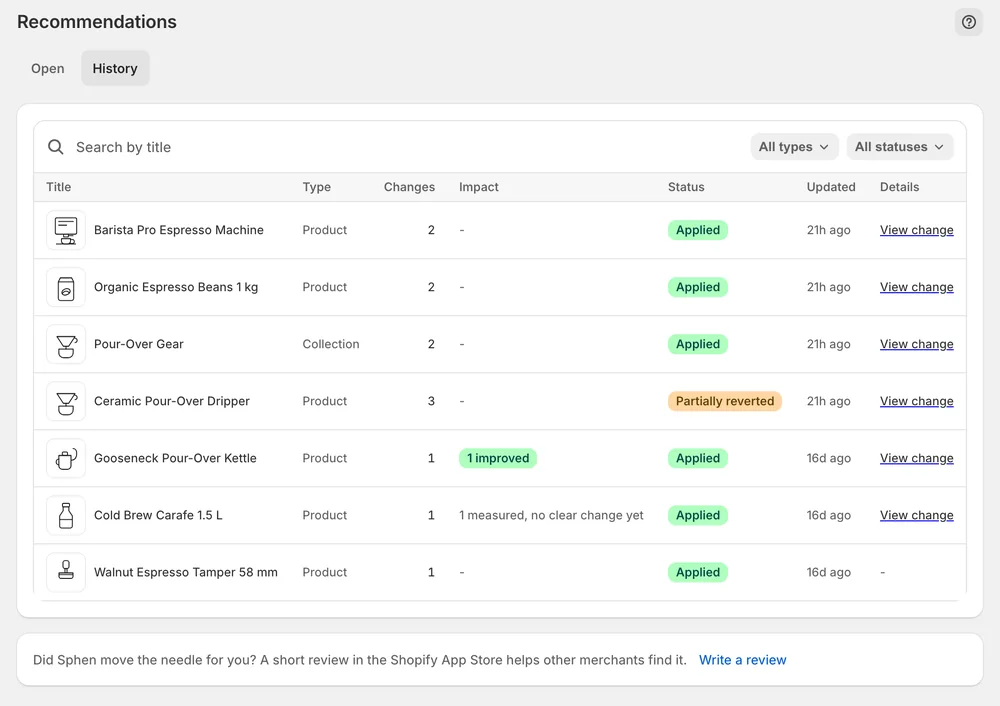
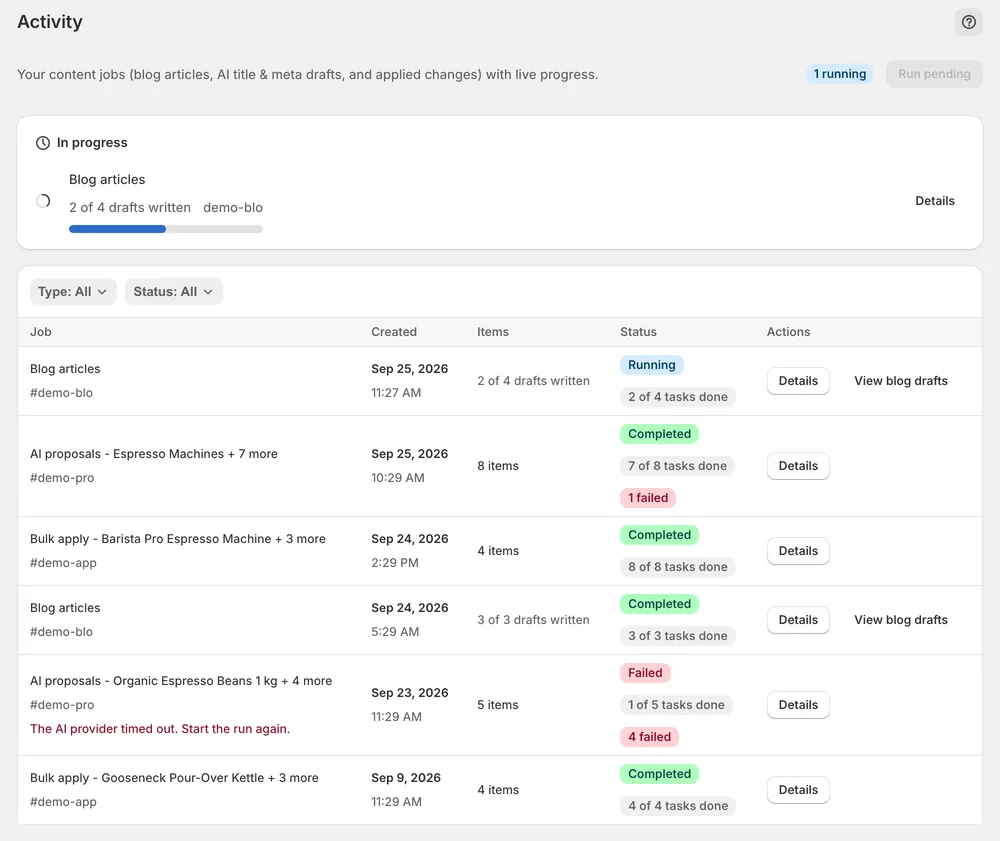
The History tab lists every applied change with a Revert button and a Live on store badge that checks it against the real storefront value. If someone edited the field in Shopify afterwards, the change is marked Differs on store. The Activity log lists each background job with its type, status, duration, the objects it touched and the full error text when a step failed.
After you apply a change, its status moves to Measuring for about two weeks. Measured impact on Overview then sorts changes into Improved, Worsened, No measurable movement or Insufficient data. Analytics adds the visibility score and share of voice from the AI visibility scans, plus GA4 sessions once GA4 is connected. Both visibility figures are sampled, so report the trend across several scans, not one number.
You stay in control
Plans
per month · Billed through Shopify, cancel anytime from your Shopify admin. Start with a free trial on Essential.
Questions
Yes. Nothing is written until someone presses Apply in the store's Sphen.ai app, and every applied change is revertible from Recommendations → History. If the field was edited in Shopify after the change was applied, a warning appears before the newer edit is overwritten, so nobody loses work by accident.
Each applied change is measured 14 days before and after. Analytics shows visibility, share of voice and, where connected, GA4 and Search Console data. Visibility score and share of voice are sampled averages, so compare several scans and report the direction instead of a single number.
Our agency team runs the whole program for a store, including monthly strategy calls and off-site work. It is priced individually and billed outside Shopify, so it does not appear on the Shopify invoice like the Essential, Business and Growth plans. You start by booking a strategy call.
No. Sphen.ai never edits theme files. Structured data ships as Shopify theme app embeds that are switched on in the theme editor, and switching them off removes the output. If another app or the theme already outputs the same schema, Sphen.ai raises a recommendation to disable the duplicate.
Changes are applied per field, so a failed bulk run can leave some applied and some not. The open actions list under Recommendations always carries the true status, and you re-apply from there. Persistent failures appear as failed jobs in the Activity log, with the error text under Details.
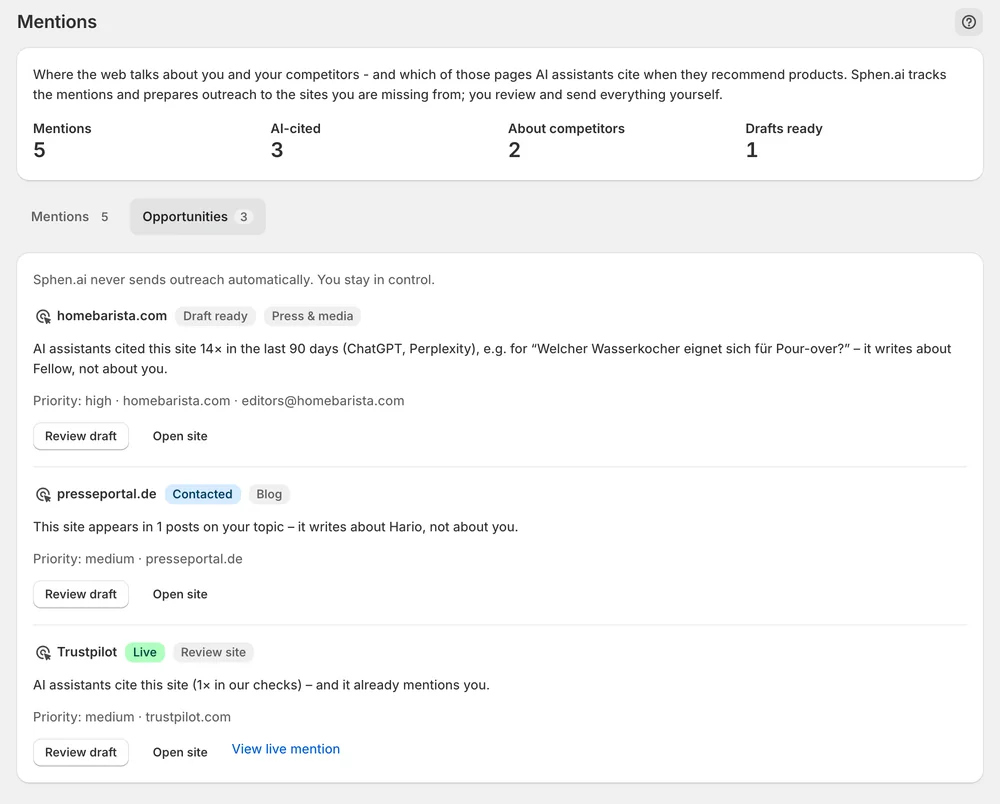
No. The Mentions workspace is draft only. It lists sites that AI assistants cite for the store's topics but that do not mention the store yet, with the evidence and an outreach draft. You review and edit the draft, send it from your own inbox, then mark the site as contacted.
Install Sphen.ai, let it read your store, and decide exactly what goes live.