
Answers buried or missing
Shipping, sizing and care questions end up in support tickets instead of on the page.
Content · FAQ generator
Sphen.ai drafts question-and-answer pairs for your store. Approved FAQs publish as a visible block on your storefront plus matching FAQPage structured data.
In short
The FAQ generator is the FAQs tab under Content in Sphen.ai. It drafts question-and-answer pairs for your Shopify store. You review and approve each answer, then publish. Approved FAQs appear as a visible block on your storefront with matching FAQPage structured data, once you enable the Sphen.ai FAQs app embed in your theme editor.
Updated:
The problem
Shipping, sizing and care questions end up in support tickets instead of on the page.
AI assistants lift direct question-and-answer text. A product page without it gives them nothing to use.
Keeping FAQPage markup in sync with the visible text is fiddly theme work nobody wants.
How it works
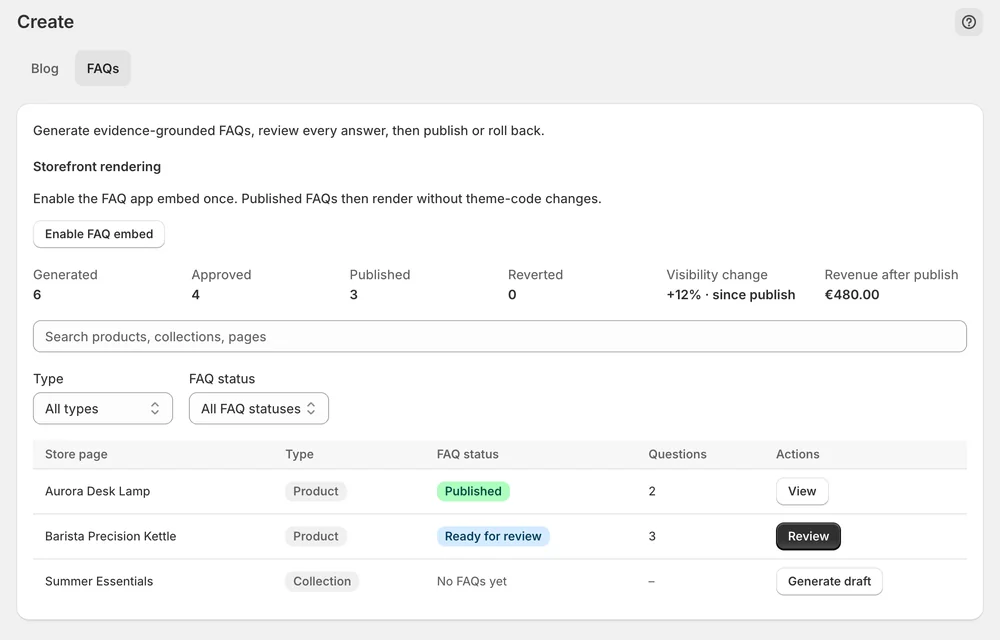
The FAQs tab in Content lists every drafted pair with its status, so you can see what is generated, approved and published.
Enable the Sphen.ai FAQs app embed in your theme editor. It renders the visible block and its FAQPage data together — no theme code is edited.
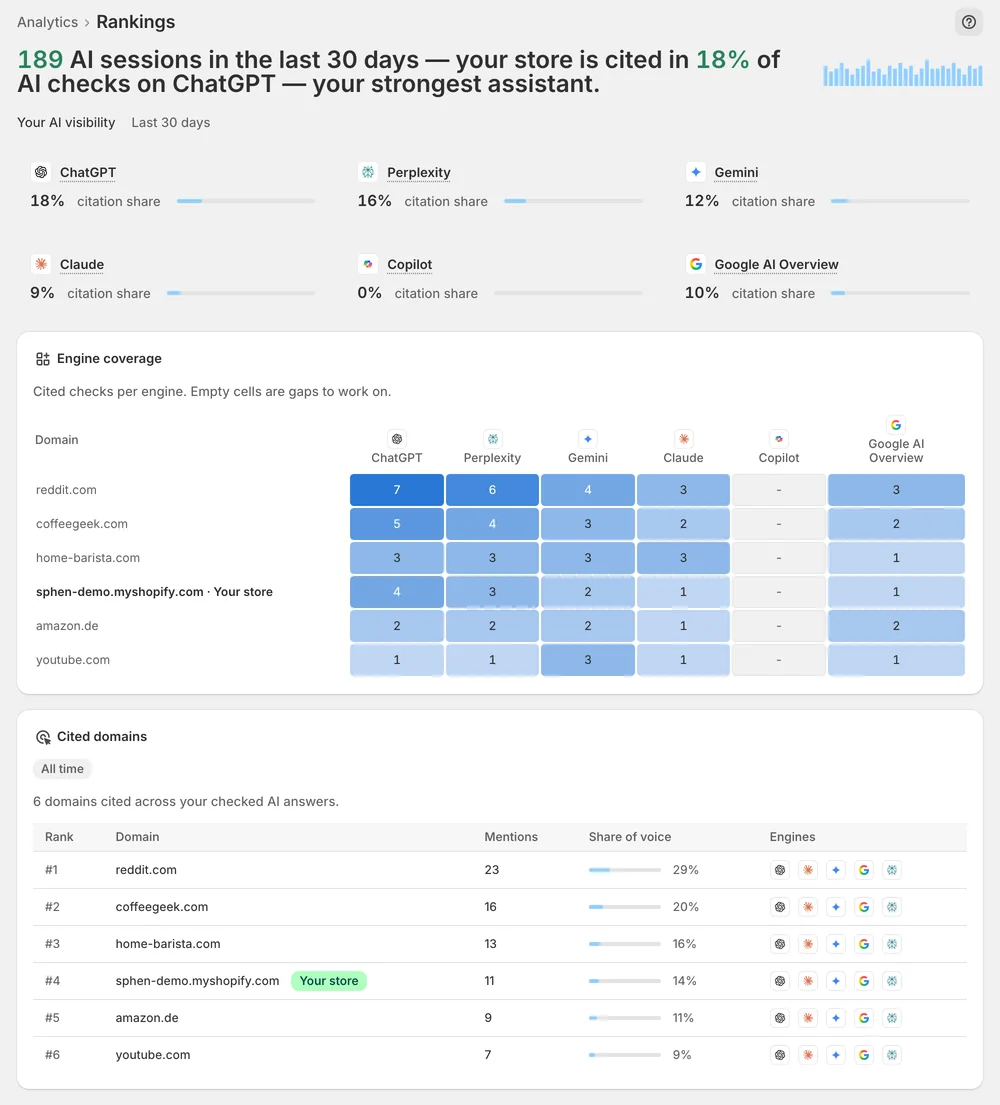
Published FAQs put a direct answer on the page. Check your tracked prompts over time to see which pages AI answers pick up.
In the app
Open Content and switch to the FAQs tab. It lists every drafted question-and-answer pair with its status, so you can tell what is generated, what is approved and what is published. Read each answer before you approve it. Every pair stays a draft until you approve and publish it, so nothing reaches shoppers that you have not checked yourself first.
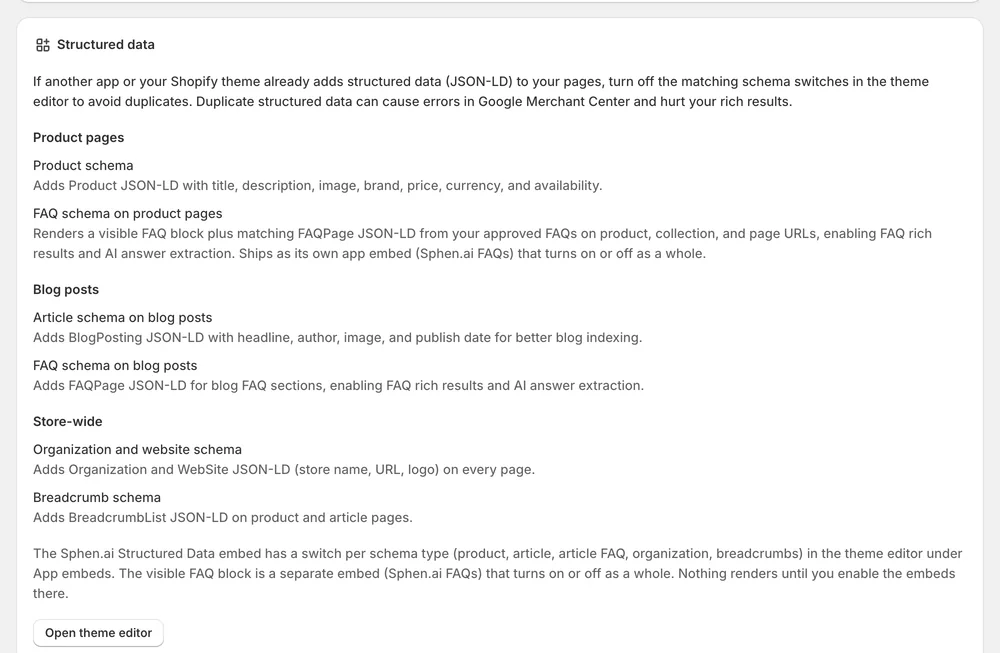
The visible block ships as its own theme app embed. In the Shopify theme editor, open App embeds in the left sidebar, switch on Sphen.ai FAQs and save the theme. The embed outputs the FAQ block and its FAQPage data together. Switch it off and both disappear. Embeds apply to your live theme only, so repeat the step after you publish a new theme.
The Sphen.ai Structured Data embed sits in the same list. Under Schema types you switch on Organization & WebSite, Product, Article / BlogPosting, Breadcrumbs and FAQ schema. If your theme or another app already outputs the same structured data, turn off the matching switch. Back in the app, the Connections & status card under Settings → Integrations shows whether Structured data (JSON-LD) is Active.
You stay in control
Plans
Included in every plan, with no separate quota.
The visible block lives in the separate Sphen.ai FAQs embed. Open App embeds in the theme editor, switch it on and save the theme. Make sure you edited the published theme and not a draft copy, because the embeds apply to your live theme only.
No. The FAQ block ships as a theme app embed that you switch on yourself. Shopify injects it at render time, so your theme files stay untouched. Switching the embed off removes the output immediately, and removing the app removes it as well.
No. The Sphen.ai FAQs embed outputs the visible block together with its matching FAQPage data, and switches both on or off as a whole. The markup and the text shoppers read come from the same approved FAQs, so you do not maintain schema by hand.
Yes. App embeds are set per theme. After you publish a new theme, open App embeds in the theme editor and switch Sphen.ai FAQs on again. Until then the new theme renders no FAQ block and no FAQPage data, even if your FAQs are approved.
The embeds output JSON-LD script blocks and, if you enable it, the FAQ block. They load no external script and no render-blocking resource. Shopify injects theme app embeds at render time, and switching an embed off removes its output immediately.
Avoid two sources for the same schema. Turn off the matching schema switch inside the Sphen.ai Structured Data embed, or disable the output of the other app or theme. Duplicate structured data causes errors in Google Merchant Center and can cost you rich results.
Install Sphen.ai, let it read your store, and decide exactly what goes live.
