Thin descriptions
A product page that never names the material, fit or use case gives an AI answer nothing to quote.
Catalog audit
Sphen.ai syncs every product, variant, collection and page, checks the signals search engines and AI assistants rely on, and scores what is missing — minutes after install, before anything changes.
In short
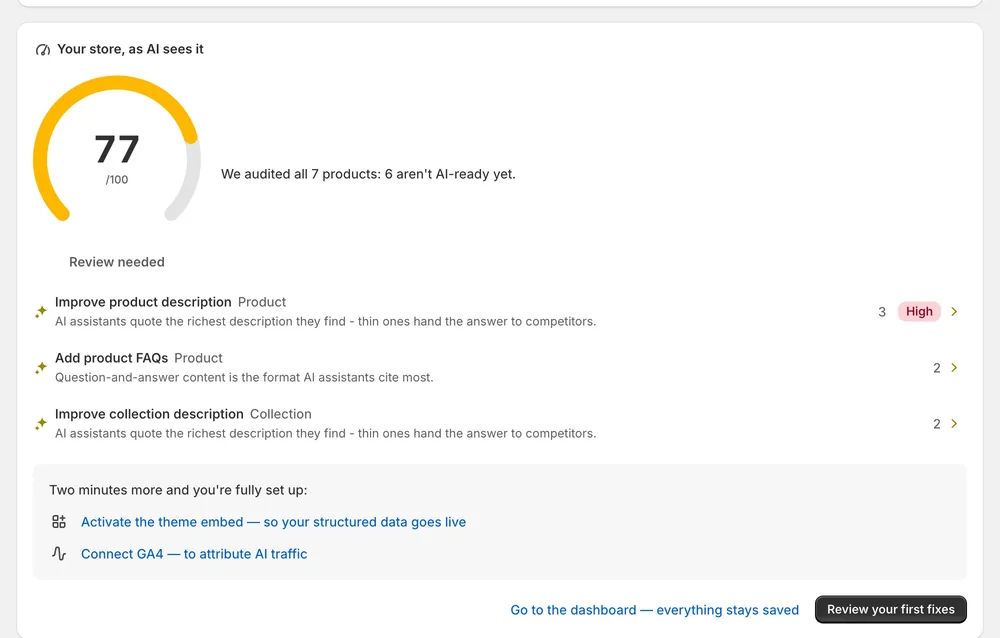
The catalog audit is a read-only check of your Shopify store. Sphen.ai syncs your products, variants, collections, pages and blog articles, then checks descriptions, attributes, alt text and structured data. You get a readiness score out of 100, the number of products that are not AI-ready yet, and a list of top fixes.
Updated:
The problem
A product page that never names the material, fit or use case gives an AI answer nothing to quote.
Empty alt text, absent brand or GTIN fields and unreadable structured data are the quiet reasons a store gets left out.
Checking hundreds of products by hand is not a weekly task anyone keeps up.
How it works
Open the app and Sphen.ai is already reading your catalog: products, variants, collections, pages and blog articles.
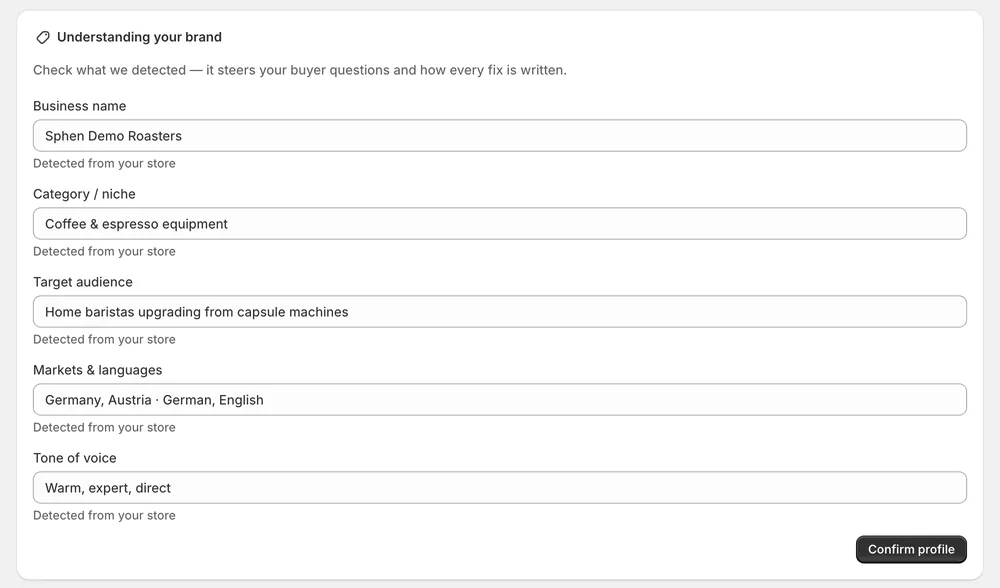
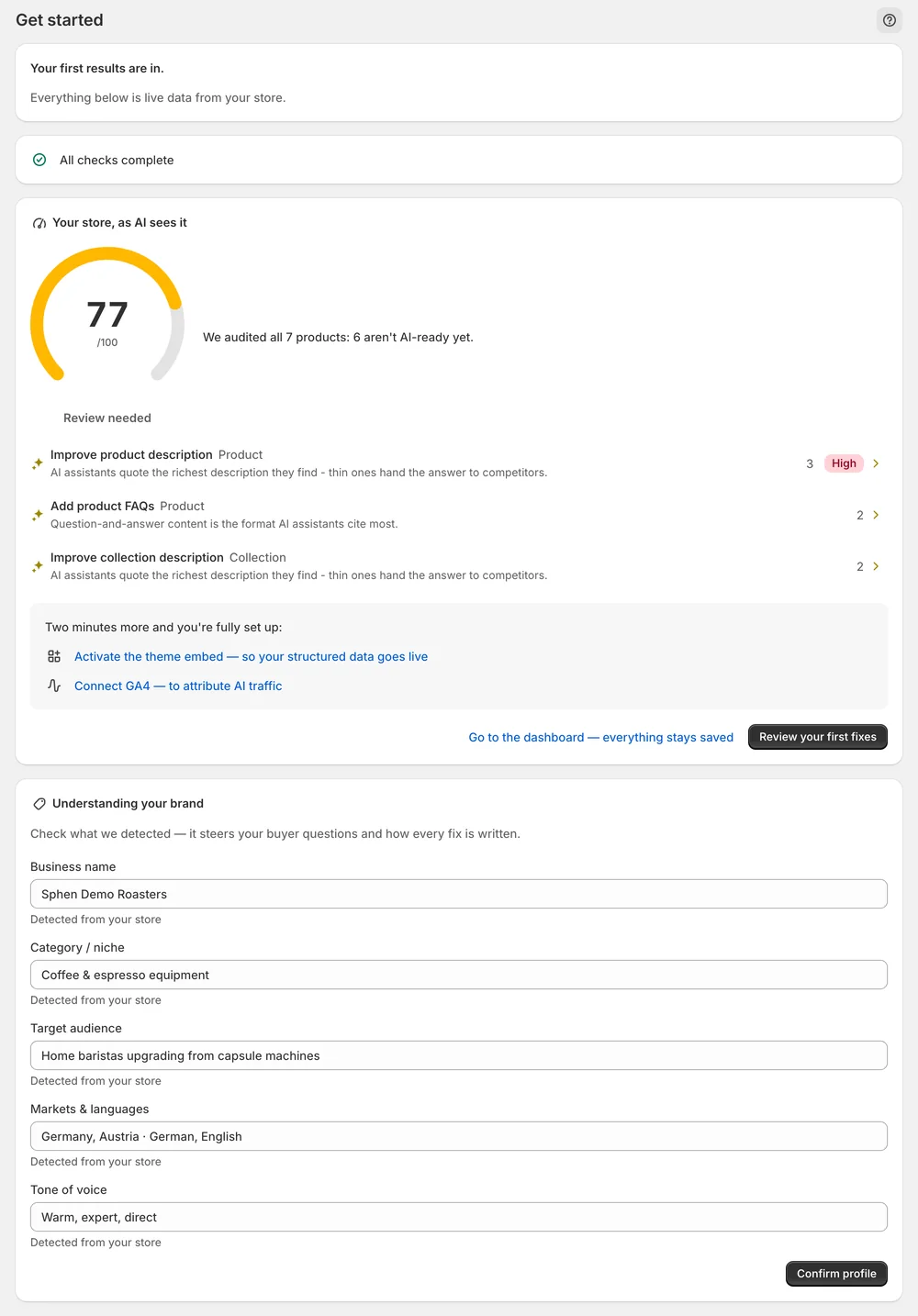
Business name, category, audience, markets and tone are pre-filled from your store. Correct anything and confirm — every draft follows this profile.
Your store, as AI sees it: a score out of 100, how many products are not AI-ready yet, and the fixes that matter most.
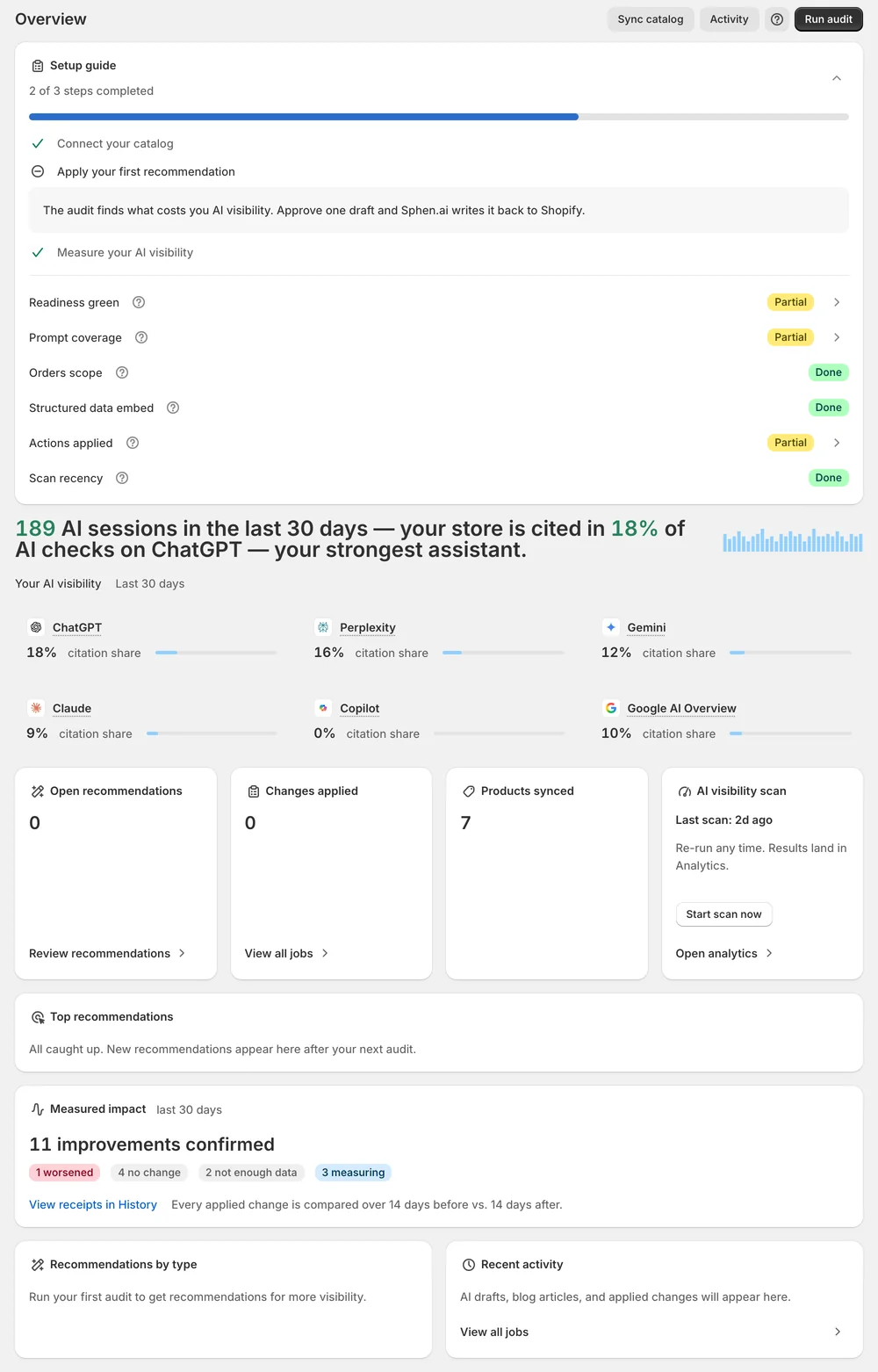
The setup guide ticks itself off, and every new sync and audit updates the picture on Overview.
In the app
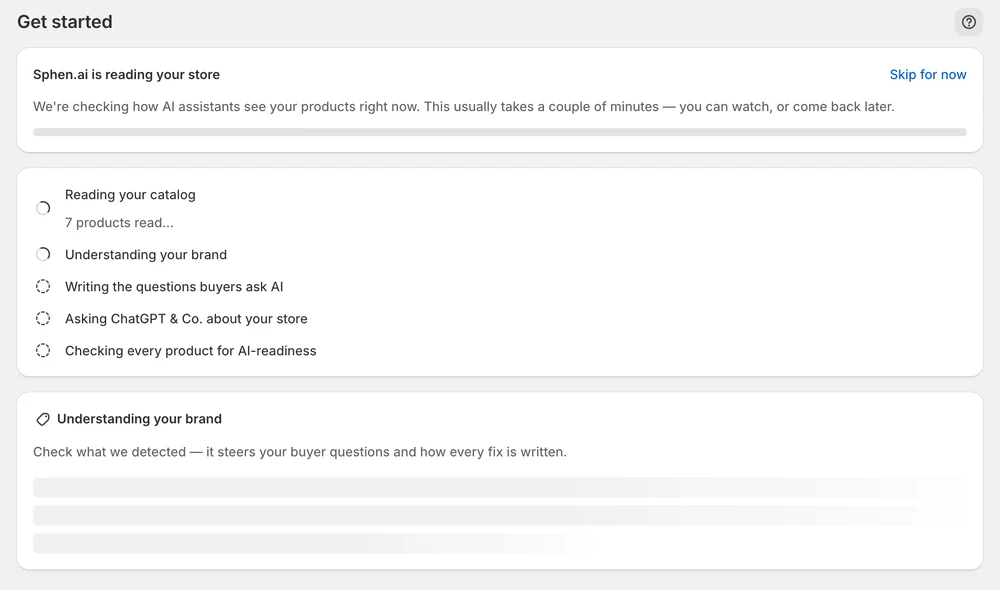
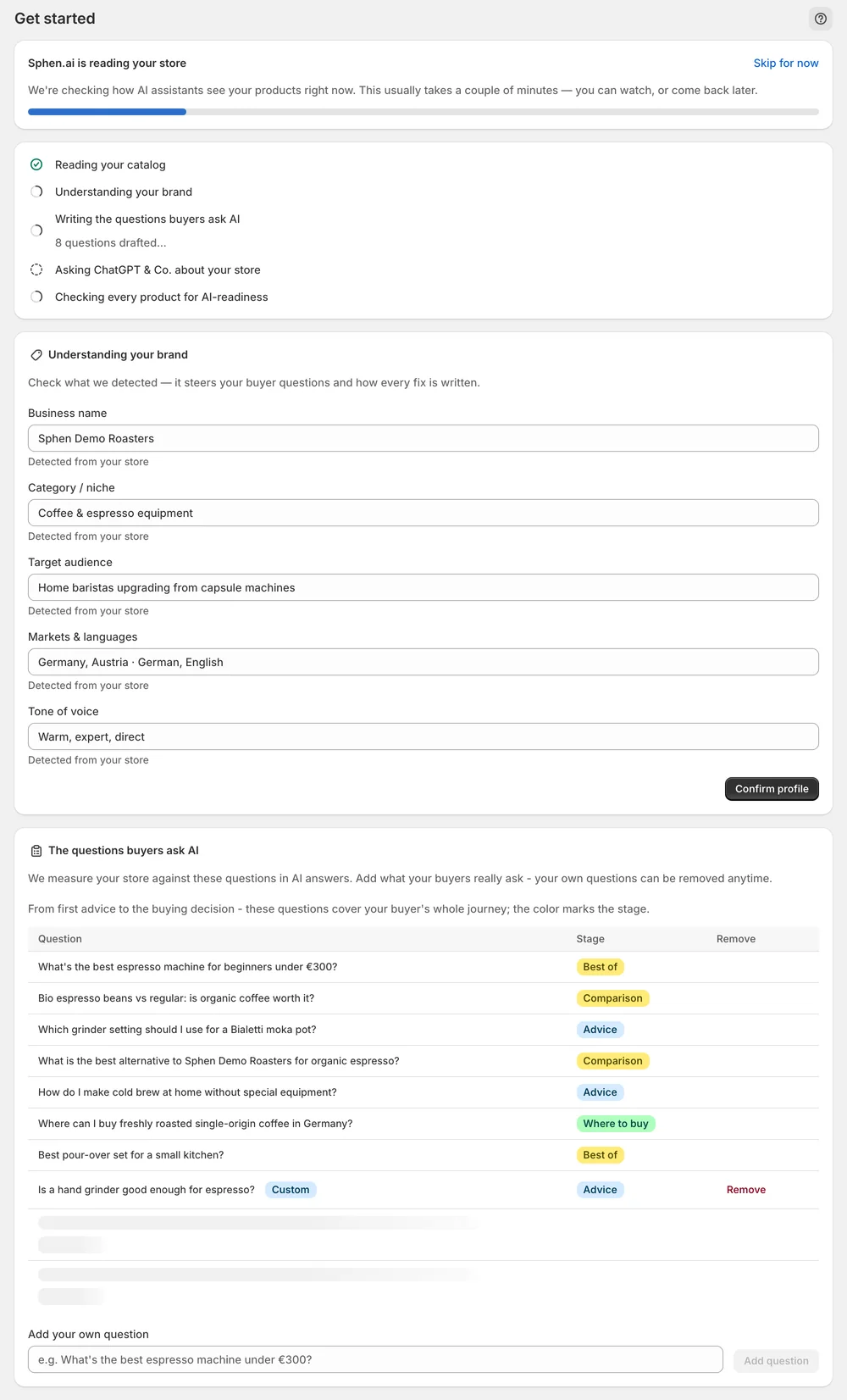
You land on Get started right after install. A live ticker names each stage: reading your catalog, understanding your brand, writing the questions buyers ask AI, asking the AI engines about your store, and checking every product for AI-readiness. Large catalogs take a few minutes. You can leave the page and come back, because the work continues in the background.
The Understanding your brand card is pre-filled from your store with business name, category, audience, markets and tone. Correct anything that is off, then press Confirm profile. This profile steers how every draft is written later. Below it, the question list shows the buyer prompts your store is measured against. You can add your own questions and remove them anytime.
When the first results are in, the page shows Your store, as AI sees it: your readiness score, how many products are not AI-ready yet, and your top fixes. Press Review your first fixes to open them in Recommendations. On Overview, the Setup guide lists what is left, such as applying your first recommendation and activating the theme app embed.
You stay in control
Plans
product audits per month
Usually minutes. Your first audit results and fixes appear during setup. Large catalogs take longer, and everything keeps running in the background, so you can leave the page. Your progress, profile and questions are saved. Persistent failures show up as failed jobs under Activity.
No. The audit only reads your catalog. Changes are drafted separately, shown with a before and after, and written to Shopify only when you press Apply in Recommendations. Automatic applying is part of the Growth plan and currently a private beta that is not enabled for every store.
It measures how complete and machine-readable your catalog is for search engines and AI assistants. The checks cover descriptions, attributes, alt text, structured data and related signals. The score is out of 100 and comes with the number of products that are not AI-ready yet.
Sphen.ai reads products, variants, collections, pages and blog articles. Each plan includes a monthly allowance of product audits, and the larger plans add collection audits. The allowance counts the catalog entries audited during the month. You can check your usage under Settings → Plans.
Press Retry on the failed row in the ticker. If the Setup guide on Overview marks a step as blocked, the cause is almost always a missing Shopify permission or an inactive theme app embed. Reopen Sphen.ai from your Shopify admin to grant the permission again.
Some recommendations concern your theme, policy pages, schema or app configuration. Sphen.ai does not rewrite those for you. It flags them with guidance. You make the change yourself, and the next audit verifies the signal. Fields such as vendor, category or GTIN also need a manual edit in Shopify.
Install Sphen.ai, let it read your store, and decide exactly what goes live.