
Sampled, not seen
Visibility scores come from API samples. What a buyer sees in the chat window can differ.
AI visibility · Real-browser checks
Sphen.ai re-asks tracked prompts in real guest-browser sessions of ChatGPT and Gemini and marks the result on the prompt as evidence.
In short
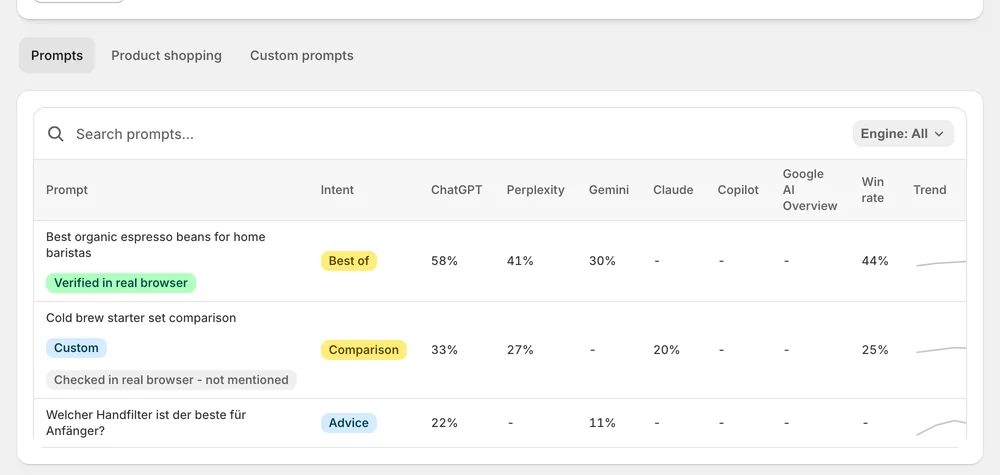
Real-browser checks re-ask tracked prompts in real guest-browser sessions of the ChatGPT and Gemini web interfaces. They work as a reality check against the API samples of a scan. The prompt row gets an evidence badge: Verified in real browser, or Checked in real browser - not mentioned. The tooltip names engine and capture date.
Updated:
The problem
Visibility scores come from API samples. What a buyer sees in the chat window can differ.
One manual check in your own logged-in browser is shaped by your history, not by a buyer's.
A number without evidence behind it is hard to defend in front of a team or a client.
How it works
Scans measure visibility, share of voice and win rate from API samples across engines — labelled as sampled averages.
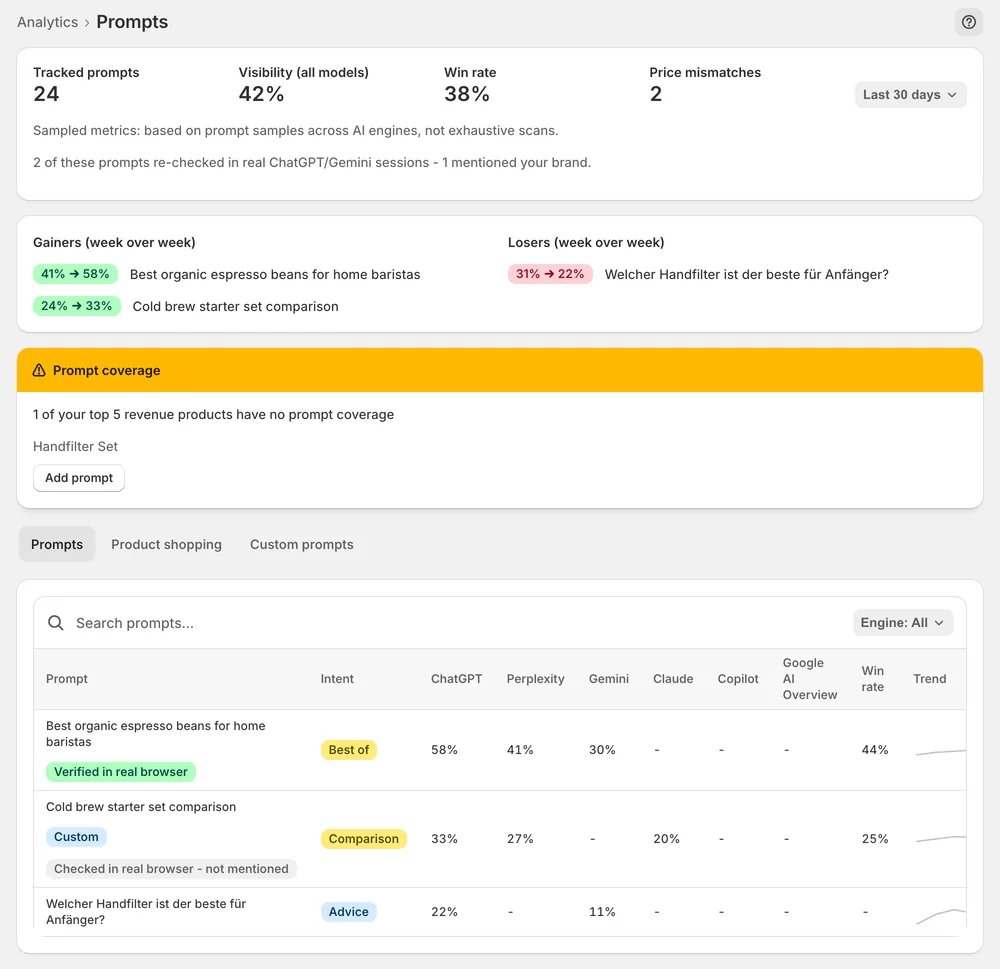
Selected prompts are re-asked in guest-browser sessions of the ChatGPT and Gemini web interfaces. The row gets Verified in real browser, or Checked in real browser - not mentioned.
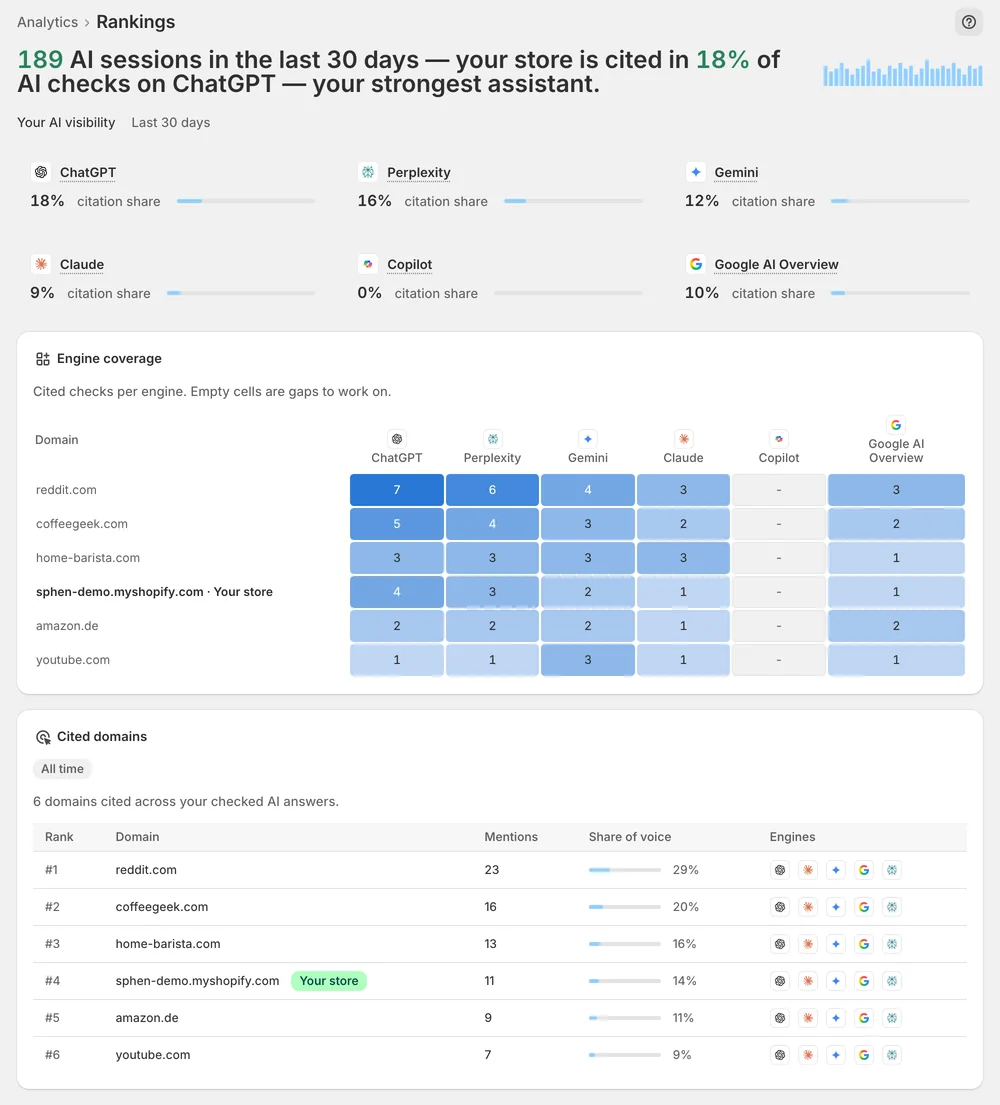
The badge tooltip names the engine and capture date. Where both agree, act; where they differ, check engine coverage in Rankings.
In the app
On Analytics, open the AI visibility deep dives dropdown and pick Prompts. Some prompt rows carry a real-browser evidence badge. Verified in real browser marks a prompt where the re-check confirmed your store. Checked in real browser - not mentioned means the prompt was re-asked and your store was missing from the answer. Both results are shown equally plainly.
Hover over a badge to open its tooltip. It names the engine that was checked, ChatGPT or Gemini, and the date of the capture. That tells you how recent the evidence is and which web interface it came from. The checks run in guest sessions, not with your account or your browsing history, so the answer is not shaped by your own usage.
The same page shows the sampled numbers for each prompt: visibility, win rate and movement. These come from API samples across engines and are labelled as sampled averages. Read badge and score together. Where they agree, you can act on the result. Where they differ, open Rankings and check the engine coverage for that prompt before you draw a conclusion.
You stay in control
Plans
Included in every plan, with no separate quota.
The ChatGPT and Gemini web interfaces. The other engines, Perplexity, Claude, Copilot and Google AI Overview, are covered by the API samples of each scan. Their results appear in the citation share cards on Overview and under Engine coverage in Rankings.
As an evidence badge on the prompt row in the Prompts deep dive. The tooltip names the engine and the capture date. You open the page on Analytics through the AI visibility deep dives dropdown in the tab row.
No. The real-browser prompt checks work without any GA4 connection. The same is true for visibility score, share of voice and the deep dives. GA4 is an optional connection for traffic data that you set up under Settings → Integrations.
No. Selected prompts are re-asked, so only some rows carry a badge. A row without a badge has not been re-checked, and its sampled scores from the scan still apply. Badges back up the sampled scores, they do not replace them.
API answers and chat answers are not always the same, and AI answers are non-deterministic. The score is an average over samples, the badge is one capture on one date. If they differ, check the engine coverage in Rankings and watch the next scans.
No. The prompts are re-asked in guest-browser sessions. Your own account and your browsing history are not involved. A manual check in your own logged-in browser is shaped by your history. A guest session is closer to what a new buyer sees.
Install Sphen.ai, let it read your store, and decide exactly what goes live.
