
Exports go out of date
A CSV export is outdated the next time someone edits a product in Shopify.
Catalog audit · Catalog sync
Sphen.ai reads every product, variant, collection, page and blog article the moment you install, and keeps re-syncing in the background so every audit and draft works from current data.
In short
Sphen.ai starts reading your catalog the moment you install it: products with their variants, collections, pages and blog articles. The sync runs in the background and only reads your store. Every audit and draft works from this mirror, and each sync job is listed under Activity with its status and progress.
Updated:
The problem
A CSV export is outdated the next time someone edits a product in Shopify.
Tools that only look at products miss the collections, pages and articles AI assistants also read.
When a sync breaks without a trace, every report built on it is quietly wrong.
How it works
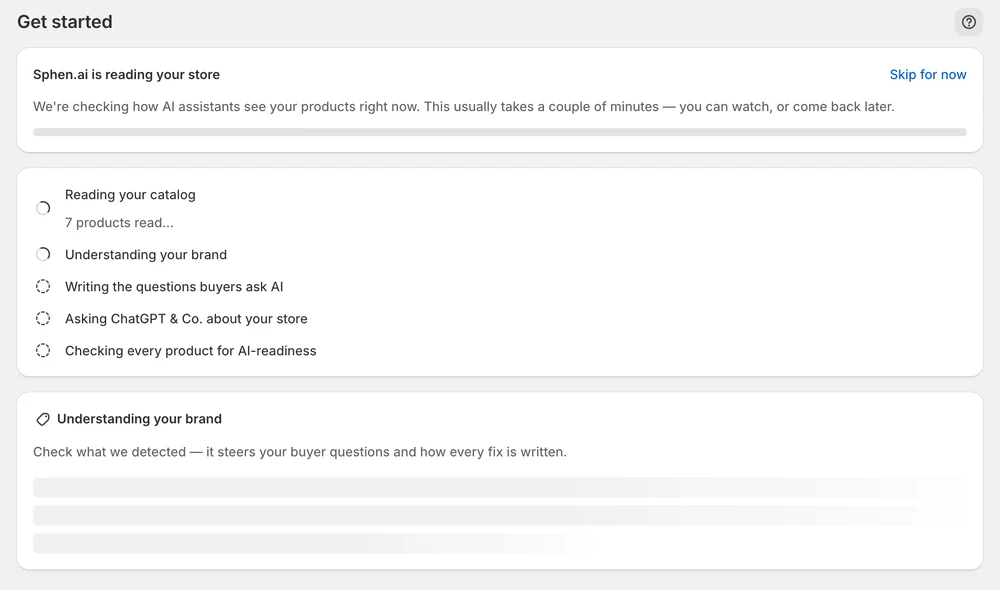
The first step on Get started is Reading your catalog. Large catalogs take a few minutes and keep running if you leave the page.
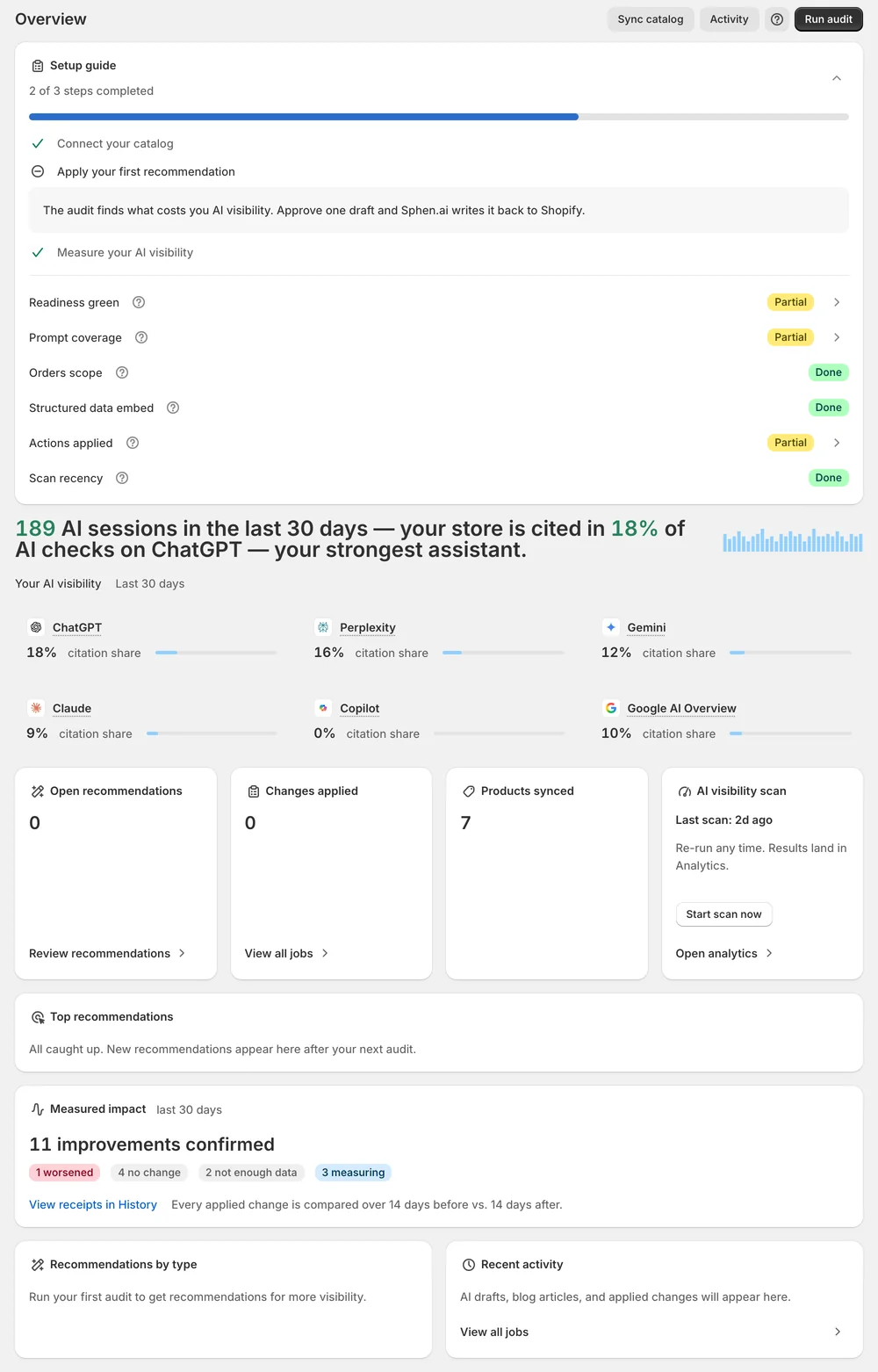
The Products synced card shows what Sphen.ai is working from. Every audit and draft reads this mirror, not a snapshot from install day.
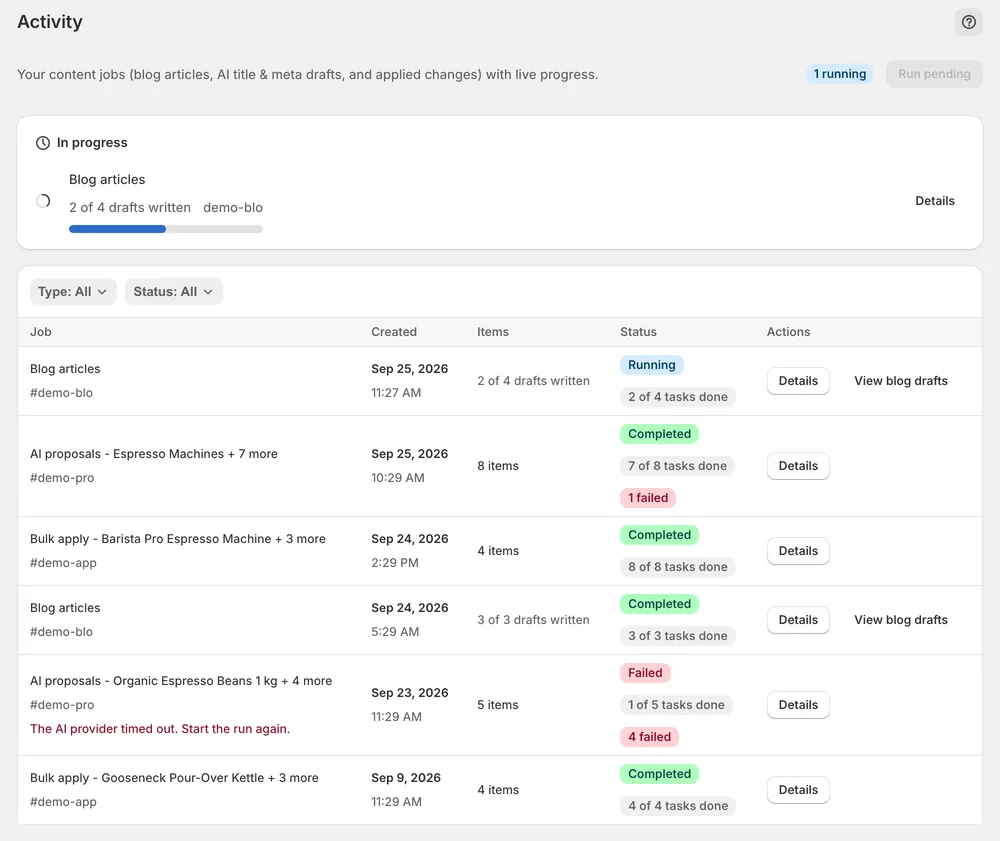
Activity lists Sync and Webhook jobs alongside audits and applies, with status, progress and the full error when something fails.
In the app
You land on Get started, where a live ticker narrates the pipeline. Reading your catalog is the first step, followed by the brand profile, the buyer questions, the AI engines and the product audit. Large catalogs take a few minutes. You can leave and come back, because nothing depends on the page staying open. If the sync hits a problem, Retry appears on the failed row.
On Overview, the Products synced card shows what Sphen.ai is working from. It sits next to Open recommendations and Changes applied. The blog article plan under Content is built from the same synced catalog: product types, collections and store pages. If the plan reports too little catalog signal, check first that the sync has finished.
Activity lists every background job, newest first, with a live badge for anything running. Filter by Type to show only Sync jobs, and by Status to show Running, Completed, Failed or Pending. Details shows the objects a job touched, when it started and finished, its duration and the full error text if it failed.
You stay in control
Plans
Included in every plan, with no separate quota.
Products with their variants, collections, pages and blog articles. That mirror is what audits, recommendations and the blog article plan read. The sync itself only reads your store. Changes are written to Shopify only when you apply a recommendation or push a translation yourself.
Press Retry on the failed row. Sphen.ai keeps re-syncing in the background, and persistent failures appear as failed jobs under Activity. If the Setup guide marks a step as blocked instead, a Shopify permission is usually missing. Reopen the app from your Shopify admin to grant it.
It scales with catalog size and can run for many minutes on large stores. The sync continues when you leave the page, and your progress is saved. If a running job shows Stalled, give it time first, because stalled jobs reconcile automatically.
No. Syncing reads your store and never writes to it. Sphen.ai writes to Shopify only when you press Apply on a recommendation or push a translation that you reviewed. Each of those changes can be reverted afterwards. The sync itself leaves your storefront exactly as it is.
Open Activity from the main navigation. Running jobs carry a live badge and the page updates while they work. Pending means the job is queued, Completed means it finished, and Failed means it stopped with an error. Details shows the full error text.
No. The first sync starts on install, and Sphen.ai keeps re-syncing in the background afterwards. If jobs sit in Pending under Activity, press Run pending to push the queue along. If a job keeps failing, note the job type, status and error text before you contact support.
Install Sphen.ai, let it read your store, and decide exactly what goes live.
