Unreadable prices and stock
Without clean structured data, an agent has to guess price, availability and variants from HTML.
AI shopping
Sphen.ai checks every product's readiness for AI shopping, generates your agents.md, serves product feeds for OpenAI and Google, and emits structured data through Shopify theme app embeds.
In short
AI shopping readiness is the set of tools that make your Shopify catalog readable for shopping agents. Sphen.ai checks readiness per product, drafts your agents.md, serves product feeds for OpenAI and Google Merchant plus JSON-LD and llms-products.txt, and emits structured data through Shopify theme app embeds that you switch on yourself.
Updated:
The problem
Without clean structured data, an agent has to guess price, availability and variants from HTML.
Most stores offer agents nothing but the storefront — no feed, no agents.md, no product index.
Two apps emitting the same markup confuses Google Merchant Center and assistants alike.
How it works
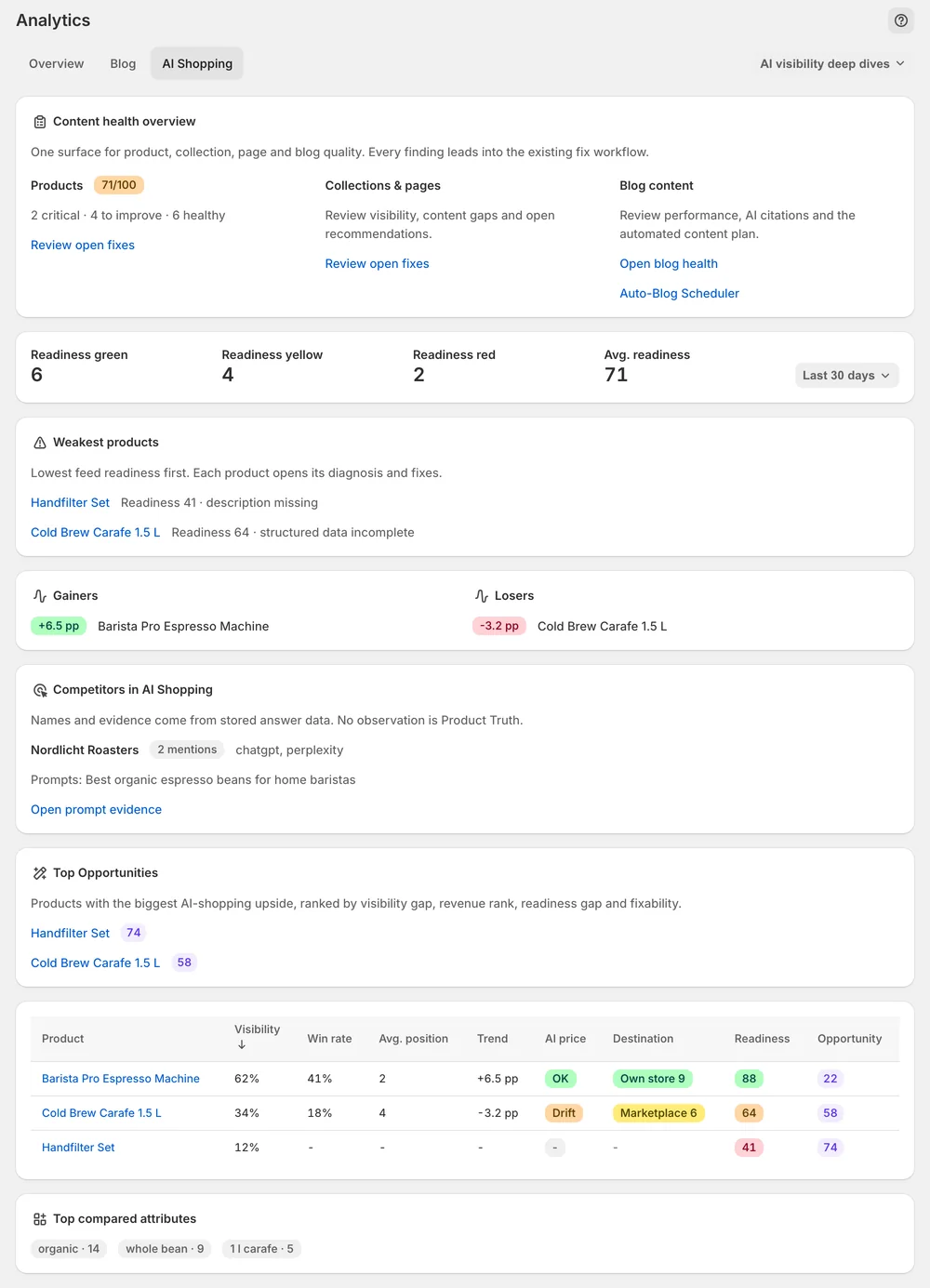
The AI Shopping tab shows content health, readiness bands and weakest products, with the competitors that appear next to you.
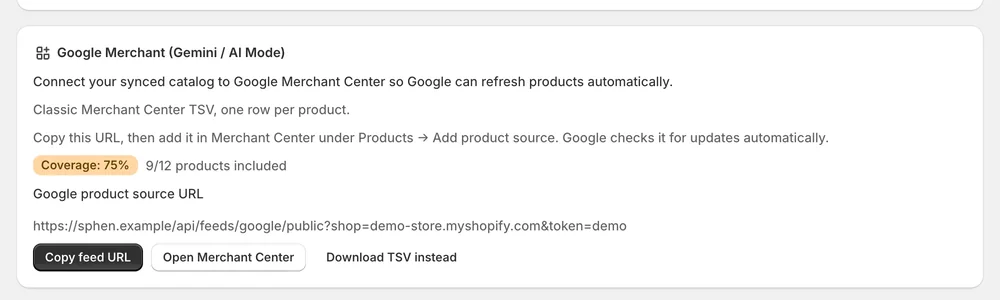
Under Settings → AI readability, Sphen.ai scores agent readiness, drafts your agents.md and serves feeds for OpenAI, Google Merchant, JSON-LD and llms-products.txt.
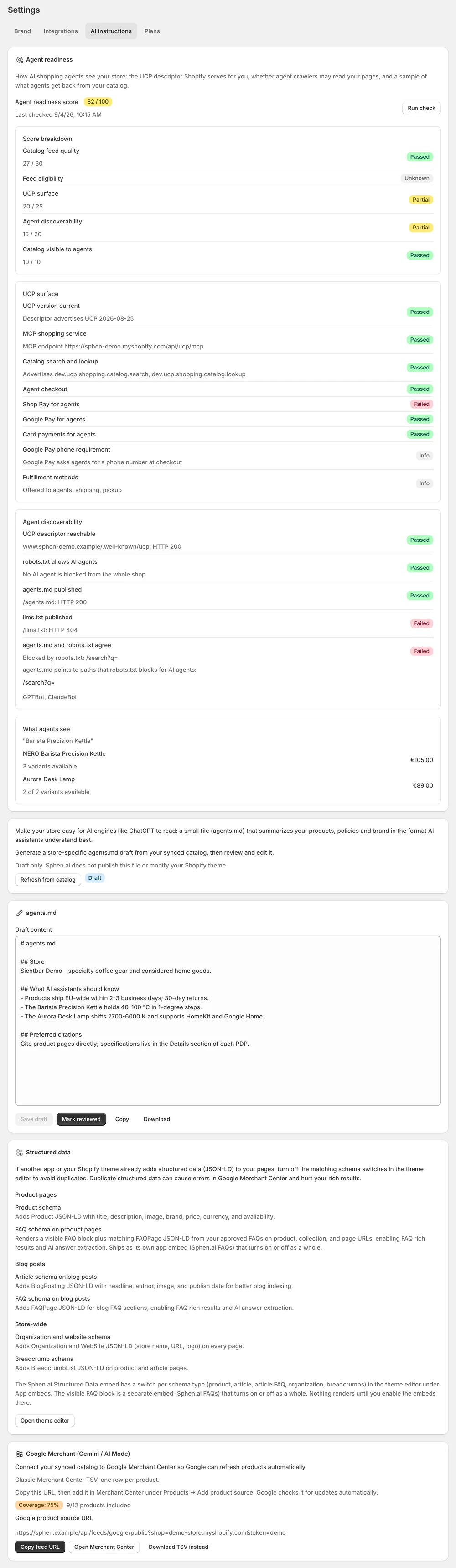
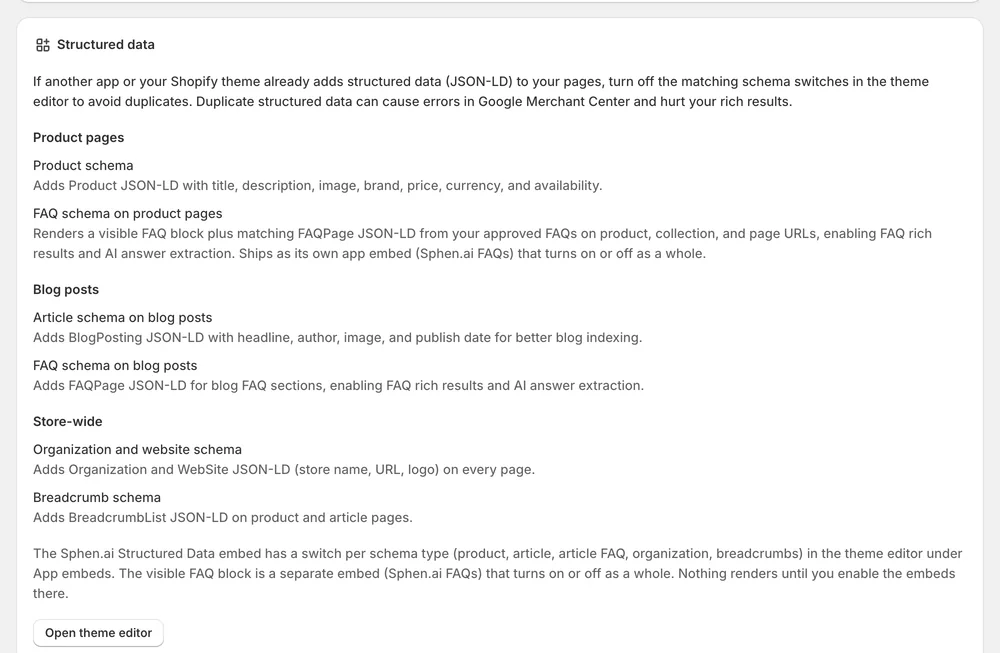
Theme app embeds emit Organization, Product, BlogPosting and Breadcrumb JSON-LD. No theme code is edited; switching the embed off removes it.
In the app
The AI Shopping tab in Analytics shows content health, readiness bands and your weakest products, with the competitors that appear next to you. It is rolling out gradually and is not switched on for every store yet. Where you have it, the structured data incomplete readiness check stops firing on your products once the theme embed is active.
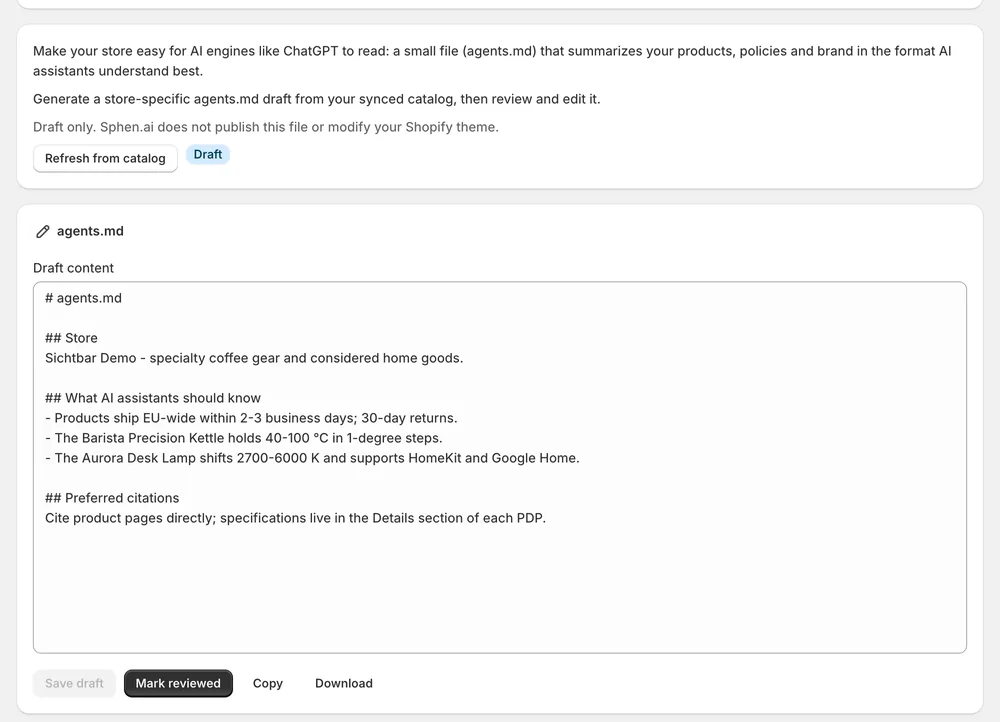
Under Settings → AI readability you find the agent readiness score, your product feeds and your agents.md. The feeds are served for OpenAI, Google Merchant, JSON-LD and llms-products.txt, built from your catalog. The agents.md is a plain-text brief for AI agents about your store. Sphen.ai drafts it, and it has two states: Draft and Reviewed. You review it before you publish it.
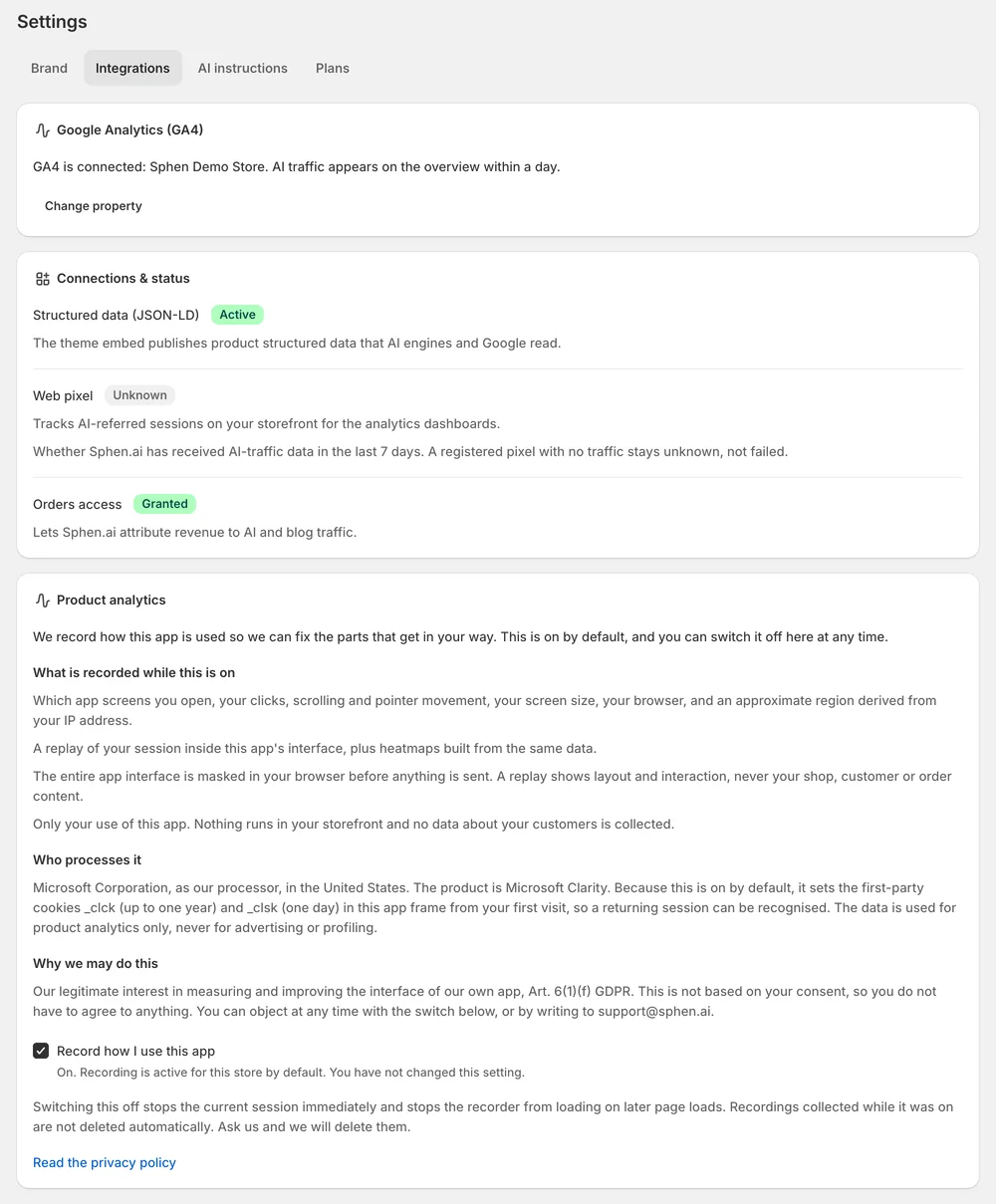
In the Shopify theme editor, open App embeds and switch on Sphen.ai Structured Data. Under Schema types you enable Organization & WebSite, Product, Article / BlogPosting, Breadcrumbs and FAQ schema. Save the theme. Back in Sphen.ai, Settings → Integrations shows Structured data (JSON-LD) as Active on the Connections & status card. Embeds apply to your live theme only.
You stay in control
Plans
AI agent configurations per month
No. Theme app embeds are injected by Shopify at render time. Your theme code stays untouched, and switching the embed off removes the output immediately. Nothing renders in your theme until you switch the embeds on in the theme editor.
OpenAI, Google Merchant, JSON-LD and llms-products.txt. Sphen.ai generates them from your catalog and serves them under Settings → AI readability. The same page shows your agent readiness score and your agents.md, so the machine-readable entry points for your store sit in one place.
A plain-text brief for AI agents about your store: what you sell, for whom, and where to find the facts. Sphen.ai drafts it from your catalog. It has two states, Draft and Reviewed. You review and publish it yourself.
Yes. App embeds are per theme and apply to your live theme only. After you publish a new theme, activate the embeds in it again. The app flags this as soon as it detects an inactive embed, and Connections & status shows Not active.
Turn off the matching schema switches inside the Sphen.ai Structured Data embed, or disable the other app's output. Duplicate JSON-LD causes errors in Google Merchant Center. Sphen.ai also raises a recommendation for this case, named Disable duplicate structured data.
The embeds output JSON-LD script blocks and, if you enable it, a visible FAQ block. There is no external script and no render-blocking resource. If you switch an embed off, its output is removed from your storefront immediately.
Install Sphen.ai, let it read your store, and decide exactly what goes live.