Nothing to cite
Assistants quote pages that answer directly — buying guides and FAQ blocks, not a price and an add-to-cart button.
Content
Sphen.ai plans articles from your own catalog, writes drafts in the background with real product cards, and drafts FAQs with matching structured data. You review, then publish to your Shopify blog.
In short
Content is the blog planner and FAQ workspace in Sphen.ai. The Blog tab builds an article plan from your catalog, writes drafts in the background and publishes approved ones to a Shopify blog. The FAQs tab drafts question-and-answer pairs that publish as a visible block with matching FAQPage structured data.
Updated:
The problem
Assistants quote pages that answer directly — buying guides and FAQ blocks, not a price and an add-to-cart button.
Articles written without your catalog link to nothing you sell and cite nothing you can prove.
A weekly article on top of running a store does not happen.
How it works
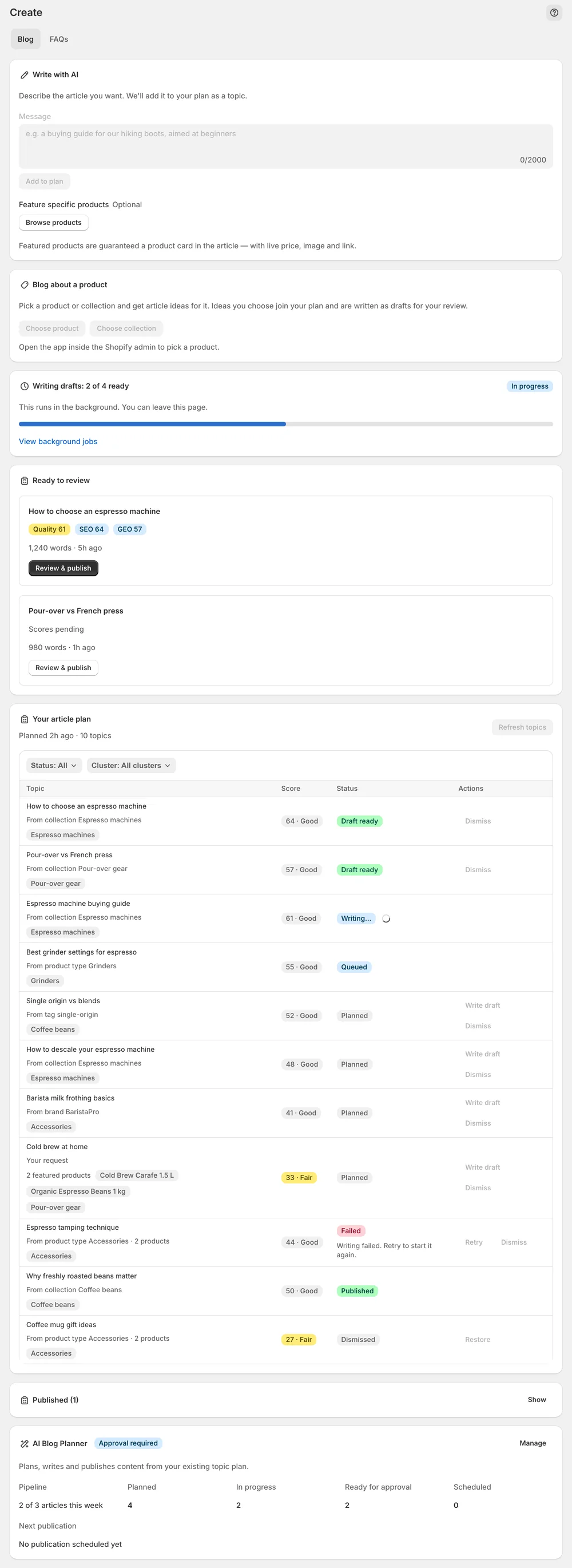
Your article plan is built from product types, collections, brands and coverage gaps. Topics carry a Strong, Good or Fair band.
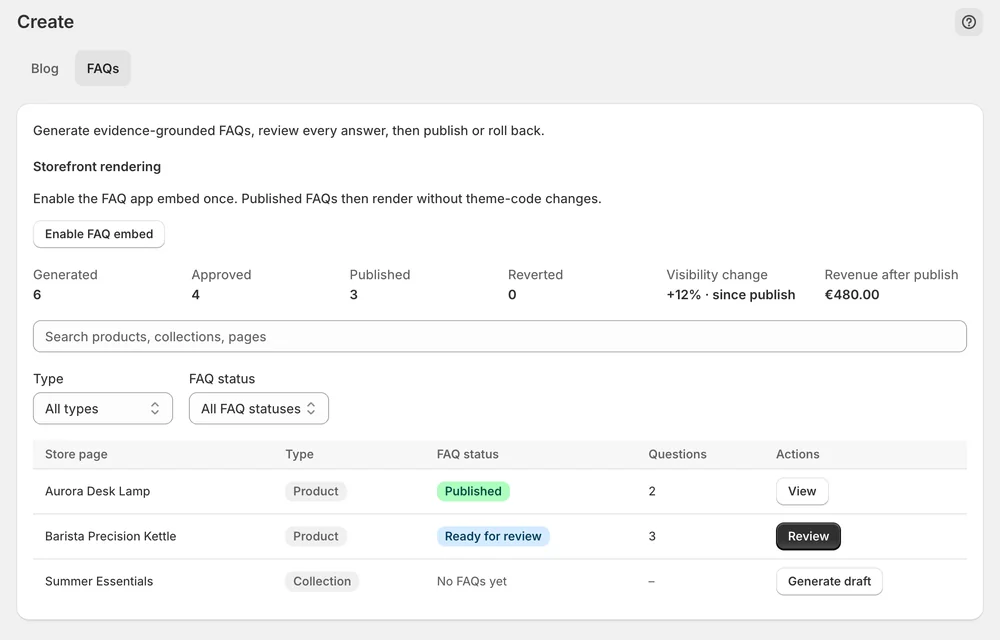
Drafted question-and-answer pairs publish as a visible block plus FAQPage structured data.
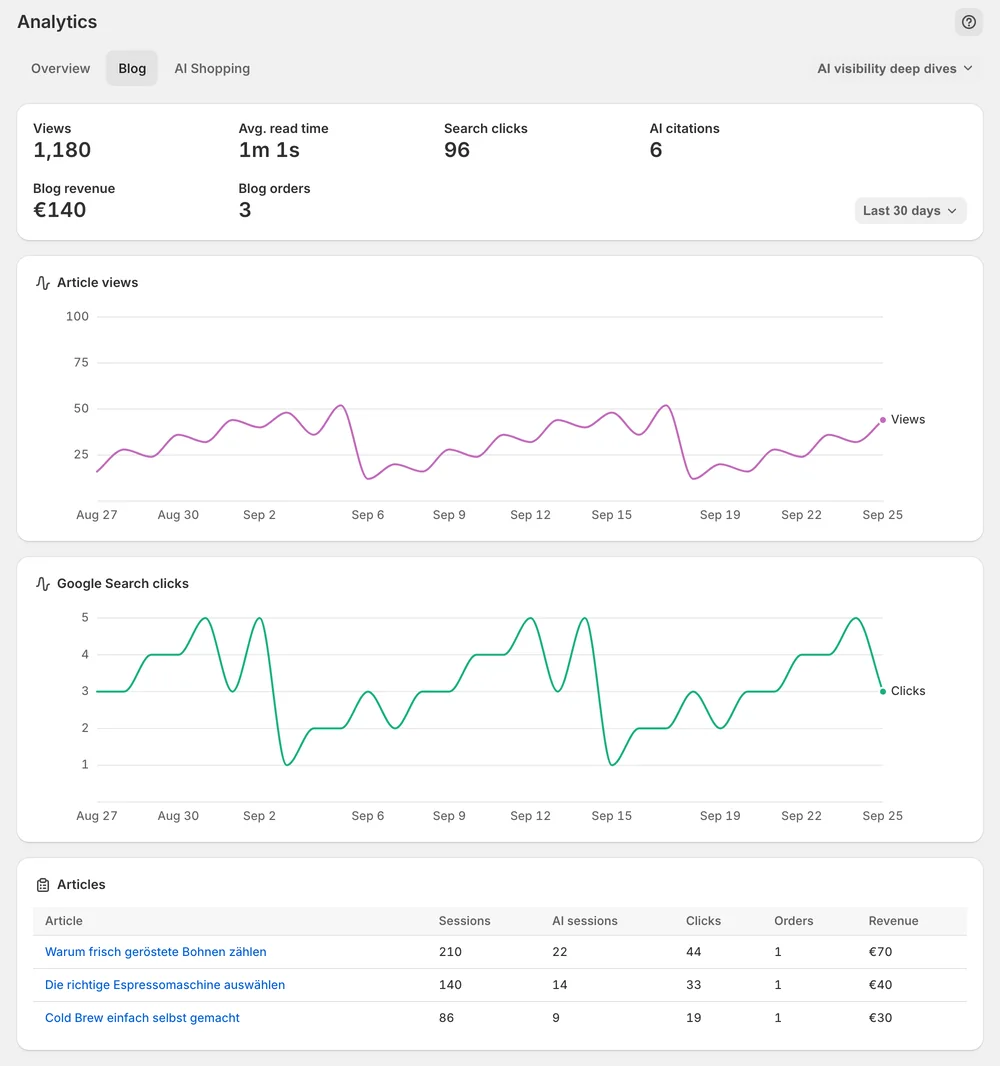
Blog analytics show views, reading time and AI citations per article.
In the app
Open Content → Blog. Your article plan is built from product types, collections, brands and coverage gaps in your synced catalog. Each topic carries an opportunity score shown as a band: Strong, Good or Fair. Pick topics and press Write draft, or Write top 5 now to queue a batch. With Write with AI you describe a specific article and press Add to plan.
Under Ready to review, open a draft with Review & publish. Each draft carries three numbers. Quality is the overall editorial check. SEO measures how well the draft targets its keyword. GEO measures how citable it is for AI assistants. Use Edit for the title, meta description and article HTML, or Edit with AI with an instruction.
Choose a target under Publish to blog. Check in theme shows the article in your live theme before it goes public. Then press Publish now, or set a date and use Schedule. For FAQs, switch to the FAQs tab, review the drafted answers, approve and publish them. The visible FAQ block needs the Sphen.ai FAQs embed in your theme.
You stay in control
Plans
blog posts per month
Yes. Under Feature specific products you can pin up to three products. Each pinned product gets a product card in the article with live price, image and link. Everything else is matched automatically from your catalog. A pinned product that goes inactive or sells out is dropped rather than published.
Quality is the overall editorial check. SEO measures how well the draft targets its keyword in titles, structure and meta description. GEO measures how citable it is for AI assistants. A publishable draft sits at Quality 85 or above with GEO 70 or above.
Yes. The visible FAQ block and its FAQPage structured data ship as their own app embed, named Sphen.ai FAQs. It renders nothing until you enable it in the theme editor. If FAQs are approved but nothing shows on the storefront, check that embed first.
Only if you switch it on. Auto-publish publishes drafts that pass Quality 85 and GEO 70 to a blog you nominate, with no review step. The editorial responsibility stays with you. Depending on the topic, EU rules may require the article to be labelled as AI-generated.
It depends on your plan. Each plan includes a monthly number of blog posts, which you find in the plan table on the pricing page. Your current usage is under Settings → Plans in the app. The allowance resets at the start of the next month.
The article is live in Shopify, but your theme has no blog or article template to render it. Sphen.ai checks the public URL and warns you in the app. Add both templates in your theme. Nothing has to be published again afterwards.
Install Sphen.ai, let it read your store, and decide exactly what goes live.