
Wrong targets
Pitching sites AI assistants never cite spends effort where it cannot move an answer.
Mentions · Digital PR
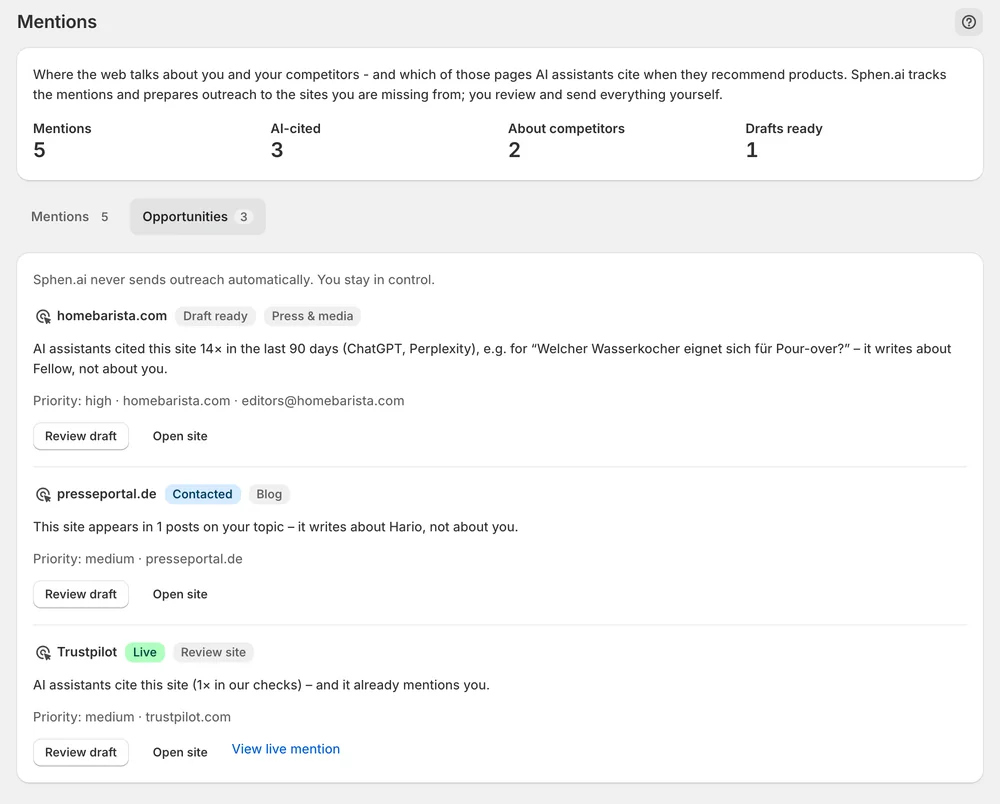
Opportunities lists the sites AI assistants cite for your topics that don't mention you yet, each with an outreach draft. You edit it and send it from your own inbox.
In short
Digital PR in Sphen.ai is the Opportunities tab under Mentions. It lists sites that AI assistants cite for your topics but that do not mention your store yet. Each row shows the evidence and comes with an outreach draft. You edit the draft, send it from your own inbox and track the status. Sphen.ai never sends emails.
Updated:
The problem
Pitching sites AI assistants never cite spends effort where it cannot move an answer.
A pitch that doesn't say why this site and why now gets deleted.
Who was contacted and what went live ends up in scattered inbox threads.
How it works
Each opportunity names the reason — for example, AI assistants cite this site and it writes about two competitors, not about you. Types range from Press & media to Link request; work link requests first.
Press Review draft, adjust the Subject and Outreach draft, and Save draft. Open site checks the target first. Send from your own inbox, then Mark contacted.
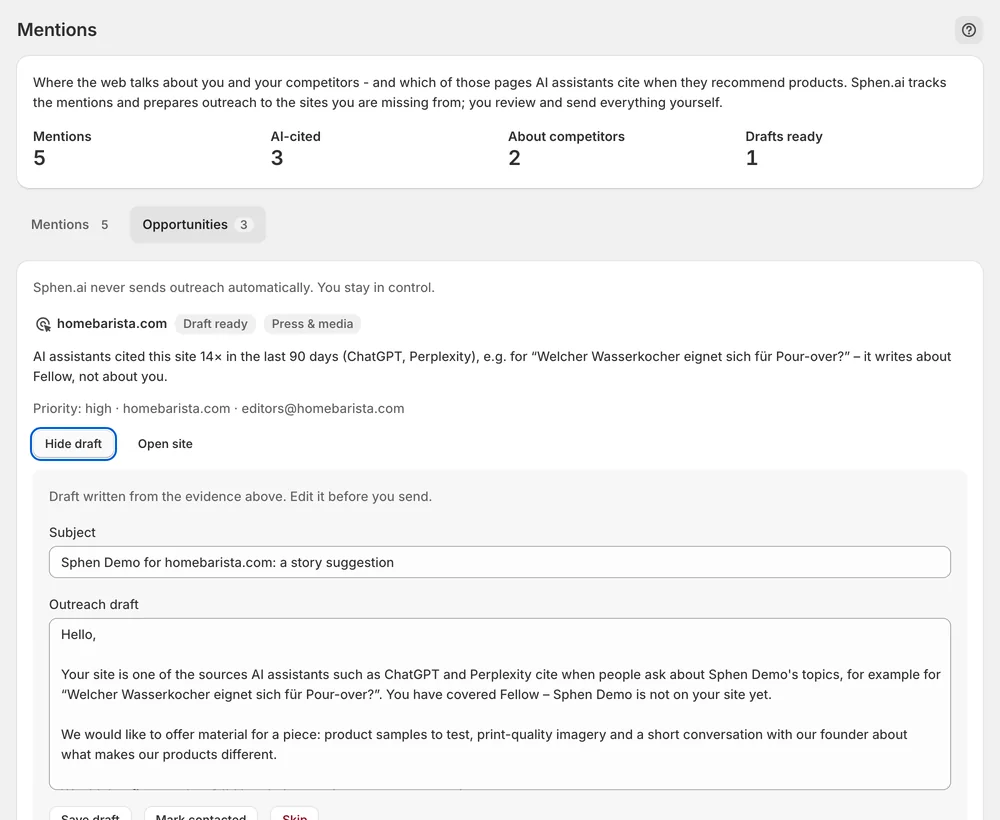
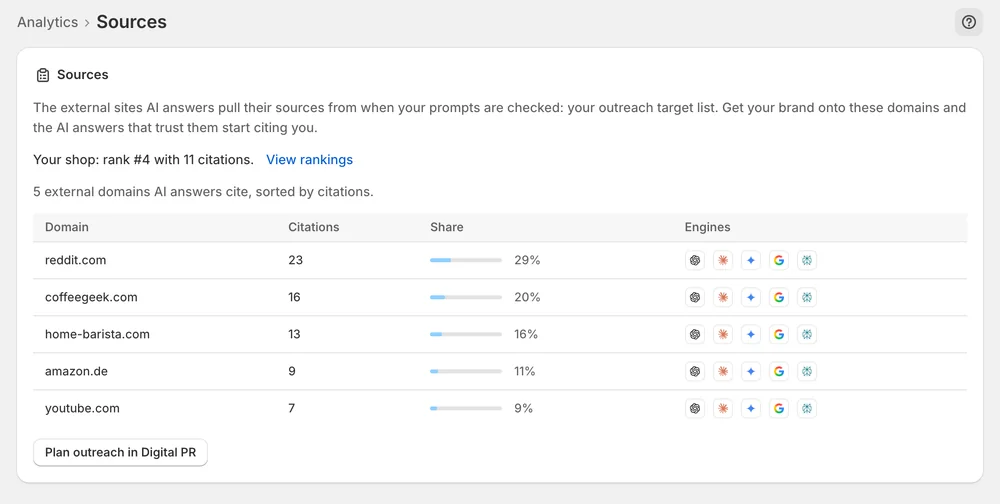
When coverage goes live, paste the link as proof and press Mark live. Check the Sources deep dive to see whether the domains you worked start citing you.
In the app
Each row is one site with an evidence line under it, for example that AI assistants cite this site and that it writes about two competitors but not about you. Rows carry a priority and a type: Press & media, Blog, Review site, Editorial, PR portal or Link request. A link request means the site already mentions your brand without linking. Work those first, then AI-cited sites.
Press Review draft to open the prepared email. You can change the Subject and the Outreach draft and press Save draft. Open site lets you check the target before you write to it. Sphen.ai does not send the email. You send it from your own inbox and then press Mark contacted, so the row shows that you have approached this site.
When coverage goes live, paste the link into Live coverage or proof URL and press Mark live. The field accepts any complete http or https URL. Skip parks a site you do not want to contact, and Restore brings it back. To see whether the domains you worked start citing you, open the Sources deep dive from the AI visibility deep dives dropdown on Analytics.
You stay in control
Plans
Included in every plan, with no separate quota.
No. The workspace is draft-only by design. Sphen.ai prepares the subject and the email text for each opportunity, and you review and edit them. You send every email from your own inbox and then mark the site as contacted in the app.
A site already mentions your brand without linking to it. You only ask for a link to be added to an existing mention, which makes it the cheapest win on the list. Work link requests first, then the sites AI assistants cite.
Slowly and cumulatively. A realistic rhythm is one or two live placements a month. Check the Sources deep dive to see whether the domains you worked start citing you. Sphen.ai does not promise placements, because every site decides for itself whether it replies or covers you.
Rarely. A citation that lands on a thin product page converts badly and is not repeated. Fix the catalog in Recommendations first, where you review and apply the proposed changes. Start the off-site work once your own product pages are complete.
Mark live needs a valid proof URL. It accepts any http or https URL. Paste the complete link to the live coverage, not a shortened or partial one. If the status of the row changed while the page was open, reload and repeat the action.
Start with the Sources deep dive on Analytics. It ranks the external domains AI answers cite when your prompts are checked, and flags the ones that cite a source but not you. That is your target list, and the Opportunities tab prepares the drafts for it.
Install Sphen.ai, let it read your store, and decide exactly what goes live.
