No baseline
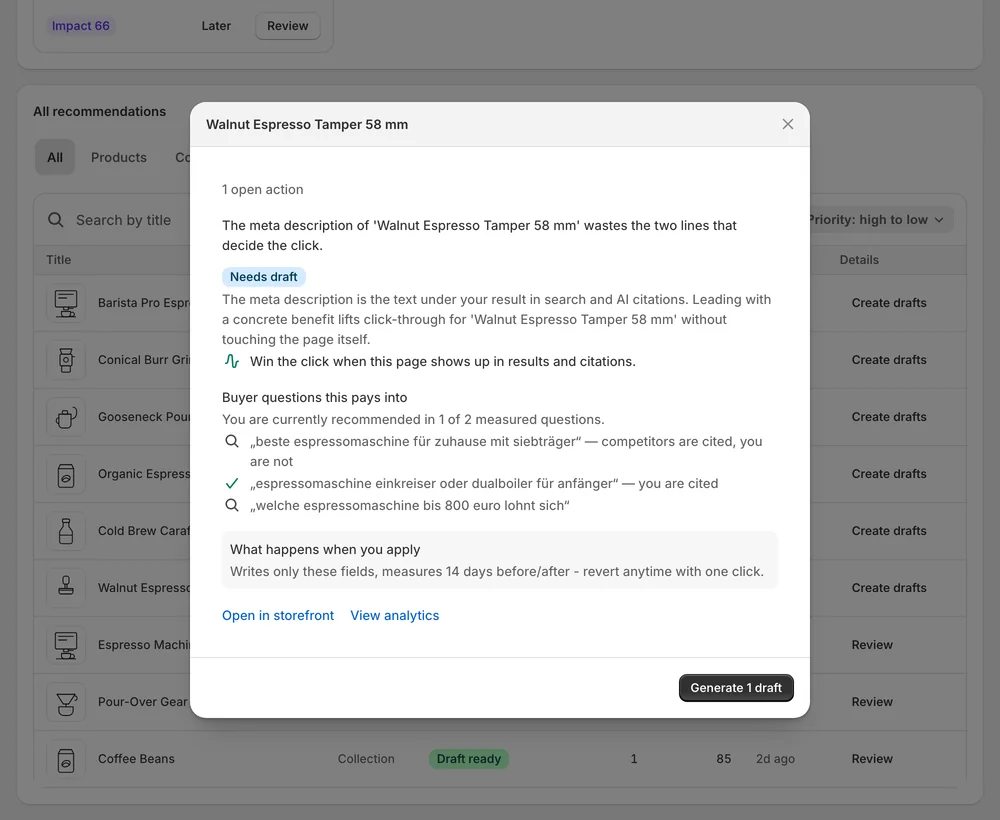
Without a before/after per change, every improvement is an anecdote.
Impact & attribution
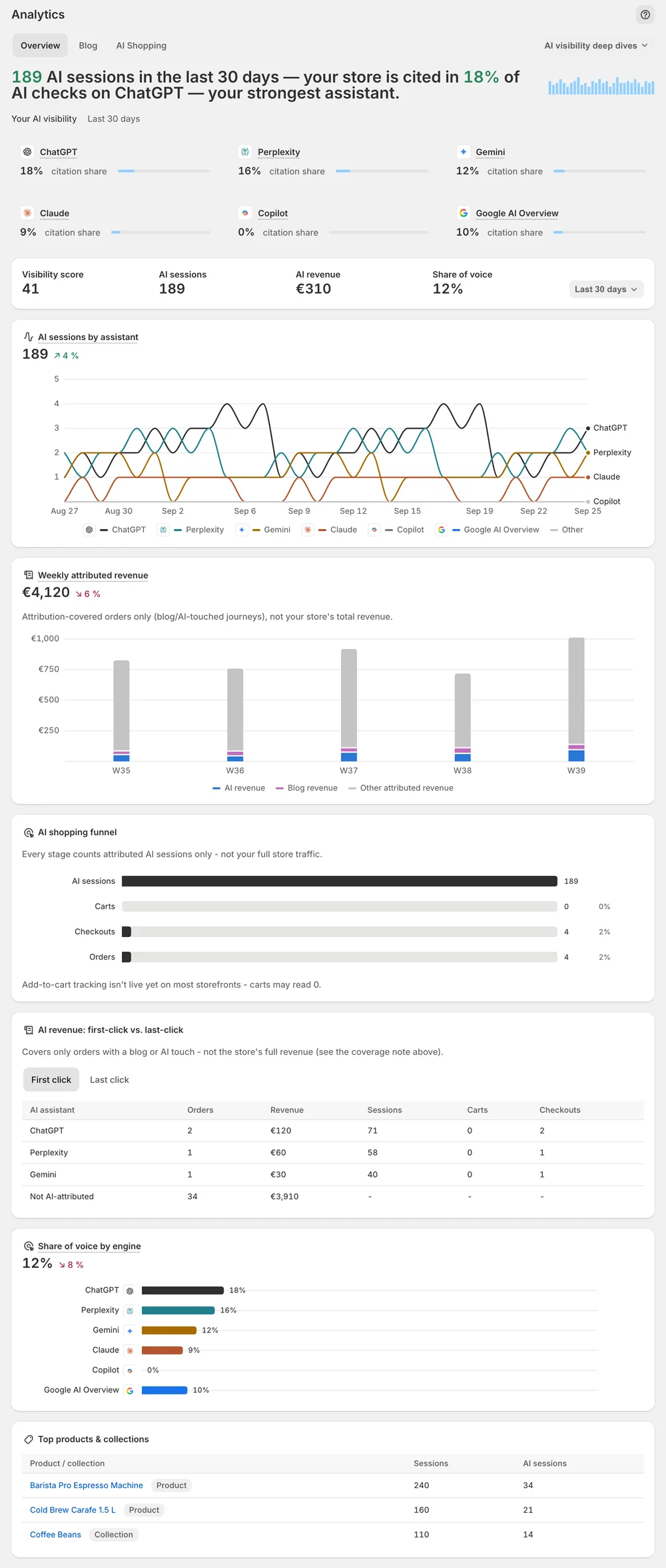
Analytics puts visibility score, share of voice and citations next to Search Console clicks, GA4 traffic and AI order attribution — and every applied change is measured 14 days before and after.
In short
Impact and attribution is the measurement side of Sphen.ai. Analytics shows your visibility score, share of voice and win rate next to Search Console clicks and GA4 traffic. AI orders are attributed from first-party Shopify order data. Each applied change is compared before and after, over a window of about two weeks.
Updated:
The problem
Without a before/after per change, every improvement is an anecdote.
Search Console, GA4, AI citations and orders live in four different tools.
Dashboards that count every visit as AI traffic lose credibility fast.
How it works
Visibility score, share of voice, win rate and assistant trends — sampled numbers, labelled as such.
Per-article views, reading time and AI citations show which content pulls its weight.
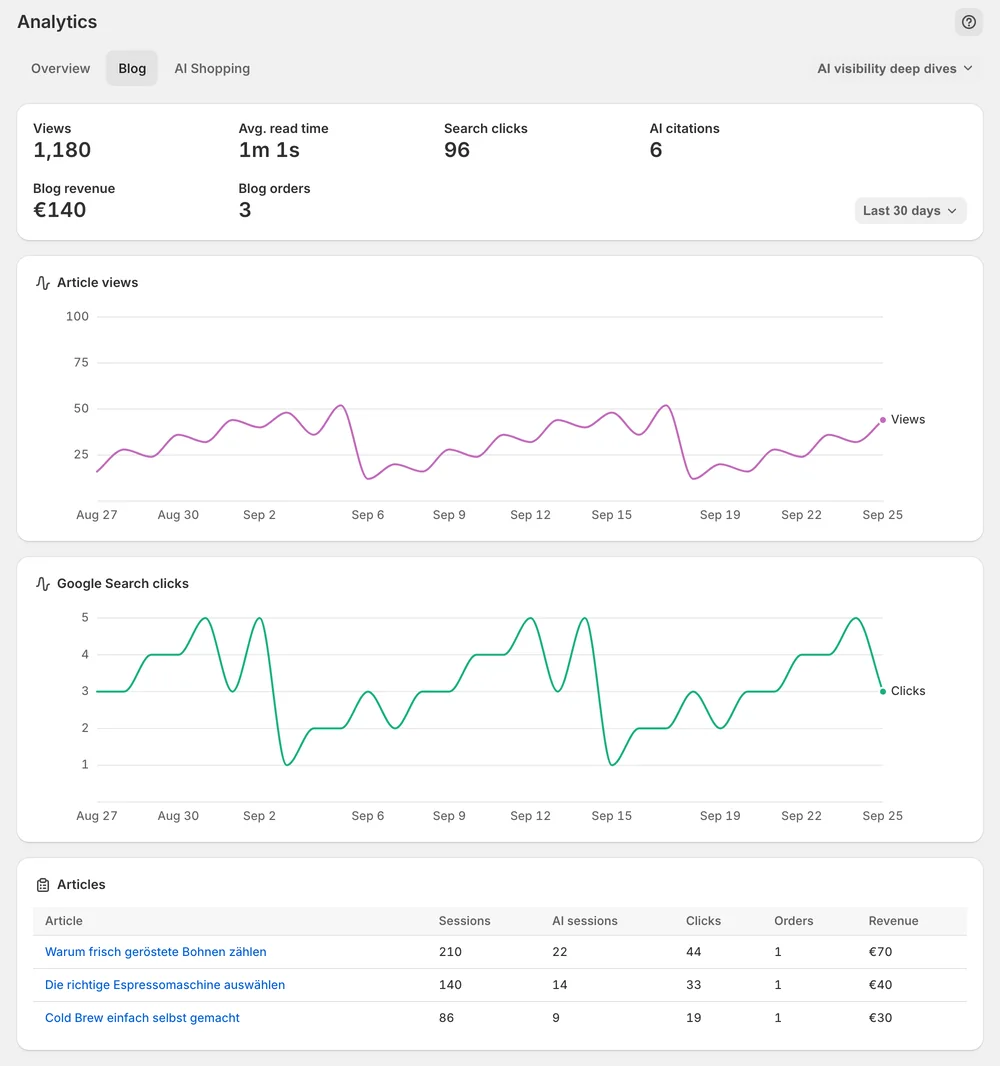
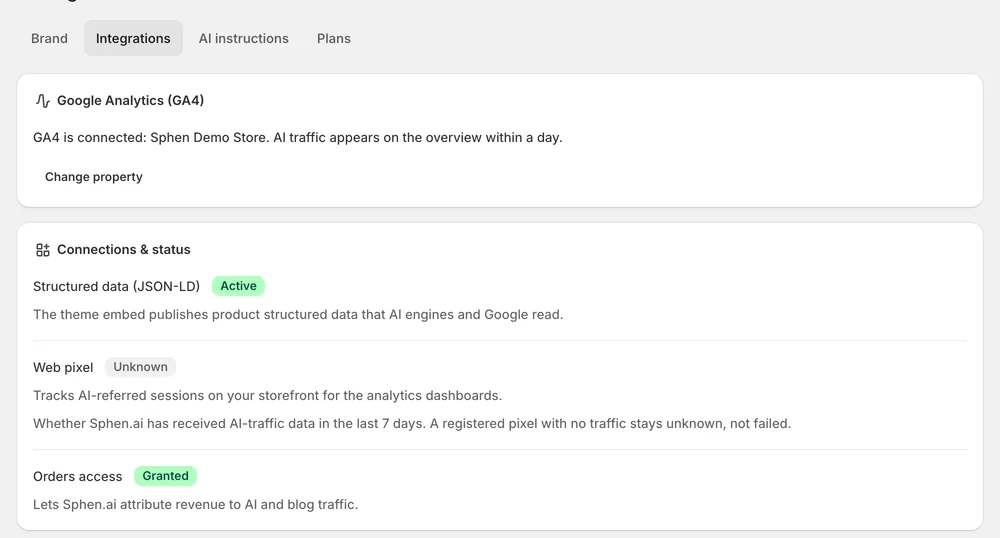
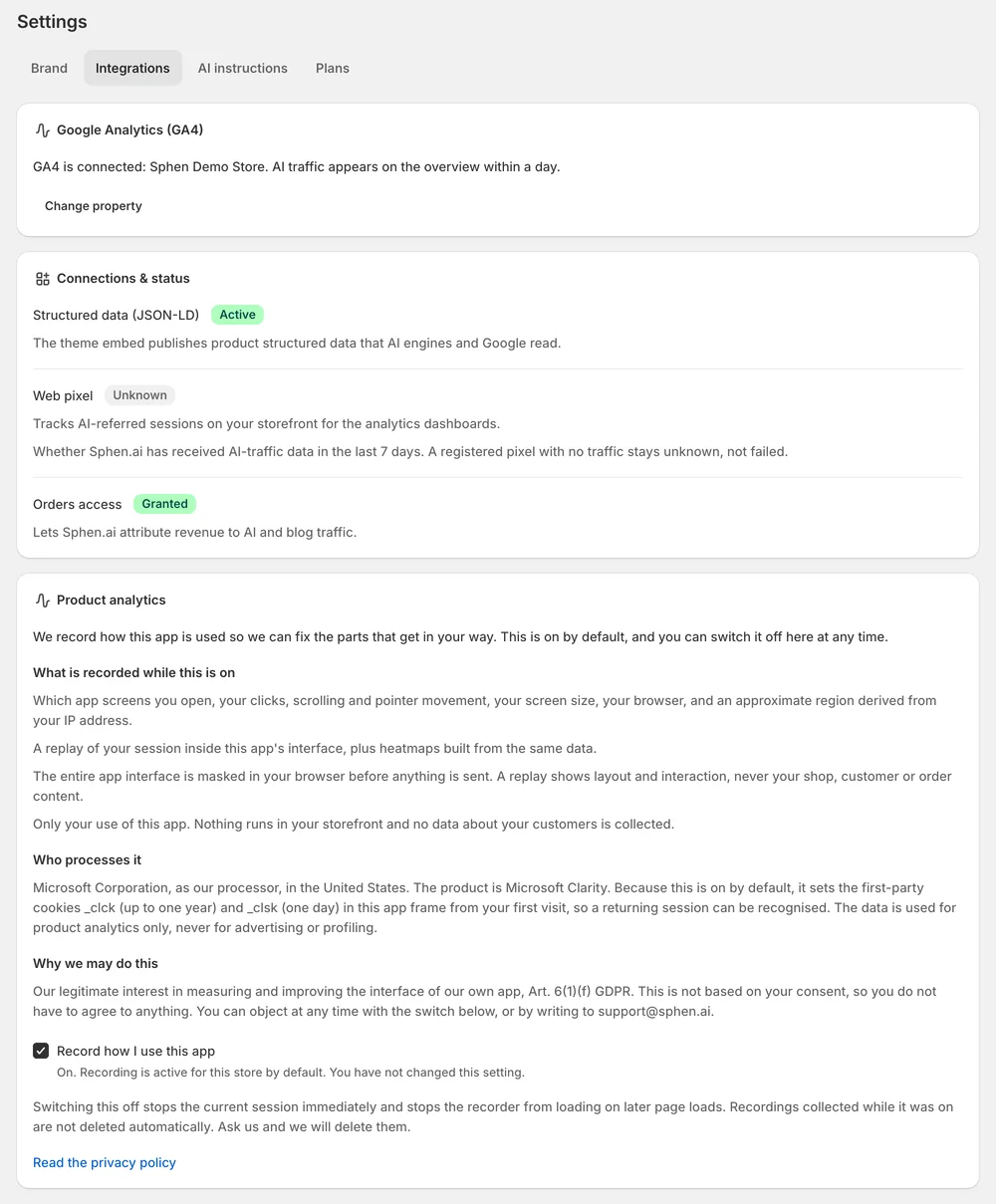
GA4 and Search Console connect with read access. AI orders are attributed from first-party Shopify order data.
In the app
Open Analytics and set Range to the window you care about. The Overview tab carries the KPI strip. Visibility score and Share of voice are sampled: averages over prompt samples, never an exhaustive scan. Read the trend across scans rather than a single number. For per-question detail, open AI visibility deep dives and pick Prompts, Rankings or Sources.
Once your first applied change has been measured, a Measured impact card joins Overview. It counts your confirmed improvements from a before/after comparison per change. Each measured change lands in one of four results: Improved, Worsened, No measurable movement or Insufficient data. Expect a mix. While a change is still in its window, its status in Recommendations reads Measuring.
Open Settings → Integrations and press Connect GA4. Finish the Google sign-in in the new tab. Sphen.ai only requests read access. Then pick the property for this store under GA4 property and press Save property. The Blog tab in Analytics shows per-article numbers. Reading time needs the Sphen.ai Article Dwell embed switched on in your theme.
You stay in control
Plans
tracked prompts included
No. Visibility score, share of voice, the deep dives and the real-browser prompt checks work without any GA4 connection. Without GA4 you have no traffic-side view, though. Connecting takes a Google sign-in, and Sphen.ai only requests read access.
Sphen.ai compares the period before and after each applied change. While it waits for enough data, the change shows Measuring, which runs about two weeks. Measured impact on Overview then counts it as Improved, Worsened, No measurable movement or Insufficient data.
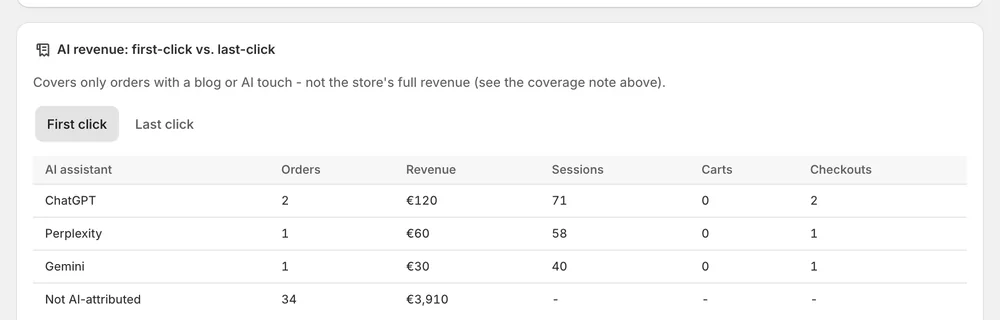
From first-party Shopify order data, by the AI assistant that referred the order. Only orders Sphen.ai can positively attribute are counted, so the method is deliberately conservative. Read the figure as a floor, not a total. The real number is higher.
No. Visibility score and share of voice are sampled averages over prompt samples, never an exhaustive scan. AI answers also vary from run to run. Read the trend across several scans. Real-browser evidence badges on the Prompts deep dive serve as a reality check.
Google stopped accepting the stored access, usually because it was revoked or the account changed. The daily traffic sync stops until you reconnect. Open Settings → Integrations and press Reconnect GA4, then finish the Google sign-in again.
Development stores show sample data as a preview, marked with a Sample data banner. The numbers are not from your store. Real analytics replace the sample data automatically once the store has live visitors and orders.
Install Sphen.ai, let it read your store, and decide exactly what goes live.