
What it does
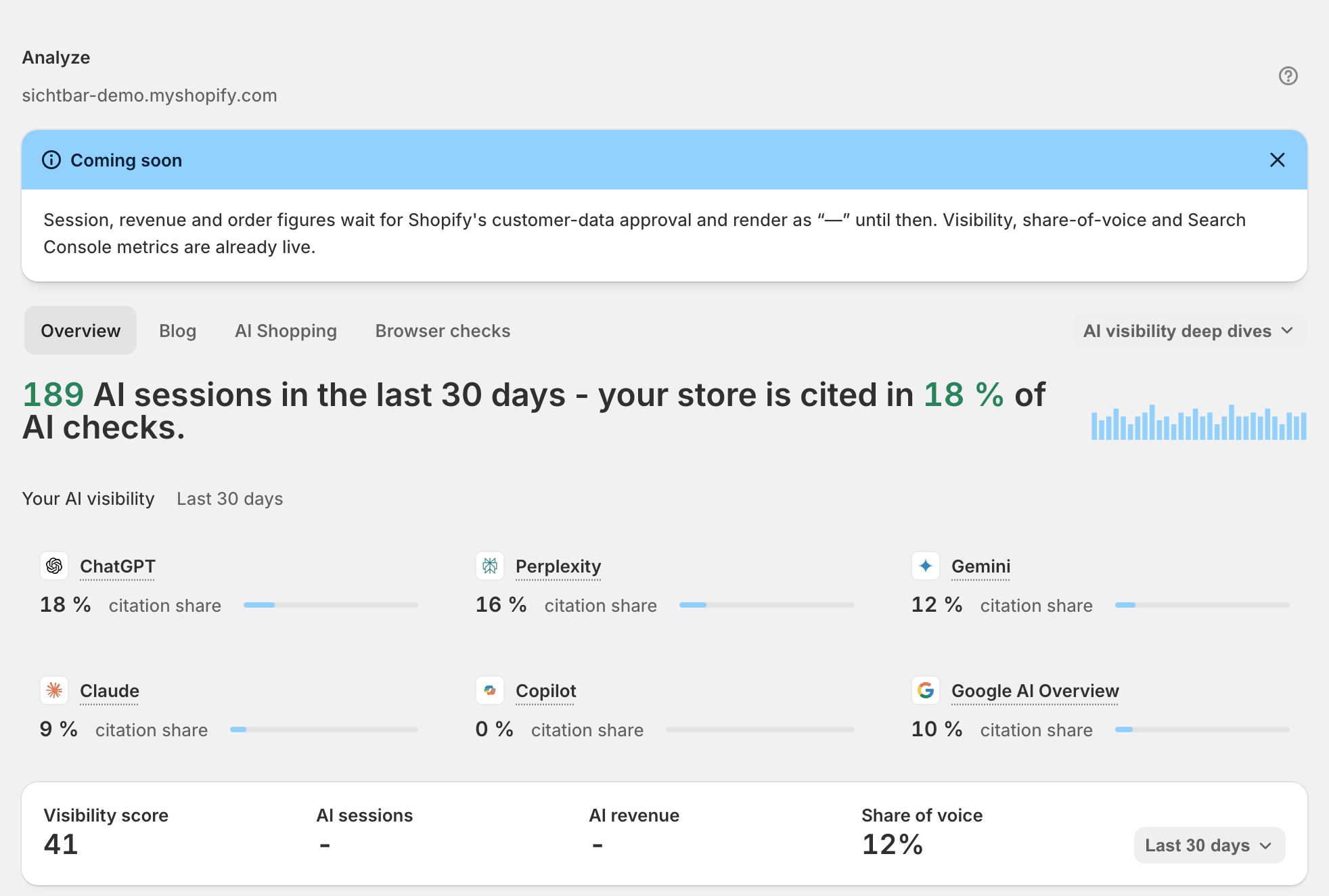
Analytics is built to answer three questions: are AI assistants citing you, are they sending traffic, and is that traffic buying. Today it answers the first one. Session, revenue and order figures are waiting on Shopify's approval for protected customer data. The permissions themselves are granted when you install — what stays switched off is the measurement behind them, so the web pixel never starts collecting, those tiles render “—”, and a Coming soon banner at the top of the page says so. The tab row is Overview and Blog — plus AI Shopping where that rollout is switched on for your store; Rankings, Prompts and Sources open from the AI visibility deep dives dropdown in that same row.
Why it matters
GEO work dies when nobody can tie it to a business number. What this page gives you today is the citation half of that sentence: your visibility score and share of voice moved from a to b, with Search Console clicks and — once connected — GA4 sessions underneath it. That is already a defensible budget line. The revenue half arrives when Shopify approves the customer-data access.
Setup
Open Settings → Integrations and press Connect GA4. Finish the Google sign-in in the new tab; Sphen.ai only requests read access.
Back in Sphen.ai, pick the property that belongs to this store under GA4 property and press Save property. Traffic appears on the overview within a day.
Open Analytics and set Range to the window you care about. Read the Coming soon banner once, then dismiss it — it stays dismissed.
Work Overview for the KPI strip, then Blog for per-article numbers.
For a sanity check on the sampled numbers, open the Prompts deep dive: re-checked prompts carry a Verified in real browser evidence badge — real guest-browser sessions, not API samples.
For per-question detail, open AI visibility deep dives in the tab row and pick Prompts, Rankings or Sources.
Reading the results
Read the KPI labels literally, because the methods differ. Visibility score and Share of voice are sampled: averages over prompt samples, never an exhaustive scan. AI sessions, AI revenue and Blog revenue are the tiles currently showing “—”. When the customer-data access is approved they will need about 24 hours of traffic to fill, and they will be a floor, not a total: only visits and orders Sphen.ai can positively attribute are counted, so the real number is higher.
So the healthy picture you can read today is visibility and share of voice trending up across scans, with Search Console clicks following. An AI Shopping tab with per-product readiness and AI-quoted prices is rolling out gradually and is not switched on for every store — where you have it, Avg. readiness above 80 is green and the AI shopping funnel should not lose everything between sessions and carts.
Troubleshooting
The session and revenue tiles show “—”.
That is the current, expected state for every store, not a setup mistake: Shopify's approval for protected customer data is still pending, so the measurement behind those figures stays switched off — which is also why Connections & status reports the web pixel as inactive even though the permission was granted at install. Nothing you can do in the app changes it. Visibility, share of voice and Search Console metrics are unaffected.
GA4 connection expired.
Google stopped accepting the stored access — usually because it was revoked or the account changed. Open Settings → Integrations and press Reconnect GA4. See Troubleshooting.
The visibility numbers are empty too.
No AI visibility scan has finished yet. Start one from the Overview page and check Activity for the job; see AI visibility.
Frequently asked questions
Will AI sessions be my full AI traffic once they appear?
No. Only visits Sphen.ai can positively classify as coming from an AI assistant will be counted, and only consented visits reach the pixel at all. The number is deliberately conservative — read it as a lower bound and a trend line.
Do I need GA4?
No, but without it you have no traffic-side view at all right now. Visibility, share of voice, the deep dives and the real-browser prompt checks work without any GA4 connection.
My store is a development store and the numbers look invented.
They are. Development stores show sample data as a preview, marked with a Sample data banner. Real analytics replace it automatically once the store has live visitors and orders.
Still stuck?
Support answers installation, catalog sync, audit, billing, privacy, and account questions for the SPHEN.AI Shopify app.