No time for a hundred products
Descriptions, meta, alt text and schema across the catalog never make it to the top of the list.
For Shopify brands
For founders and ecommerce leads who need their products understood by search engines and AI assistants. Sphen.ai finds the gaps, drafts the fixes, and writes back only what you approve.
In short
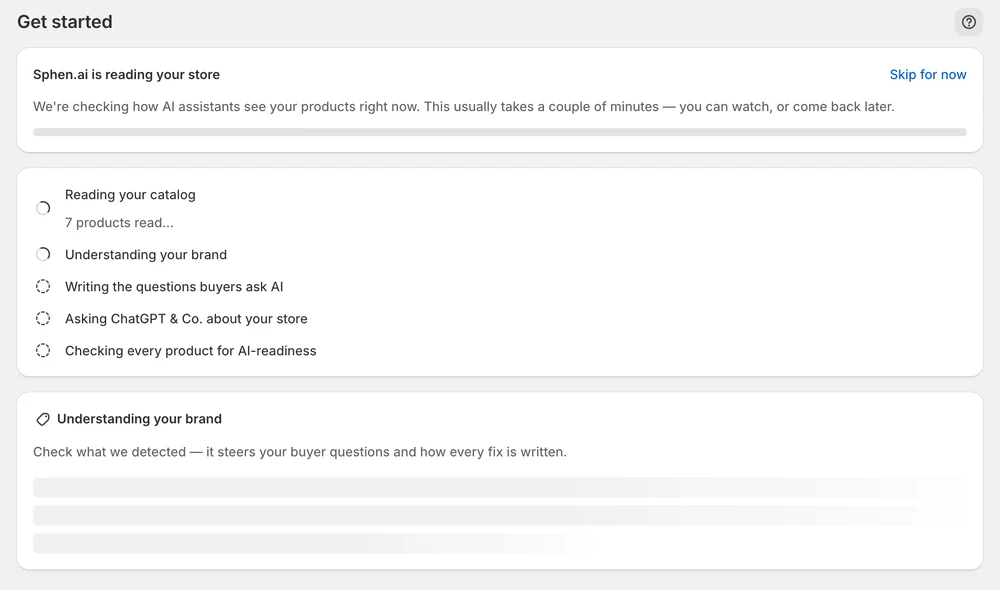
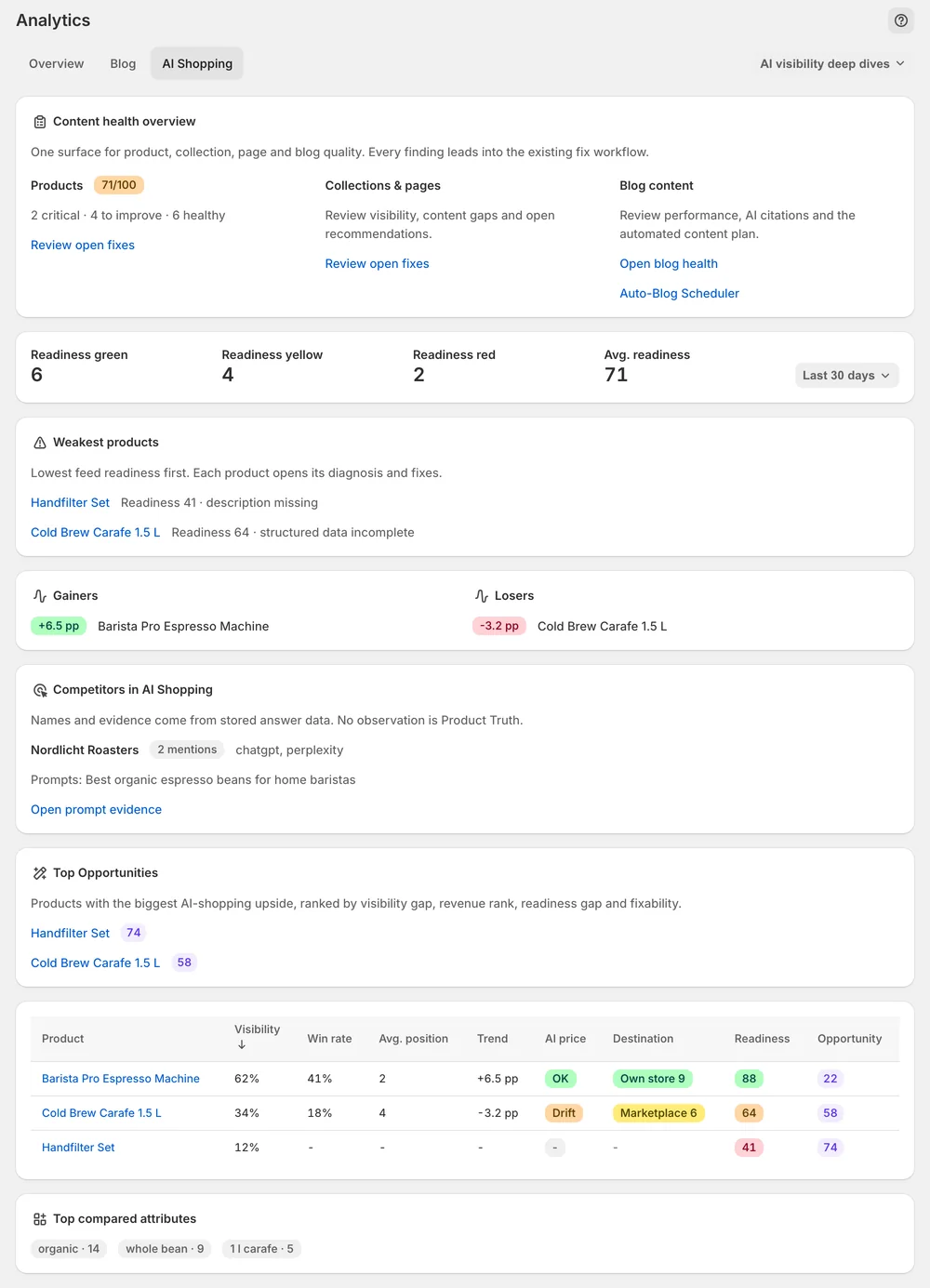
Shopify brands use Sphen.ai to audit every product, collection and page, review the drafted fixes and write them to Shopify by pressing Apply. The app also scans whether AI assistants like ChatGPT and Perplexity mention your store, plans blog articles and FAQs from your catalog, and measures each applied change. Nothing is written until you approve it.
Updated:
What gets in the way
Descriptions, meta, alt text and schema across the catalog never make it to the top of the list.
Buyers ask ChatGPT and Perplexity for recommendations — and you do not know whether your store is named.
Bulk editors and auto-SEO apps rewrite fields without showing what changed or letting you undo it.
Features
In the app
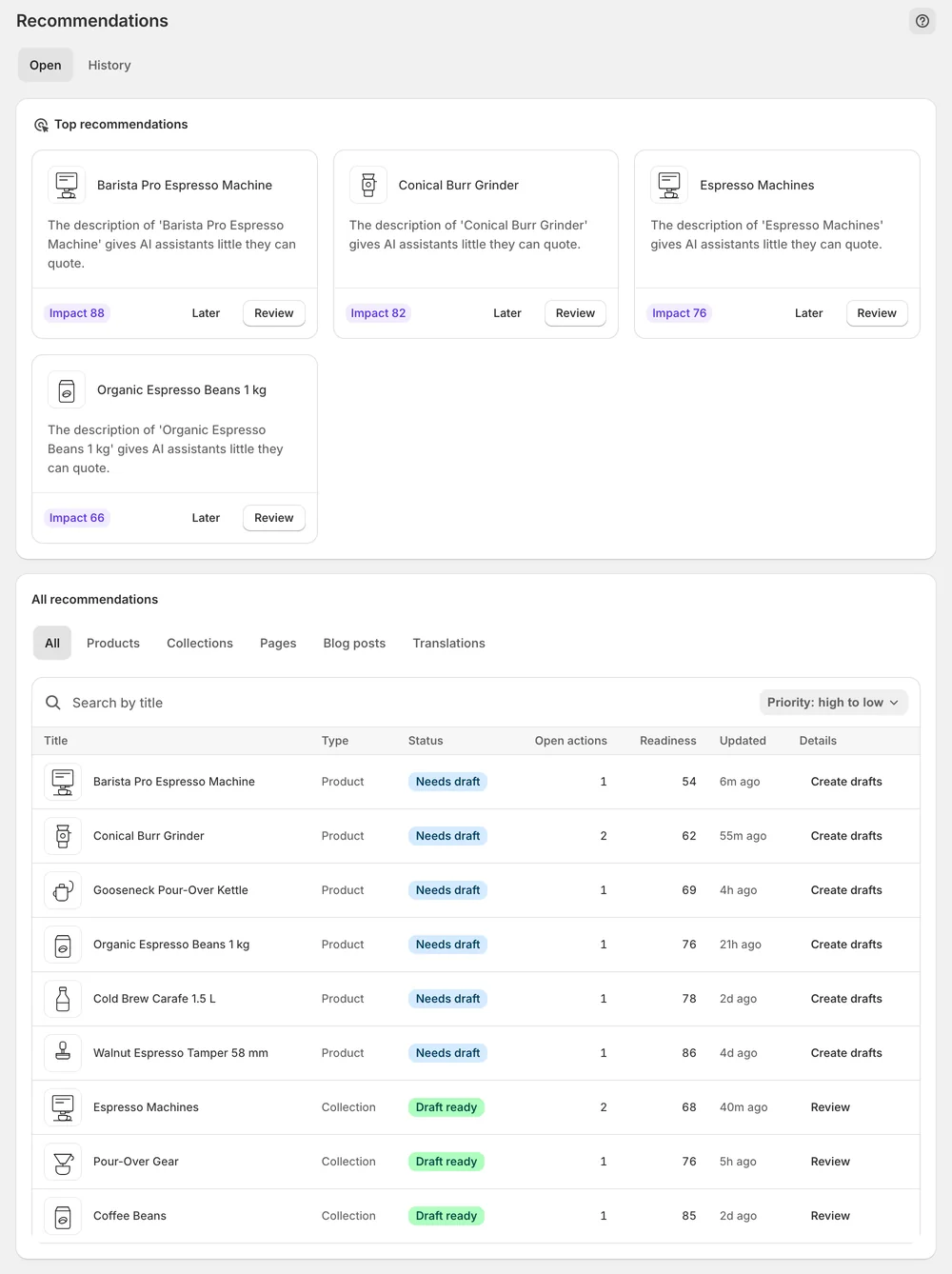
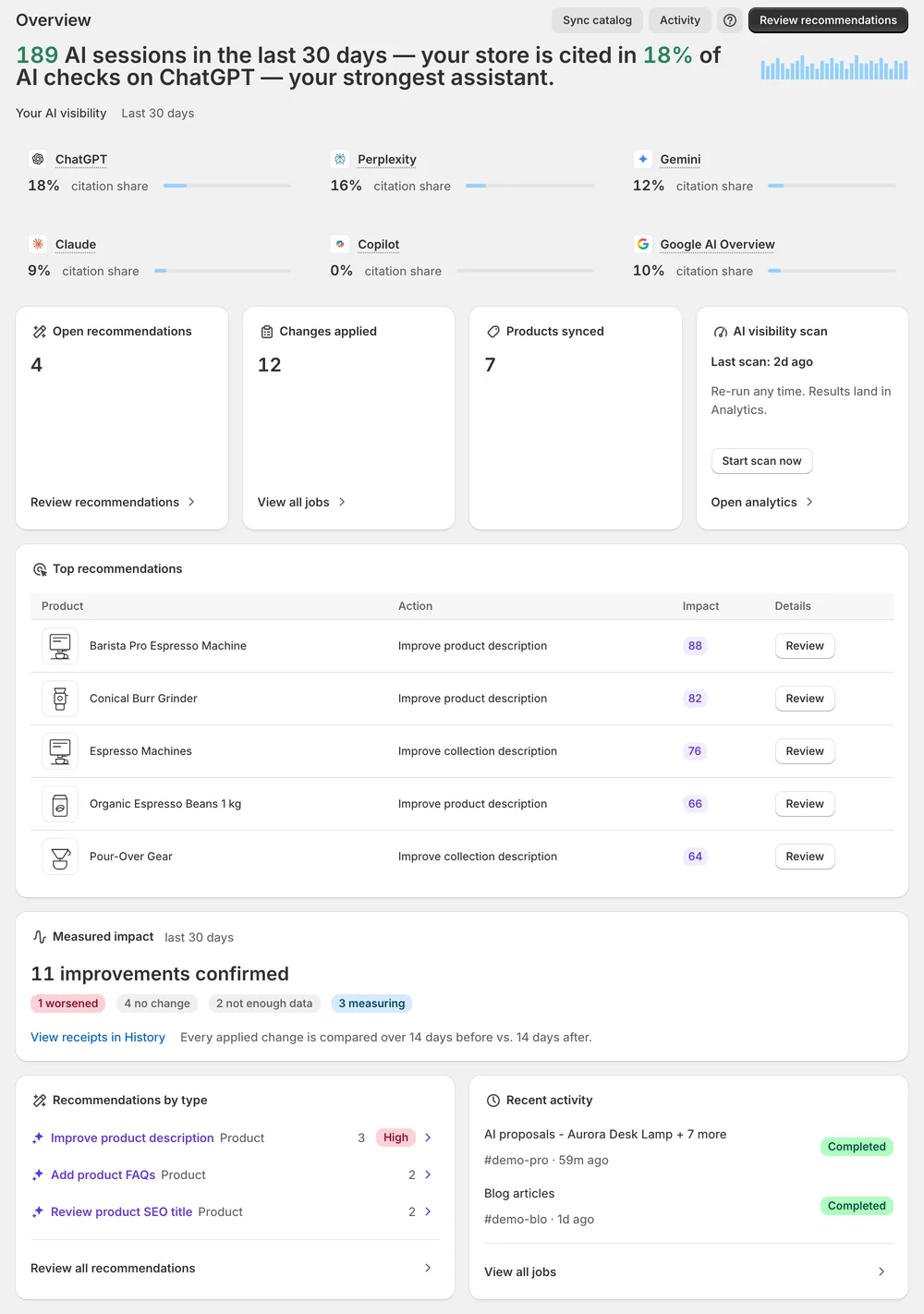
Open Recommendations and start with the Top recommendations cards. Each one shows the current value, the drafted replacement and the evidence behind it. Edit the wording yourself or refine it with an instruction, then press Apply or Dismiss. For larger batches, select rows in the All recommendations table, generate drafts in bulk and apply the approved ones. Every applied change keeps a Revert button in History.
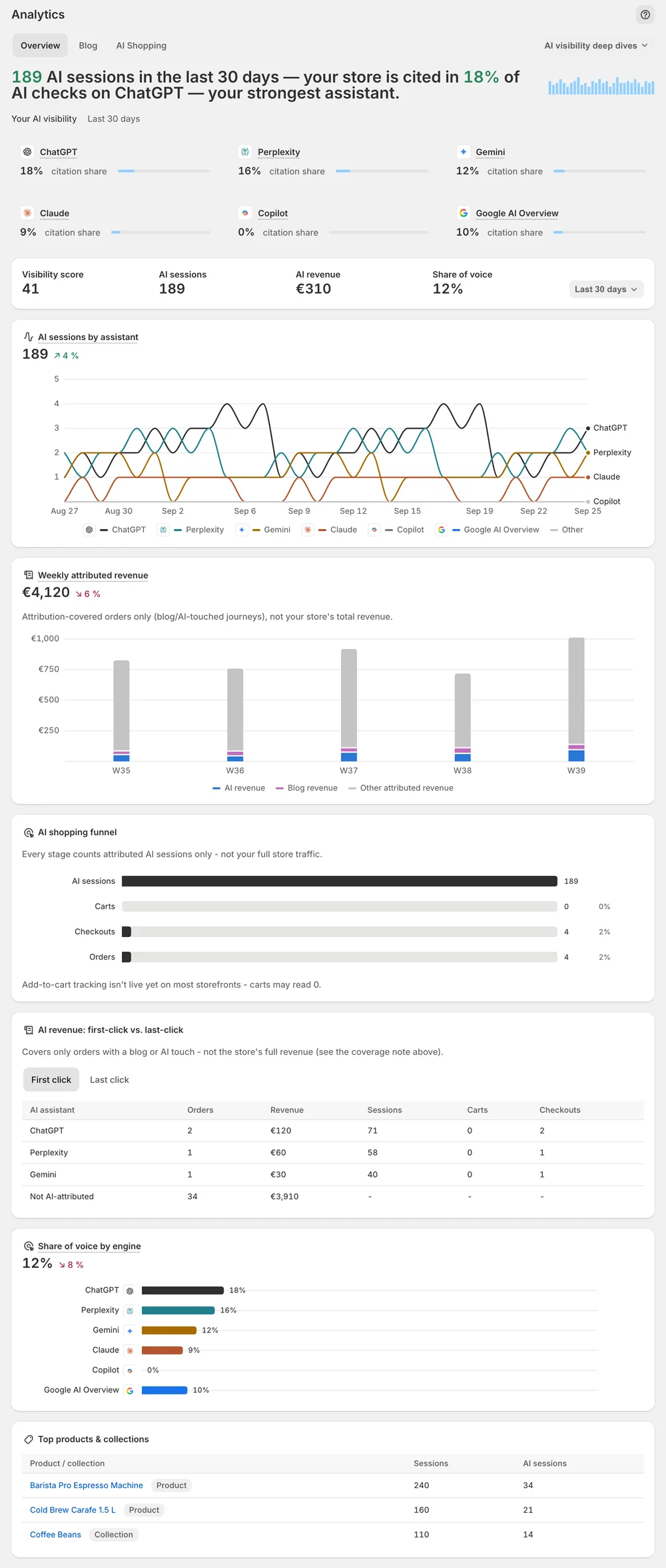
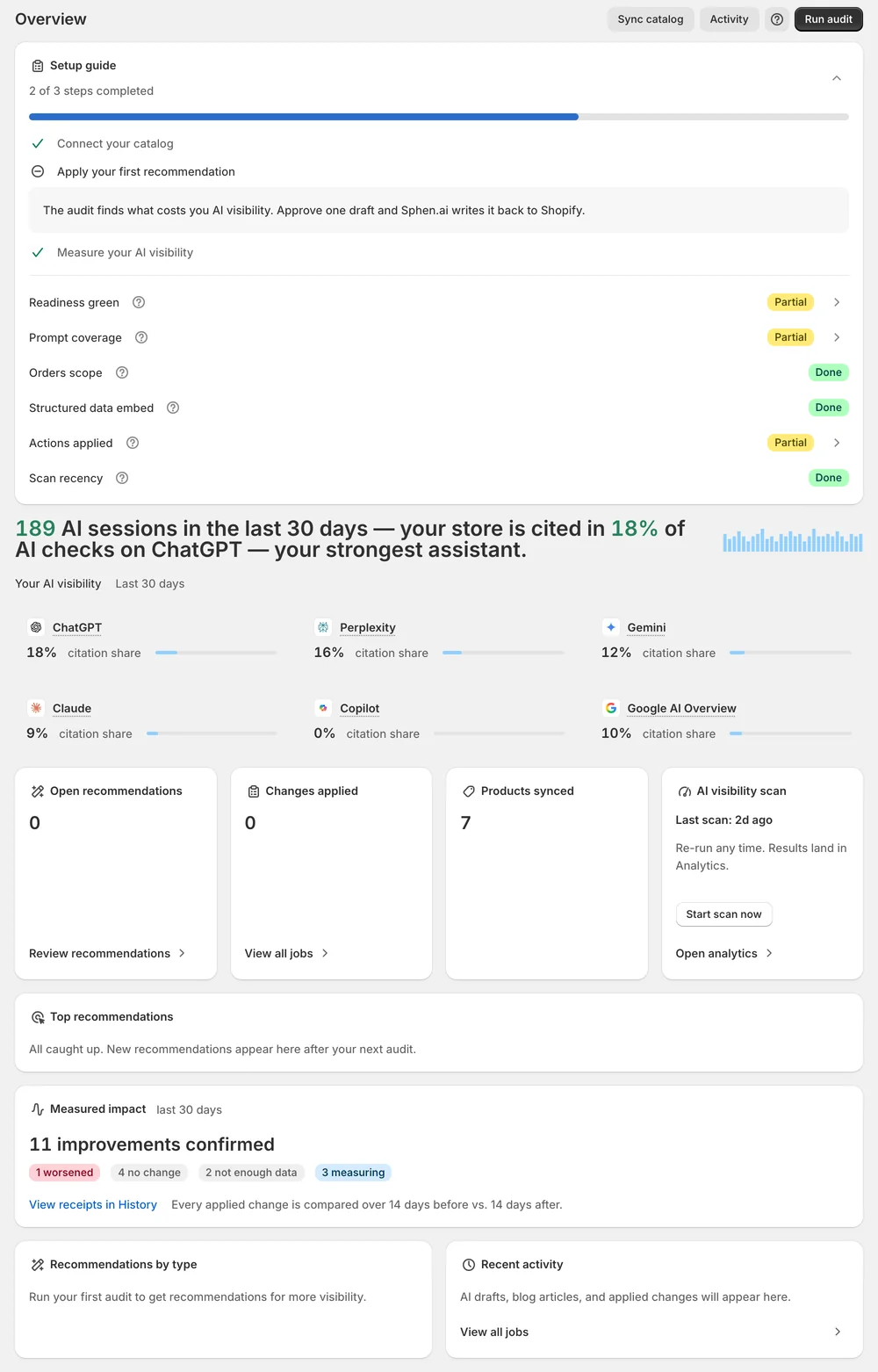
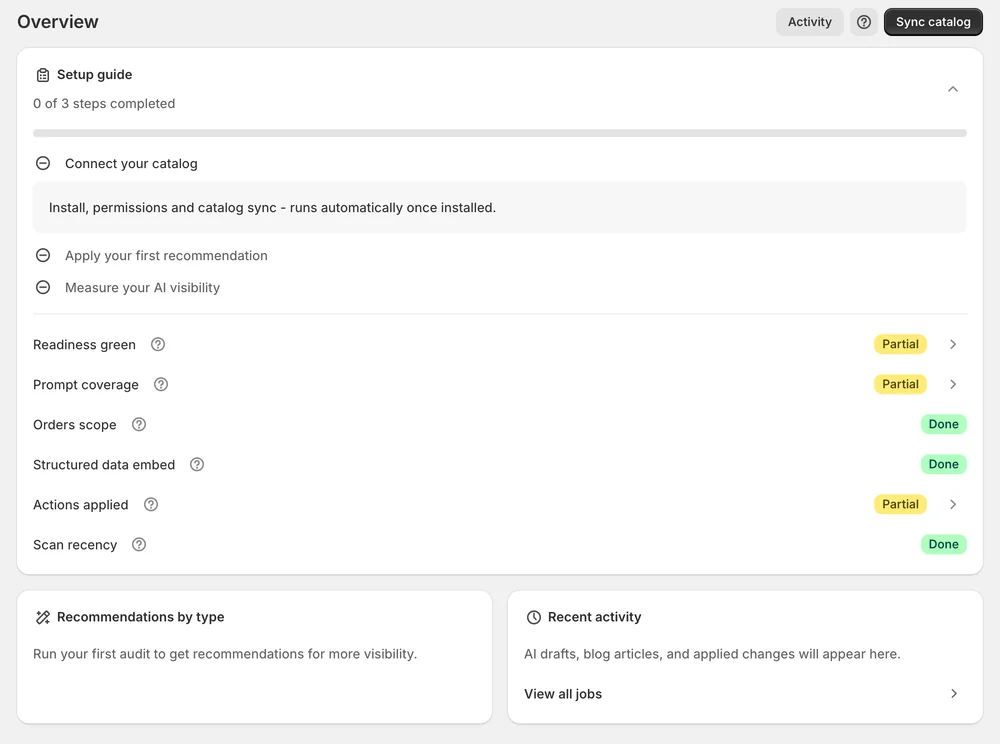
Start an AI visibility scan from Overview. It asks buyer questions to the AI engines and records whether your store appears and which domains were cited instead. Add the questions your own buyers ask as custom prompts. Read the visibility score and share of voice as a trend across several scans, because the results are sampled and AI answers vary from run to run.
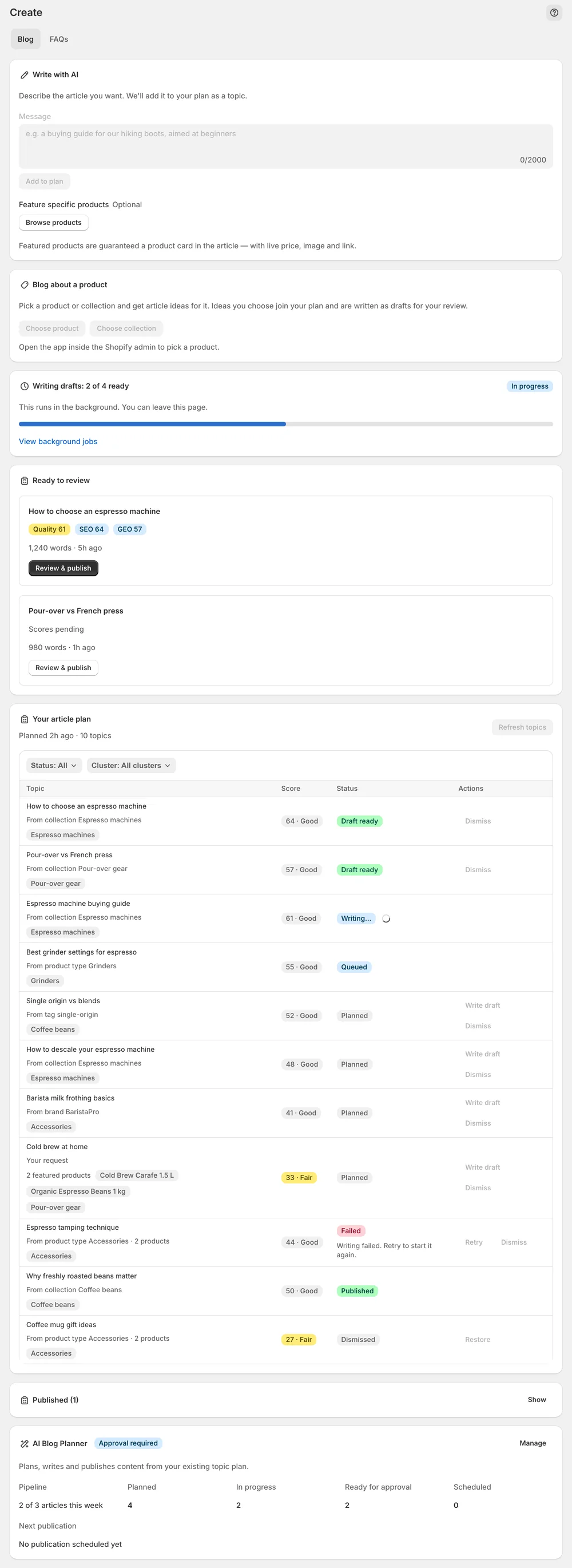
Under Content, the blog planner builds an article plan from your product types, collections and brands. You pick topics, review each draft with its Quality, SEO and GEO scores, and publish or schedule it to your Shopify blog. The FAQs tab drafts question and answer pairs. Once you switch on the FAQ theme app embed, approved FAQs appear on your storefront with matching structured data.
You stay in control
Plans
per month · Billed through Shopify, cancel anytime from your Shopify admin. Start with a free trial on Essential.
Questions
No. Each recommendation explains what is missing, why it matters and what happens when you apply it. You see the current value next to the drafted replacement, together with the evidence. Fields that no AI can invent, such as vendor, category or GTIN, are marked so you know to fill them in Shopify yourself.
Your first audit results and fixes appear during setup, usually within minutes. Catalog fixes are live on your storefront within seconds of applying. AI visibility moves more slowly. Plan for a few weeks and several scans before you read the trend, because every scan is a sample and small movements are noise.
No theme code is edited. Structured data ships as a theme app embed that you switch on yourself in the Shopify theme editor. Switching it off removes the output again. App embeds apply per theme, so after you publish a new theme you activate them once more in that theme.
No. Every change is drafted, shown with a before and after view and applied only when you press Apply. Automatic applying is part of the Growth plan, but it is currently a private beta that is not enabled for every store. Until then you apply every change yourself.
Results are broken down per engine for ChatGPT, Perplexity, Gemini, Claude, Copilot and Google AI Overview. You see them as citation share cards on Overview and under Engine coverage in the Rankings deep dive. Some prompts are also re-checked in real browser sessions of ChatGPT and Gemini and carry an evidence badge.
Through Shopify. You choose Essential, Business or Growth under Settings → Plans and finish the selection on Shopify's page. The charge appears on your Shopify invoice and you cancel in your Shopify admin. Essential includes a free trial, and it is the only plan that does. Your monthly usage is shown on the same tab.
Install Sphen.ai, let it read your store, and decide exactly what goes live.