
Changes blur together
Fifty products edited in one month, and nobody can say which edit did anything.
Impact & attribution · Before/after impact
Sphen.ai compares 14 days before and 14 days after each change it writes to Shopify, and tells you whether it improved, worsened or did not move.
In short
Before/after impact is the measurement Sphen.ai runs on every change it writes to Shopify. It compares 14 days before the change with 14 days after it, then sorts the change into Improved, Worsened, No measurable movement or Insufficient data. While data is still coming in, the change shows Measuring. Measurement only reads. It never changes your store.
Updated:
The problem
Fifty products edited in one month, and nobody can say which edit did anything.
A good week after a change proves little. A defined window before and after proves more.
If a type of change does not help, you want to know before you roll it out to the whole catalog.
How it works
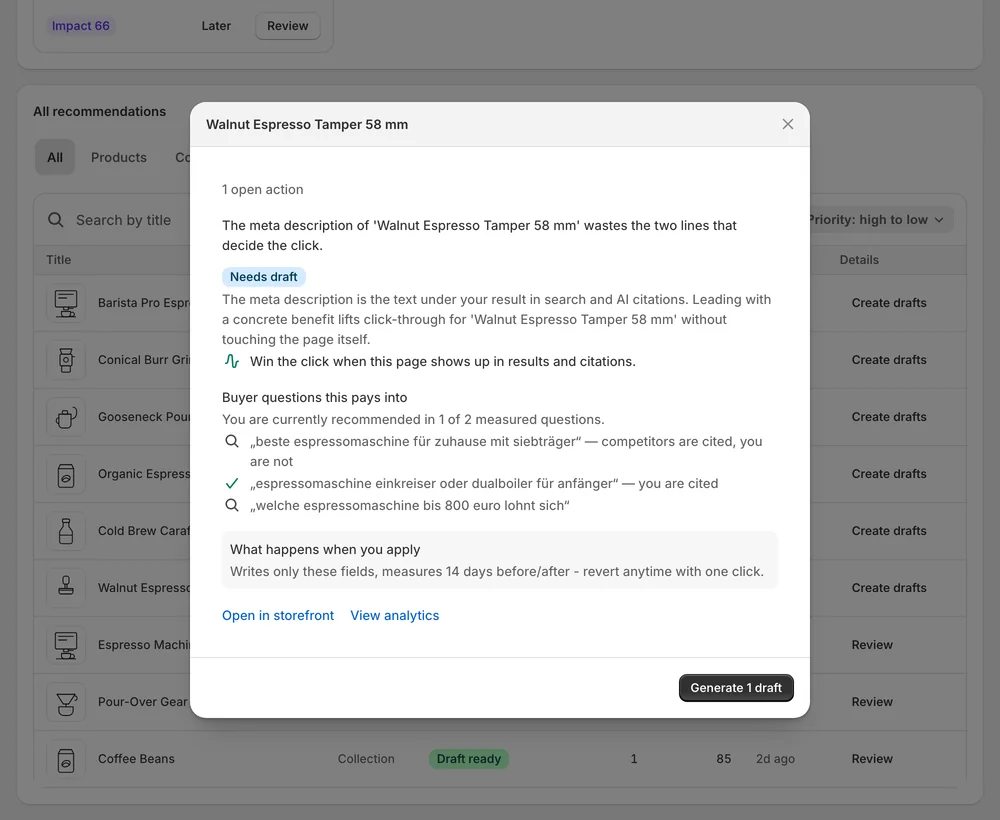
Every recommendation says what happens when you apply: it writes only the listed fields and measures 14 days before and after.
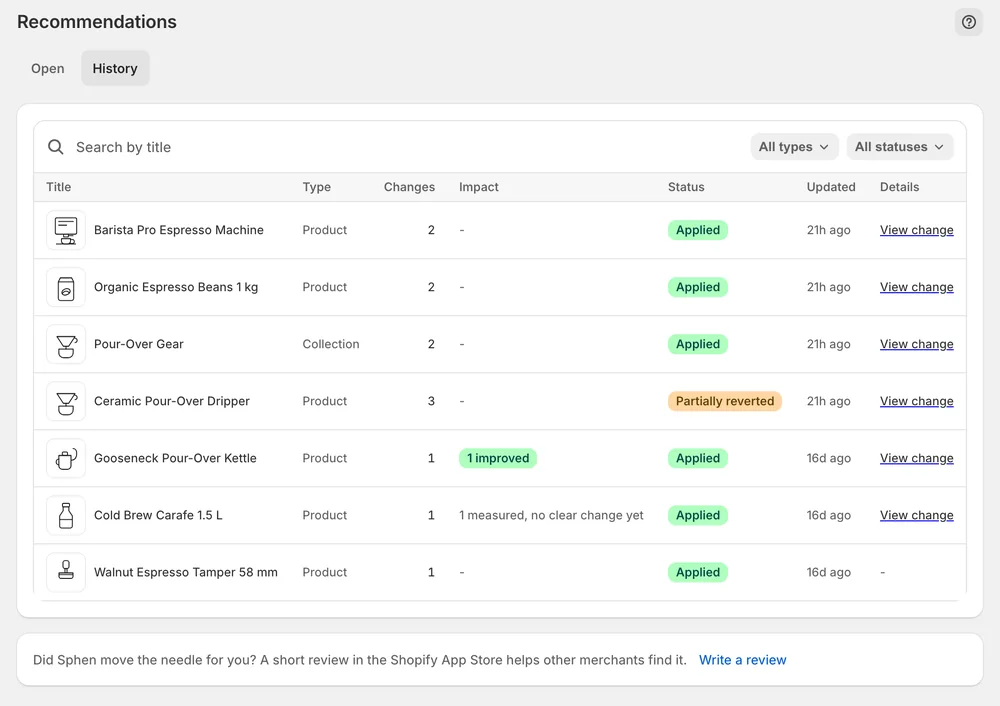
Applied changes show Measuring while data accrues — about two weeks. The result appears on the change in History.
Measured impact on Overview sorts changes into Improved, Worsened, No measurable movement or Insufficient data, with improvements confirmed at the top.

In the app
Every recommendation states what happens when you apply it: it writes only the listed fields and measures 14 days before and after. You also see Before / after and the Evidence block with Current, Target and Signal, so you know what is being changed and why. Applying a draft is what starts the measurement window. Drafts you dismiss or never apply are not measured.
Under Recommendations → History, each applied change carries its status. Measuring means the change is live and Sphen.ai is waiting for enough data to judge it. That window is normal and runs about two weeks. The result then appears on the change. A Live on store badge verifies the value against your real storefront, and Differs on store tells you someone edited the field in Shopify afterwards.
Once your first applied change has been measured, a Measured impact card joins the Overview page. It sorts measured changes into Improved, Worsened, No measurable movement or Insufficient data, with confirmed improvements at the top. Expect a mix. If a type of change did not help, you can revert it from History before you roll the same kind of edit out to more products.
You stay in control
Plans
Included in every plan, with no separate quota.
About two weeks after a change goes live. The status Measuring during that window is normal: the change is already live on your store, and Sphen.ai is waiting for enough data to judge it. The result then appears on the change under Recommendations → History.
No. Expect a mix of improved, worsened and no measurable movement. The useful number is improved minus worsened over a quarter, not the result of a single change. Changes without enough data are reported as Insufficient data and are not counted as a win.
The change is marked Differs on store, so you know the measured version is no longer the live one. If you then revert it from History, Sphen.ai warns you that the store content changed, because reverting would overwrite the newer edit made in Shopify.
No. Measurement only reads. The only write happens when you apply a change, and it covers just the fields listed on the recommendation. If a measured change did not help, you decide whether to keep it or revert it under Recommendations → History.
It means there was not enough data in the window before and after the change to judge it. Sphen.ai reports that as its own result and does not round it up to an improvement. The change itself stays applied on your store unless you revert it.
Open Recommendations → History. Each applied change shows its status there, first Measuring and then the result. The Measured impact card on Overview gives you the tally across all measured changes. It appears once your first applied change has been measured.
Install Sphen.ai, let it read your store, and decide exactly what goes live.
