
Empty category pages
Many collections are a title and a grid. There is nothing for a search engine or assistant to read.
Recommendations · Collection copy
Collections are the pages that answer “which one should I buy?”. Sphen.ai audits their descriptions and SEO fields, drafts copy from the products inside, and applies it when you approve.
In short
Sphen.ai audits your collection pages and drafts the collection description, SEO title and meta description where they are missing or thin. You review each draft next to the current value, edit or refine it, and apply it yourself. Collection audits are included in the Business and Growth plans with a monthly allowance.
Updated:
The problem
Many collections are a title and a grid. There is nothing for a search engine or assistant to read.
Buyers ask which type suits them. If your collection page does not say, a review site will.
Collection SEO titles and meta descriptions are rarely set by hand.
How it works
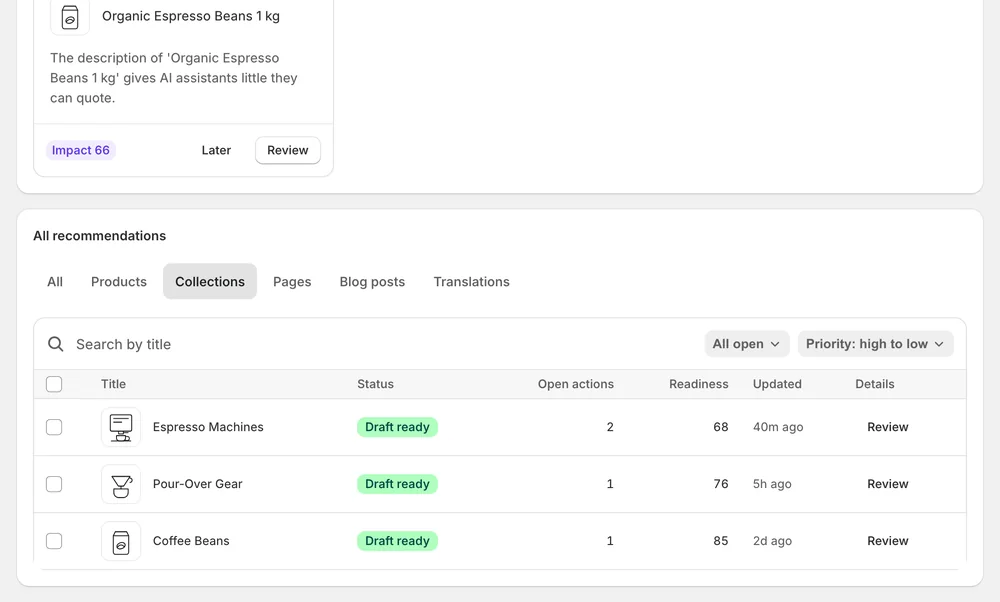
The Collections tab of the approval table lists Improve collection description, SEO title and meta description recommendations.
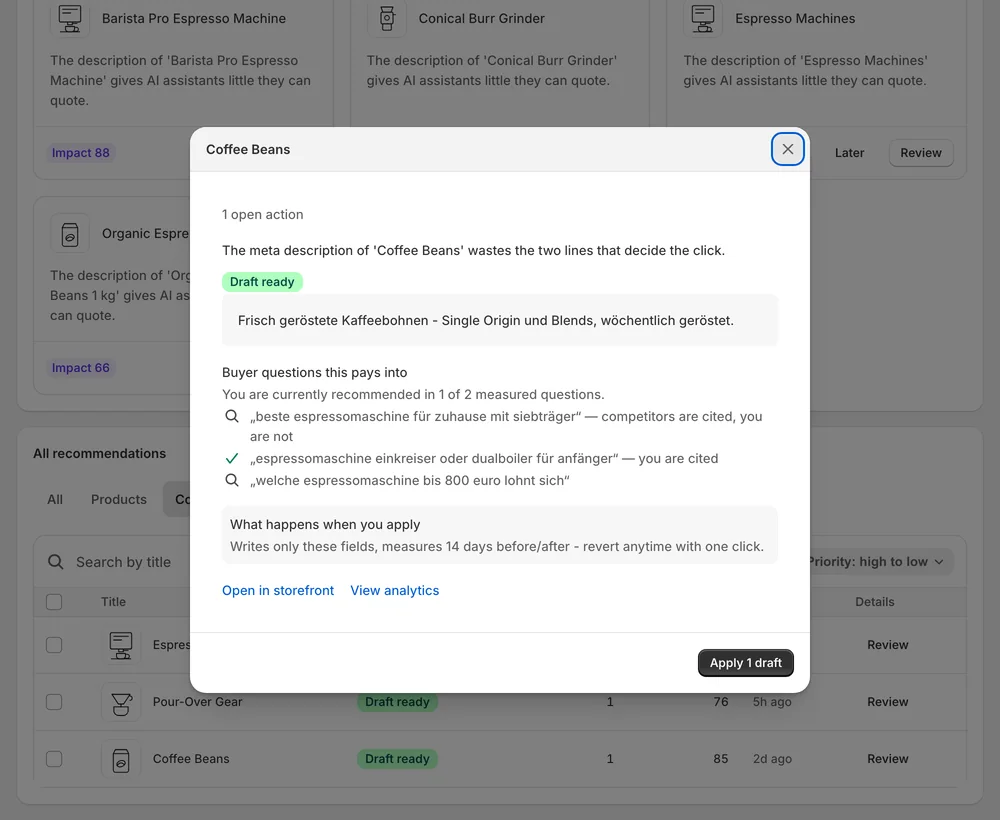
Open a recommendation, read the evidence, generate the draft and Edit or Refine with AI until it reads right.
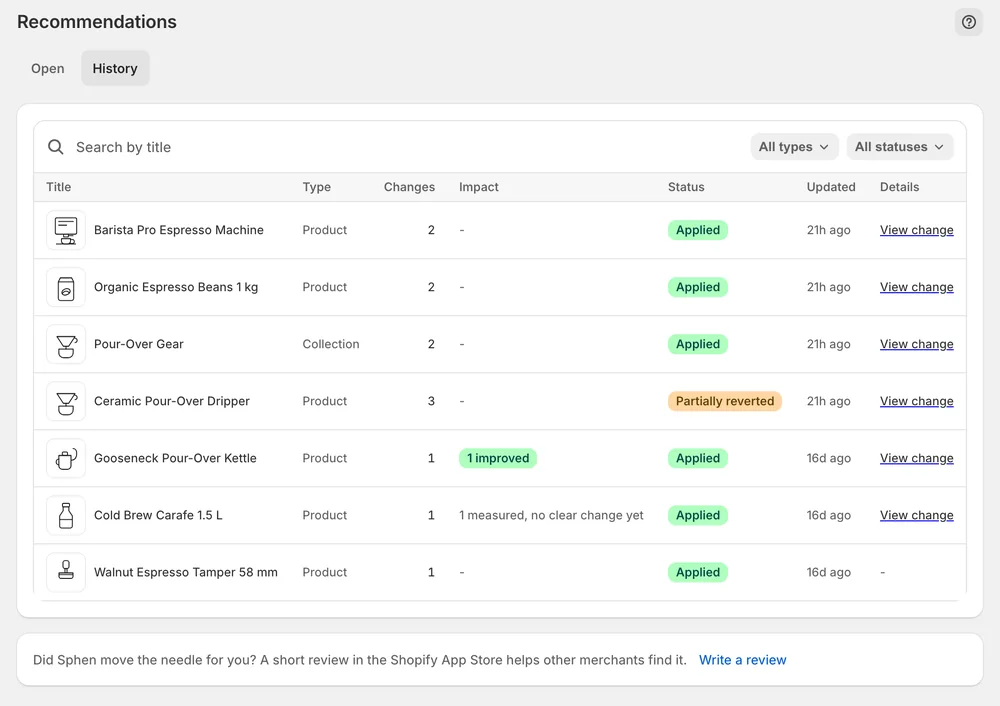
Applied collection copy lands in History, checked against the live store and revertible.
In the app
In the All recommendations table, the Collections tab lists the open actions for your collection pages: collection description, SEO title and meta description. Search by title, sort by priority and use the Proposal state filter to separate actions that need generation from drafts that are ready to apply. Top recommendations above the table shows the highest-impact fixes as cards.
Open a collection recommendation with Review or Details. Before / after shows the current text next to the draft, and the Evidence block names Current, Target and Signal. Edit lets you change the wording yourself. Refine with AI takes an instruction such as “make it shorter”. Apply writes only the fields named in the recommendation, and Dismiss discards a draft that does not fit.
Settings → Plans shows Your usage this month, including the collection audits used against your allowance. Applied collection copy moves to the History tab in Recommendations. There each change has a Live on store badge that checks it against the storefront and a Revert button. If the field was changed in Shopify afterwards, the change shows Differs on store.
You stay in control
Plans
collection audits per month
The collection description, SEO title and meta description. Collection image alt text is flagged as well. Fields that no AI can invent need a manual edit in Shopify, and the No AI fields badge marks items where only such fields are open.
Collection audits are included in Business and Growth, with a monthly allowance shown under Settings → Plans. The allowance counts the collections audited during the month and resets at the start of the next month. Essential does not include collection audits.
Yes. Title, description, SEO title and SEO description on collections are part of the translation proposals. You review them in the Translations tab and push only what you approve. Sphen.ai prepares translations only for languages that already exist in your Shopify store.
Yes. Select rows on the Collections tab, press Bulk AI generate content to draft, and then Apply changes. A confirmation dialog names how many changes across how many items go live. Nothing is written before you confirm, and each change can be reverted from History.
The app tells you which monthly allowance is used up and what the next plan includes. The allowance resets at the start of the next month. Existing data and changes you already applied are not affected by reaching a limit.
Yes. Open Recommendations → History and press Revert on the change to restore the previous value. If someone edited the field in Shopify after Sphen.ai applied it, you are warned before the newer edit would be overwritten. You can then choose Revert anyway or cancel.
Install Sphen.ai, let it read your store, and decide exactly what goes live.
