
The citation goes elsewhere
Review sites, blogs and news pages win the mention while your product page waits.
Mentions
Mentions lists every page that talks about you or your competitors, marks the ones AI assistants cite, and turns the gaps into outreach drafts. Sphen.ai never sends anything — you do.
In short
Mentions is the off-site workspace in Sphen.ai. It lists the web pages that mention your store or a tracked competitor and marks the ones AI assistants cited in their answers. The Opportunities tab shows sites that are cited for your topics but do not mention you, each with an outreach draft. You send every email yourself.
Updated:
The problem
Review sites, blogs and news pages win the mention while your product page waits.
Without knowing which domains assistants trust, PR is guesswork.
Every pitch starts from zero, without the evidence that makes it relevant.
How it works
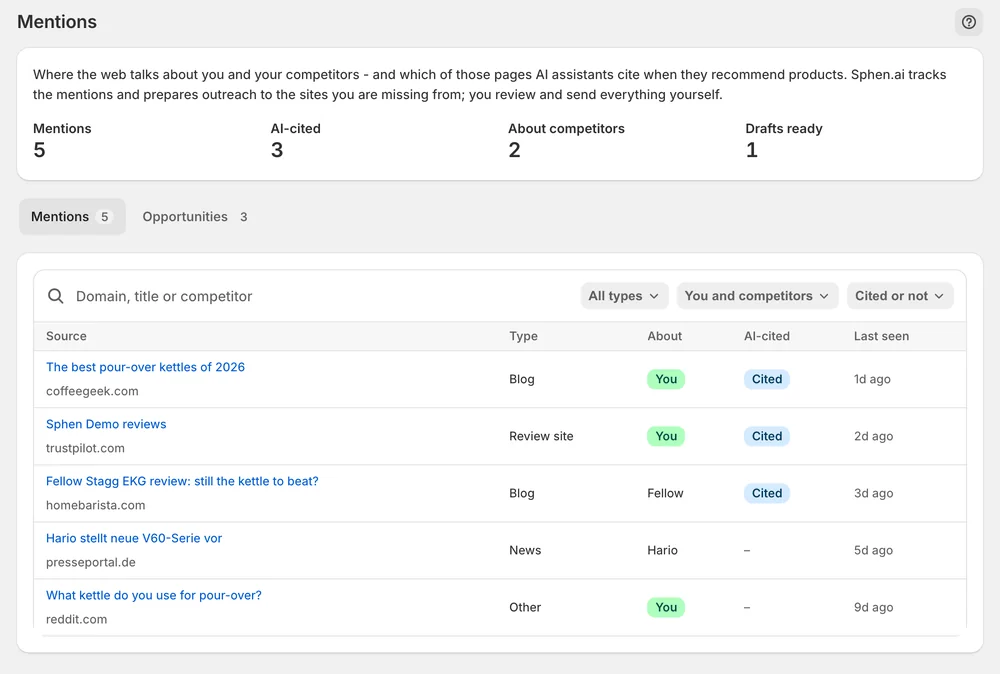
Filter by type, by you or competitors, and by cited or not. The pages that already carry weight in AI answers sort first.
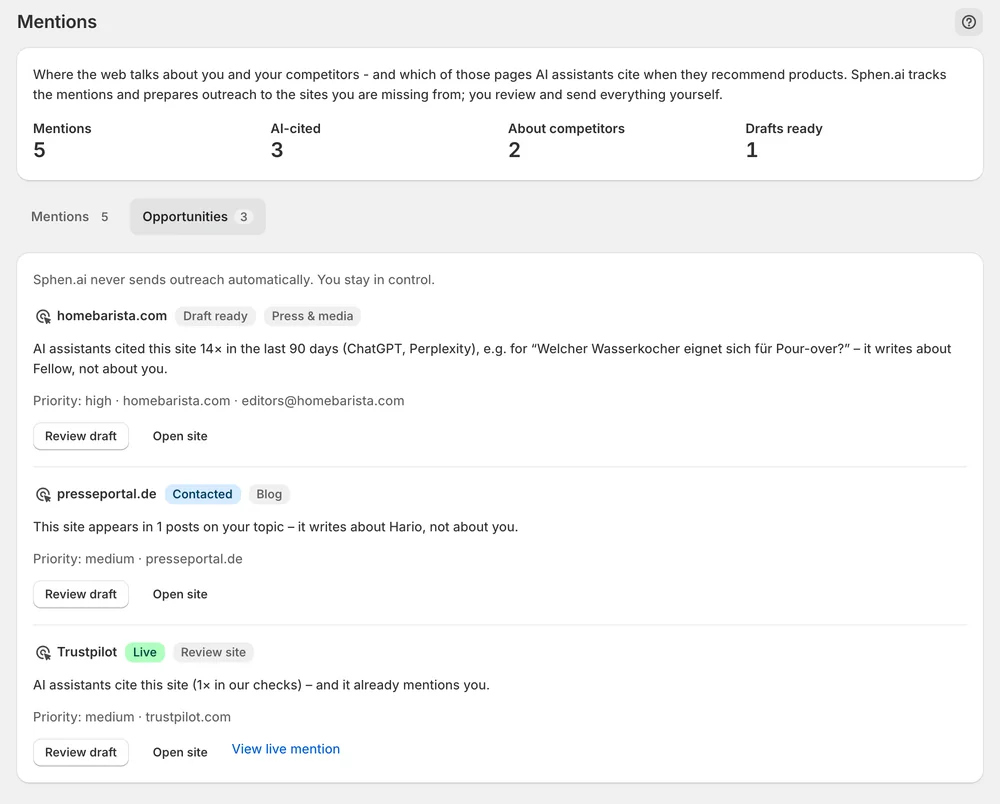
One row per site that assistants cite for your topics but that does not mention you — with the reason and priority.
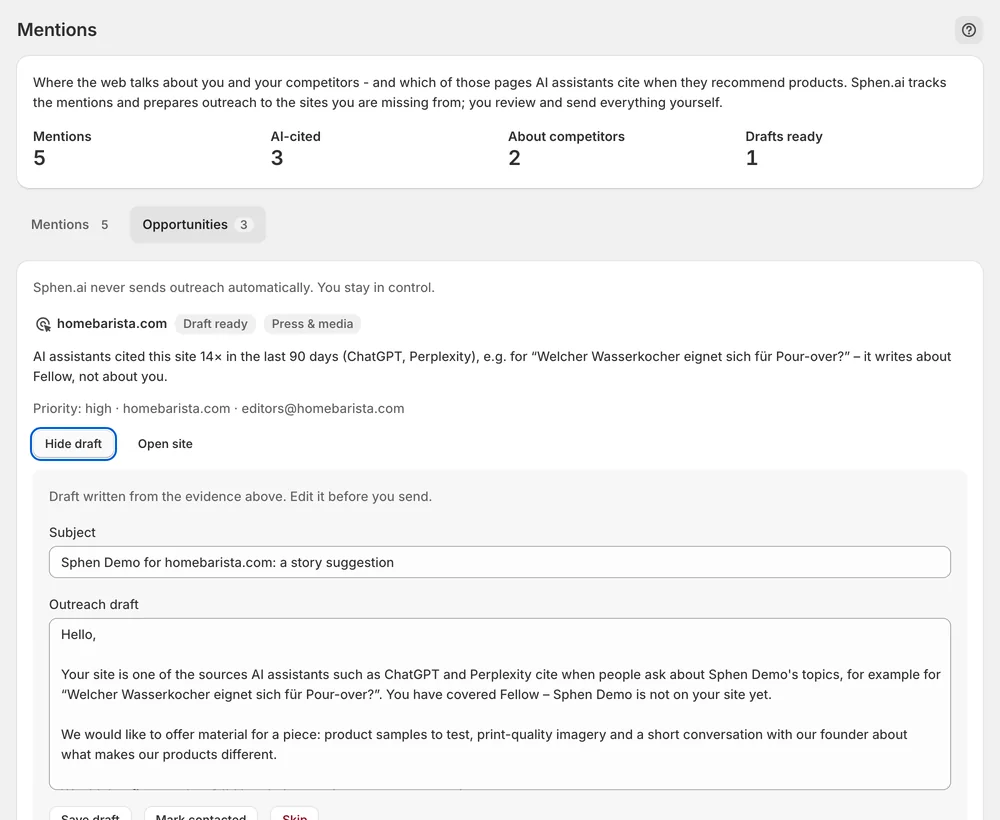
Review the drafted subject and outreach email, edit it, and send it from your own inbox. Mark contacted, then Mark live.
In the app
On the Mentions tab, counters at the top show Mentions, AI-cited, About competitors and Drafts ready. Narrow the table with the filters All types, You and competitors and Cited or not. You can also search by domain, title or competitor. AI-cited pages sort first. The About column says whether a page is about you or names a competitor.
On the Opportunities tab, each site has an evidence line that says how often AI assistants cite it and who it writes about. Opportunities are typed: Press & media, Blog, Review site, Editorial, PR portal and Link request. Press Review draft, adjust Subject and Outreach draft, and press Save draft. Open site lets you check the target first.
Send the email from your own inbox, then press Mark contacted. When coverage goes live, paste the link into Live coverage or proof URL and press Mark live. Mark live needs a complete http or https URL. Skip parks a site you do not want to contact, and Restore brings it back. Work link requests first, then AI-cited sites.
You stay in control
Plans
Included in every plan, with no separate quota.
No. The workspace is draft-only by design. Sphen.ai prepares the subject and the outreach draft, and you review and edit them. You send every email from your own inbox and then mark the site as contacted in the app.
They come from the sources AI assistants cite for your topics. A site becomes an opportunity when assistants cite it but it does not mention you yet, for example because it writes about competitors. Each row shows the evidence behind it.
Usually after your catalog is clean. Fix the catalog first in Recommendations. A citation that leads to a thin product page converts badly and will not be repeated. Once your product data is in order, off-site mentions are the next step.
Monitoring is set up for your store as part of onboarding and does not switch itself on at install. Once it runs, the first mentions and opportunities take a few days to accumulate. If both tabs stay empty after that, contact support and ask for monitoring.
A link request means someone already mentions your brand without linking to it. Asking for the link is the cheapest win on the list, so work those first. After that, contact the AI-cited sites, because they already carry weight in AI answers.
Start with the Sources deep dive on Analytics. It ranks the external domains AI answers cite when your prompts are checked, and flags the ones that cite a source but not you. That is your target list for the Opportunities tab.
Install Sphen.ai, let it read your store, and decide exactly what goes live.
