
What it does
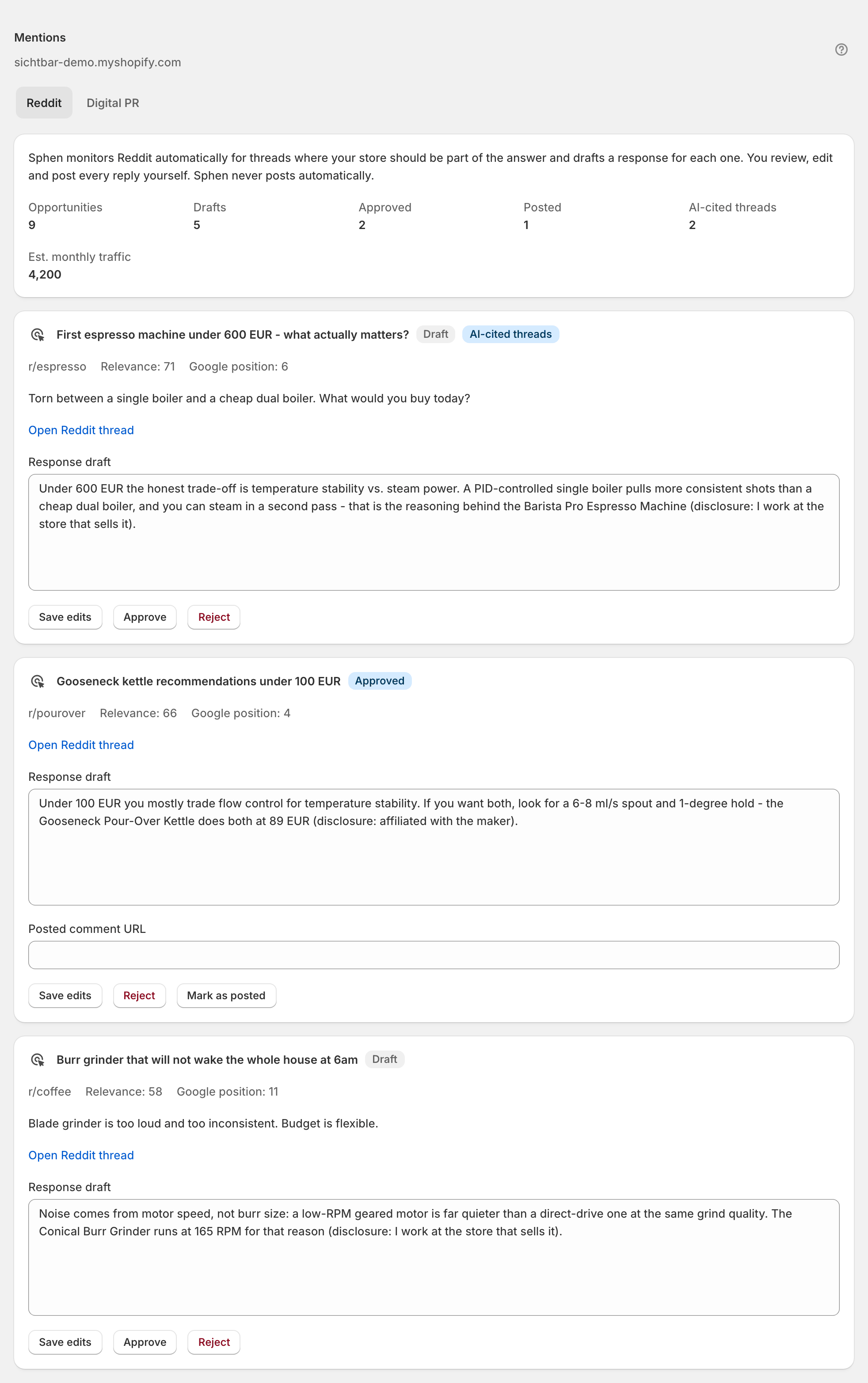
Mentions covers the off-site half of AI visibility. The Mentions tab lists every page on the web that mentions your store or one of your tracked competitors, and marks the ones AI assistants actually cited in their answers. The Opportunities tab turns that into work: one row per site that AI assistants cite for your topics but that does not mention you yet, with the evidence behind it and a ready-to-send outreach draft. Sphen.ai never sends anything — you review, edit and send from your own inbox.
Why it matters
AI answers cite third-party sources far more often than they cite shop pages. The Sources deep dive, opened from the AI visibility deep dives dropdown on Analytics, shows exactly which domains beat you to the citation. Getting mentioned on those domains is what moves your citation share once your own catalog is clean.
Setup
Open Mentions. Monitoring is set up for your store as part of onboarding — it does not switch itself on at install. Once it is running, the first mentions and opportunities take a few days to accumulate.
On the Mentions tab, narrow the table with the filters All types (blog, news, review site), You and competitors and Cited or not, or search by domain, title or competitor and press Enter. AI-cited pages sort first.
On the Opportunities tab, read the evidence line under each site (for example: AI assistants cite this site 3× — it writes about two competitors, not about you), press Review draft, adjust Subject and Outreach draft, and press Save draft. Use Open site to check the target first.
Send the email from your own inbox, then press Mark contacted. When coverage goes live, paste the link into Live coverage or proof URL and press Mark live. Skip parks a site you don't want to contact; Restore brings it back.
Reading the results
The counters at the top: Mentions (pages found that mention you or a tracked competitor), AI-cited (of those, pages AI assistants cited in their answers), About competitors (mentions about a competitor rather than you) and Drafts ready (outreach drafts waiting for your review).
In the table, About says whether a page is about you or names a competitor, and AI-cited marks the pages that already carry weight in AI answers — those are the sites worth being on.
Opportunities are typed: Press & media, Blog, Review site, Editorial, PR portal and Link request — the last meaning someone already mentions your brand without linking to it, which is the cheapest win on the list. Work link requests first, then AI-cited sites.
The realistic rhythm is slow and compounding: one or two live placements per month, checked against the Sources deep dive to see whether the domains you worked start citing you.
Troubleshooting
Both tabs are empty.
Give it a few days first — mentions and qualified opportunities accumulate slowly. If both tabs are still empty after that, monitoring has most likely not been switched on for your store yet: contact support and ask for it. If the page reports a load failure instead, press Retry and check Activity.
The mentions table says no mentions match.
A filter or search is active. Press Clear next to the search field, or set the three filters back to All types, You and competitors and Cited or not.
Marking something live is rejected.
Mark live needs a valid proof URL and accepts any http or https URL. Paste the complete link to the live coverage, not a shortened or partial one.
An item's status changed while I had the page open.
The entry was updated elsewhere since the page loaded. Reload to see its current status, then repeat your action.
Frequently asked questions
Will Sphen.ai ever email on my behalf?
No. The workspace is draft-only by design. Outreach emails are sent from your own inbox.
How do I find the right outreach targets?
Start with the Sources deep dive on Analytics, which ranks the external domains AI answers cite when your prompts are checked, and flags the ones that cite a source but not you. That is your target list.
Is off-site work worth it before my catalog is fixed?
Rarely. Fix the catalog first via Recommendations — a citation that leads to a thin product page converts badly and won't be repeated.
Still stuck?
Support answers installation, catalog sync, audit, billing, privacy, and account questions for the SPHEN.AI Shopify app.