Invisible answers
A search ranking says nothing about whether ChatGPT names your store when a buyer asks for a recommendation.
AI visibility
Sphen.ai asks real buyer questions to the AI engines your customers use and records whether your store appears, where it ranks, and which domains got cited instead.
In short
AI visibility tracking is a scan that asks real buyer questions to the AI engines your customers use. It records whether your store appears in the answer, where it ranks, and which other domains were cited instead. Results are broken down for ChatGPT, Perplexity, Gemini, Claude, Copilot and Google AI Overview.
Updated:
The problem
A search ranking says nothing about whether ChatGPT names your store when a buyer asks for a recommendation.
The domains that win the citation are often review sites and blogs, not the shops you track.
AI answers vary run to run. One manual check proves nothing either way.
AI visibility
How it works
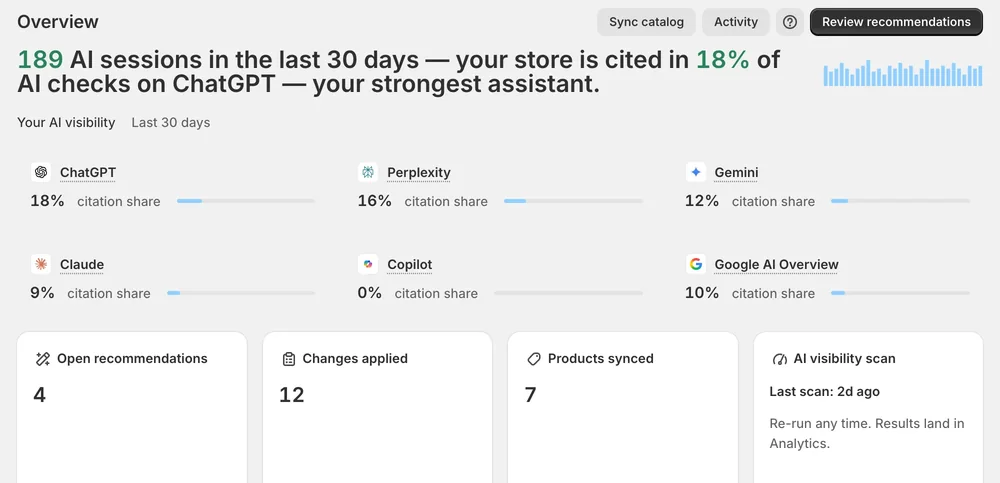
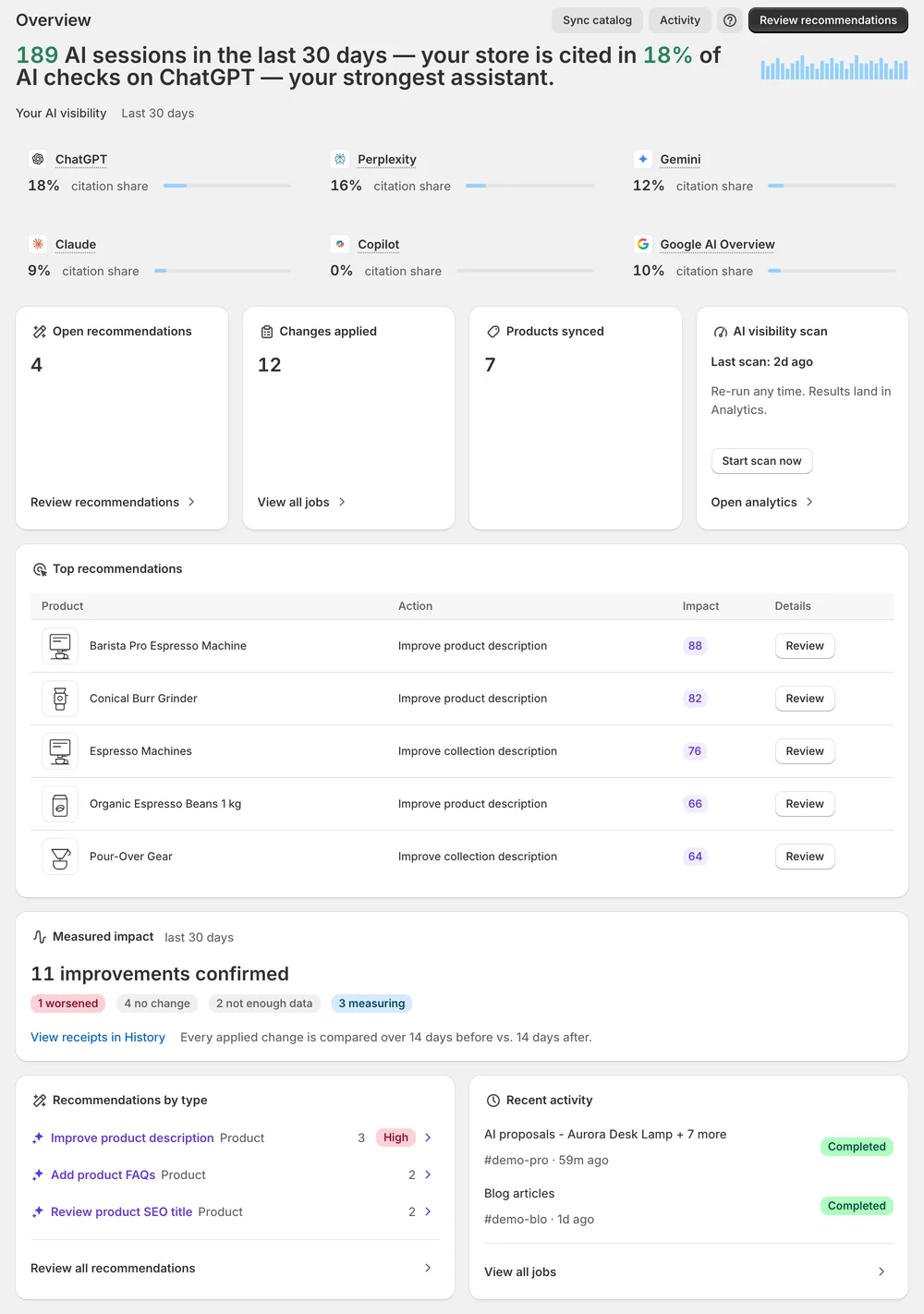
Overview sums up your AI visibility over the last 30 days, with a card for ChatGPT, Perplexity, Gemini, Claude, Copilot and Google AI Overview.
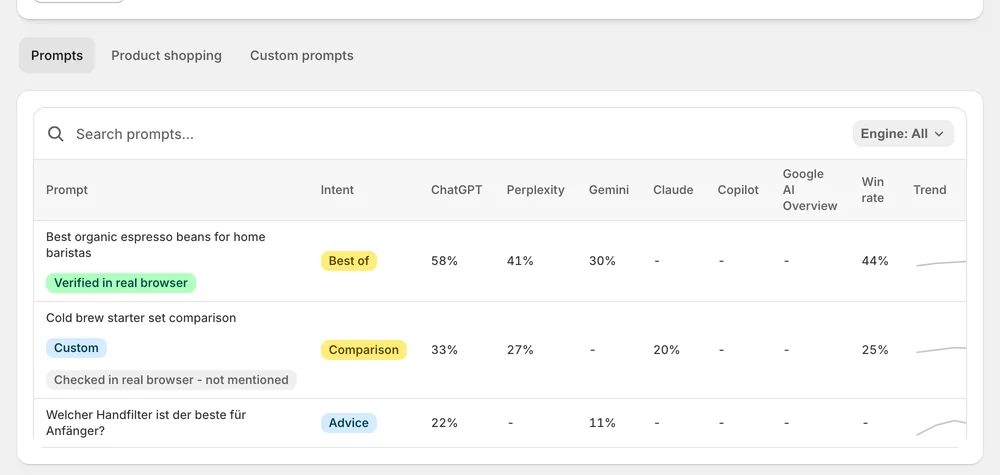
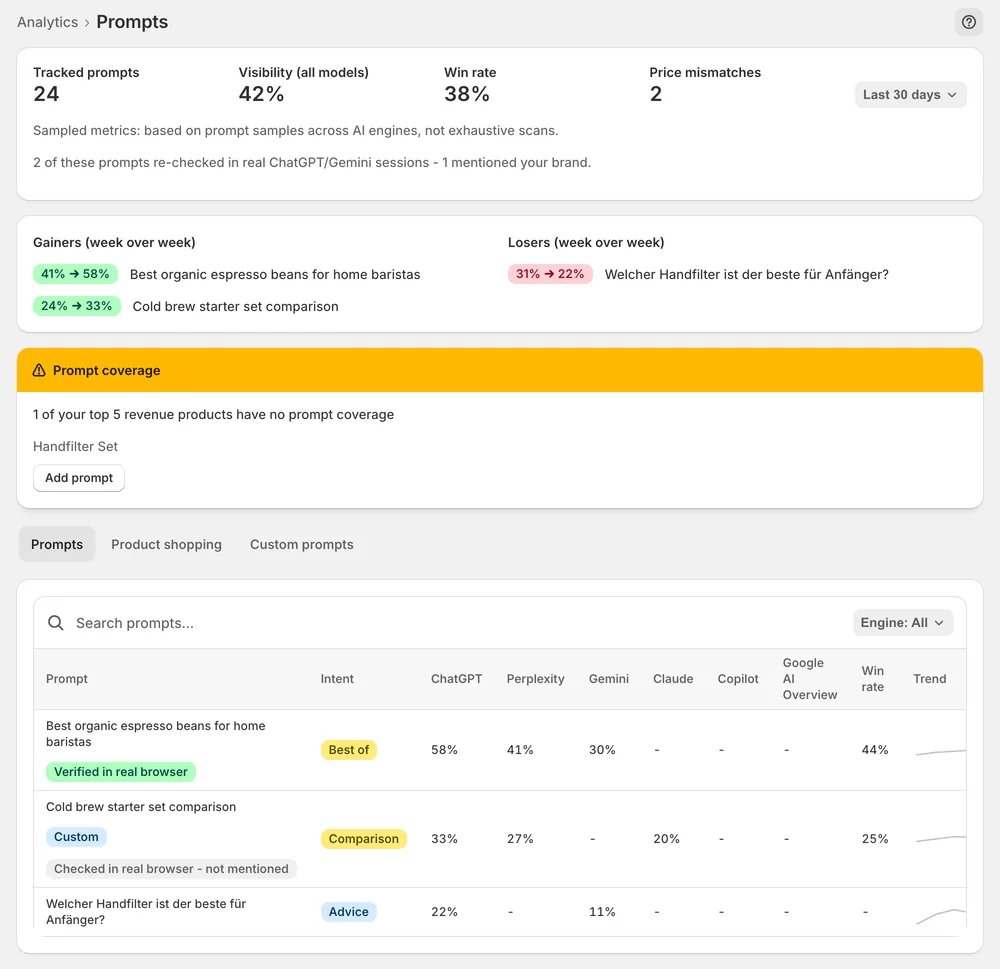
The Prompts deep dive shows every tracked buyer question, your visibility and win rate, gainers and losers — and real-browser re-checks as evidence.
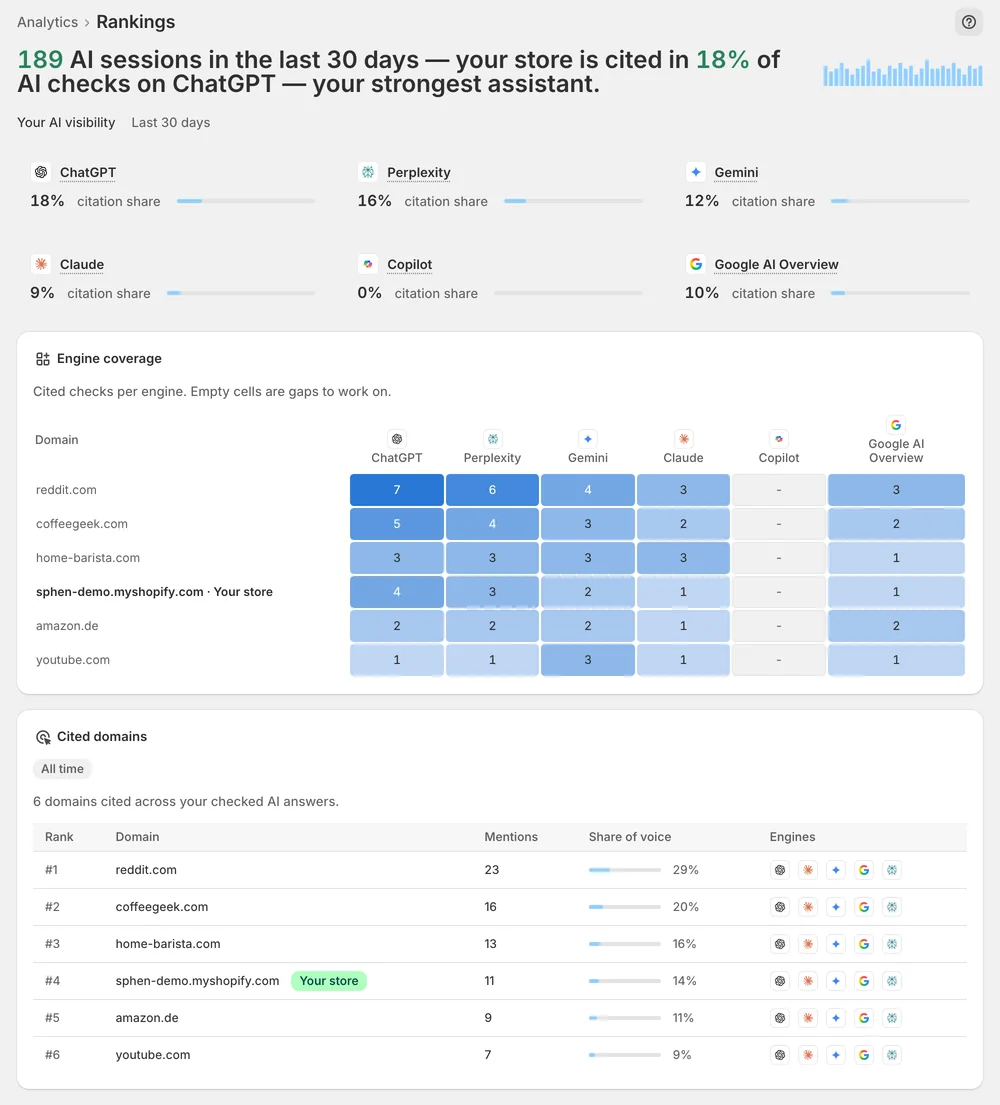
Rankings shows, per prompt and engine, where you appear and where you are missing.
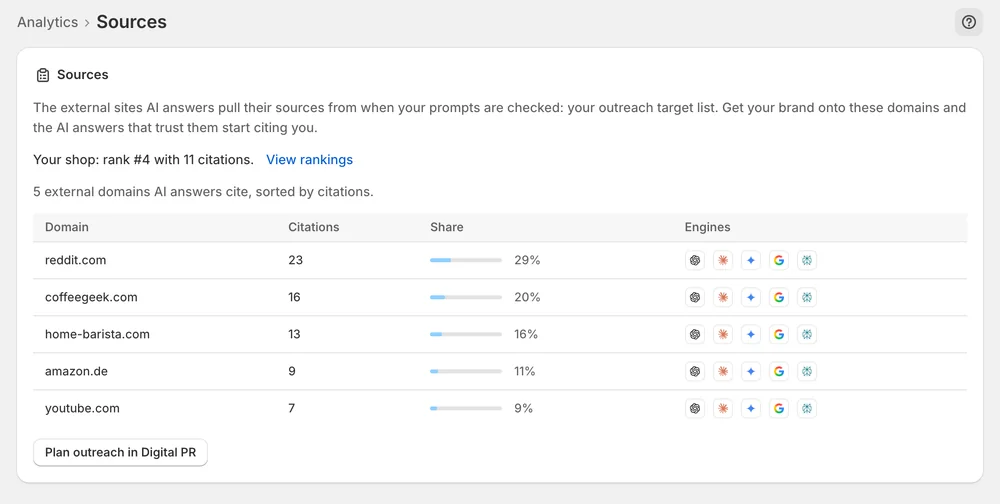
Sources ranks the external domains AI answers cite for your prompts — your outreach list for Mentions.
In the app
Overview sums up your citation share and your strongest assistant, with a citation-share card for each engine. Analytics adds the visibility score, share of voice and win rate. The visibility score is the share of sampled AI answers that mention your store, out of 100. Win rate is the share of those answers that recommend you as the top pick.
On Analytics, open AI visibility deep dives → Prompts. The Custom prompts tab shows the prompt panel Sphen.ai generated from your catalog. Under Add a custom prompt you enter a question, pick an Intent and a Language, and press Add prompt. It joins the next scan. Delete removes prompts that do not reflect your market. Results already collected stay in past runs.
Rankings shows an engine-coverage matrix per prompt. Empty cells are the gaps worth working on. Sources lists the domains AI answers cite for your prompts in the Cited domains table. Competitors named in the same answers appear per prompt under Competitors mentioned. The domains that are cited instead of you become your outreach list for Mentions.
You stay in control
Plans
AI visibility tests per month
Results are broken down for ChatGPT, Perplexity, Gemini, Claude, Copilot and Google AI Overview. You see them as citation-share cards on Overview and under Engine coverage on the Rankings deep dive. The real-browser re-checks on the Prompts deep dive cover the ChatGPT and Gemini web interfaces.
AI answers are non-deterministic and each scan is a sample, not a census. Small movements are noise. Look at the direction across several scans. Gainers and Losers on the Prompts deep dive show the week-over-week movement that survived sampling.
Indirectly, and that is usually enough. Competitors that appear in the same answers are listed per prompt under Competitors mentioned in the prompt details. Competing domains show up in the Cited domains table on the Sources deep dive. Use both lists to see who is cited on the prompts you care about.
On Overview, find the AI visibility scan card and press Start scan now. The scan runs in the background, so you can leave the page. Each plan includes a fixed number of full scans per month. Check what is left under Settings → Plans.
Some prompt rows carry an evidence badge: Verified in real browser, or Checked in real browser - not mentioned. Those prompts were asked again in real guest-browser sessions of the ChatGPT and Gemini web interfaces, as a reality check against the API samples. The tooltip names the engine and capture date.
That is a real result, not an error. Your store was not mentioned in any sampled answer. Start with Recommendations to close catalog gaps. Then use Content and Mentions to build material that can be cited, and read the trend over the next scans.
Install Sphen.ai, let it read your store, and decide exactly what goes live.