
What it does
Sphen.ai ships its structured data as Shopify theme app embeds. Once activated, your storefront emits Organization, WebSite, Product, BlogPosting and BreadcrumbList JSON-LD, plus an optional visible FAQ block with matching FAQPage data and an optional dwell-time signal for your blog articles. Nothing renders in your theme until you switch the embeds on in the theme editor — no theme code is edited, and removing the app removes the output.
Why it matters
Structured data is how a machine reads your price, availability, brand and reviews without guessing from HTML. It is also the cheapest fix in the app: one toggle applies to every product page at once. Leave it off and Sphen.ai's audit keeps reporting structured-data gaps it cannot close for you.
Setup
On Overview, look for Activate structured data in your theme and press Open theme editor. From Settings → Integrations the equivalent action is Activate in theme editor on the Connections & status card.
In the Shopify theme editor, open App embeds in the left sidebar.
Switch on Sphen.ai Structured Data. Inside it, under Schema types, enable the ones you want: Organization & WebSite, Product, Article / BlogPosting, Breadcrumbs and FAQ schema.
Two more embeds sit in the same list. Sphen.ai FAQs turns the visible FAQ block and its FAQPage data on or off as a whole — switch it on if you publish FAQs. Sphen.ai Article Dwell measures how long readers stay on your blog articles; the Blog analytics have nothing to report without it, so switch it on if you publish articles.
Save the theme. The embeds apply to your live theme only — repeat this after publishing a new theme.
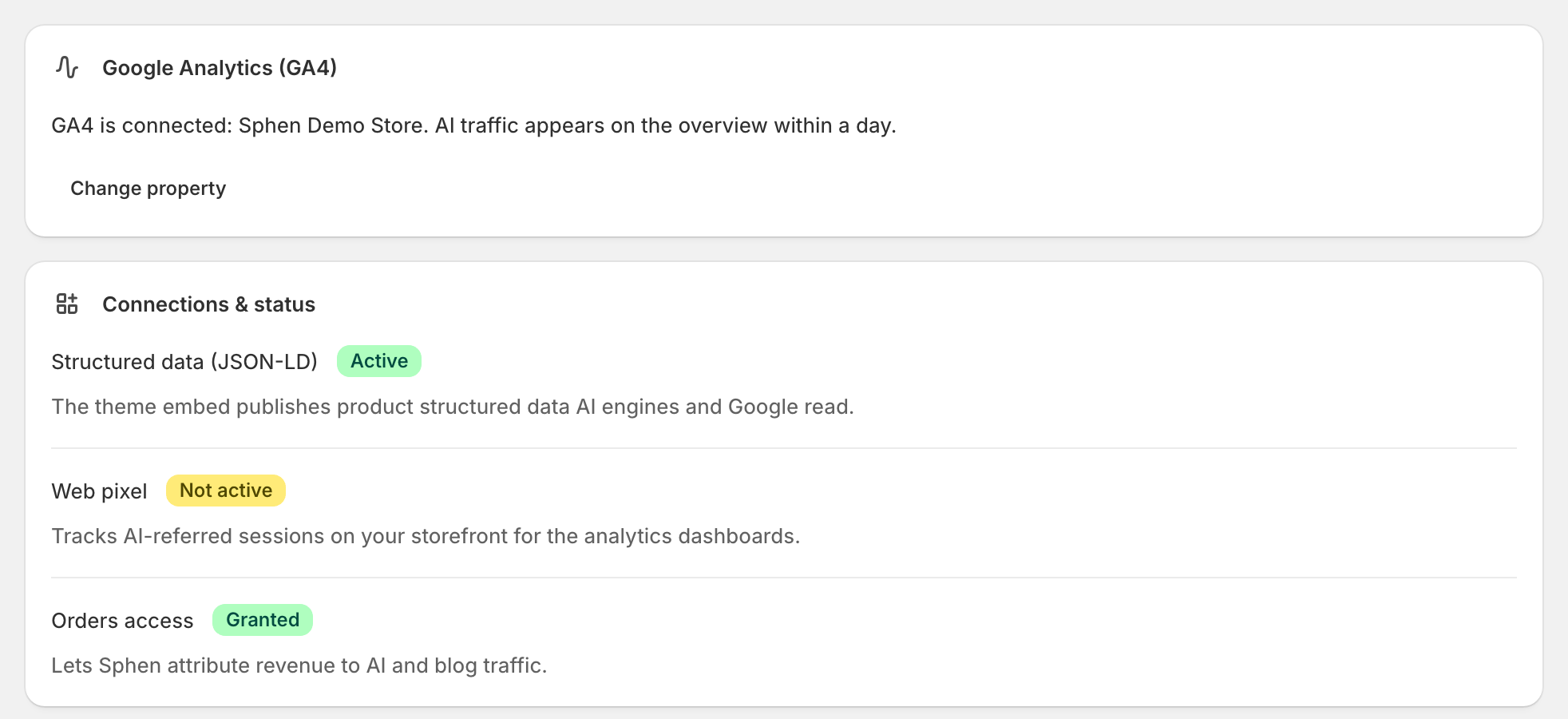
Back in Sphen.ai, open Settings → Integrations and confirm Structured data (JSON-LD) reads Active on the Connections & status card.
Run a fresh audit so the structured-data recommendations close. See Recommendations.
Reading the results
Good looks like this: on Connections & status, Structured data (JSON-LD) is Active, and after the next audit the structured-data actions have left your open list. Where the AI Shopping tab is switched on for your store, its structured data incomplete readiness check stops firing on your products.
Not active means the embed is off in your live theme and no JSON-LD is being emitted, regardless of what the app shows. Needs permissions means the app can't read your theme — reopen it from Shopify admin to re-grant access.
One warning worth taking seriously: if another app or your theme already outputs structured data, turn off the matching schema switches here. Duplicate JSON-LD causes errors in Google Merchant Center and can cost you rich results — more damaging than having none.
Troubleshooting
I activated the embed but the status still says not active.
Check that you saved the theme, and that you edited the published theme rather than a draft. Then reload the Sphen.ai page — the status is read from your live theme.
Google Merchant Center reports duplicate structured data.
Two sources are emitting the same schema. Turn off the matching schema switch inside the Sphen.ai Structured Data embed, or disable the other app's output. Sphen.ai also raises a recommendation for this: Disable duplicate structured data.
FAQs are approved but nothing shows on the storefront.
The visible FAQ block lives in the separate Sphen.ai FAQs embed. Switch that one on too; see Content.
Frequently asked questions
Does the embed modify my theme files?
No. Theme app embeds are injected by Shopify at render time. Your theme code is untouched, and switching the embed off removes the output immediately.
Do I need to redo this after a theme change?
Yes. App embeds are per theme. Publish a new theme, then activate the embeds in it — the app flags this again as soon as it detects an inactive embed.
Will it slow down my storefront?
The embeds output JSON-LD script blocks and, if enabled, an FAQ block. There is no external script and no render-blocking resource.
Still stuck?
Support answers installation, catalog sync, audit, billing, privacy, and account questions for the SPHEN.AI Shopify app.